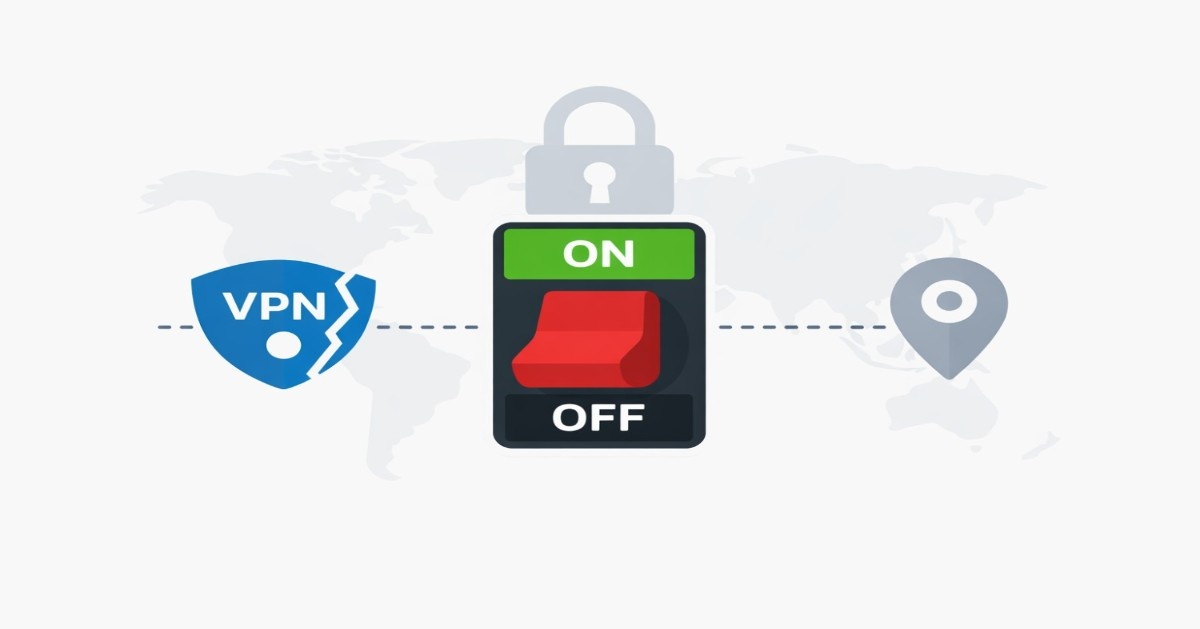
What is a VPN kill switch?
A VPN kill switch is a safety device that is incorporated in VPNs. Whenever your VPN connection is lost without warning, it automatically kills or blocks the internet traffic. That is, until the VPN is re-established, your device will not have any external network connectivity at all. This will not allow any data to spill over an unprotected connection. In VPN software, kill switches are also referred to as network locks or internet kill switches. They guarantee that, in the event of a failure of the private VPN tunnel, no packets will egress your regular internet interface. Simply put, when the VPN is off, a kill switch puts the entire system off, concealing your IP address and activity.
Why Does a VPN Kill Switch Matter?
In the short time when a VPN goes dead, a kill switch will save you. In its absence, your computer would revert to the standard internet, transparently exposing your actual IP address and unsecured traffic to your internet service provider, Wi-Fi hotspot, or any other eavesdroppers.
To take it as an example, when viewing region-locked streaming or torrenting, a dropped VPN without a kill switch will show the location of your home or peer IP. It is beneficial even to the un-technical user: a bursting leak can end a video stream or even a download. A kill switch serves as a safety net, as when something does go awry (poor Wi-Fi connection, VPN server is down, the app crashes), then there is nothing sensitive slipping out.
Activists, journalists, and all privacy-conscious users (those on public networks) use kill switches to ensure that their identity remains concealed in the event of unexpected drops. Concisely, the kill switch is among the most significant privacy provisions that a VPN can possess.
Real-World Risk Example
Suppose you download files using BitTorrent. You lose the VPN connection in five seconds. The absence of a kill switch makes your torrent client keep on communicating with your real IP address. The third parties might log that temporary exposure.
The same risk applies to:
- Journalists in oppressive countries.
- Workers who are working remotely and accessing company systems.
- Geo-blocking bypassed by users.
- The people who are worried about ISP surveillance.
There is a kill switch that provides constant protection even when there is instability in the connection.
How does a VPN kill switch work?
The hood contains a kill switch that monitors the VPN tunnel and blocks traffic when it is broken. The VPN client (or operating system) monitors its state of connection and IP address; when it realizes some interference or a routing change, it promptly installs firewall configuration or blocks network paths to prevent all outgoing packets.
As an illustration, it can impose a default deny policy (iptables or Windows Firewall) to make sure that nothing is exiting your machine unless it passes through the VPN interface. This immediately blocks the internet connectivity until the tunnel is brought back online. The VPN reconnects and therefore removes those blocks, and the traffic is reinstated. Practically, the kill switch closes the circuit in real time—similar to a circuit breaker that closes when the slightest fault is detected. There are various kill-switch designs.
A system-level kill switch blocks all traffic across the entire device, whereas an app-level (or per-program) kill switch only blocks specific applications. And a system kill switch will mean that as soon as the VPN is dropped, no packets are passed on any application. The app kill switch is more specific: you can seal only the apps you consider blocking, allowing all other programs to keep using the internet. The majority of VPNs have a full network kill switch and a flexible alternative to an app kill switch. The objective is always to avoid having any traffic leak beyond the encrypted tunnel.
When does the kill switch activate?
There is a kill switch that activates every time there is an accidental disconnection. Examples of common triggers are
- VPN server disconnection or crashes: When the VPN server fails, or you leave the signal range, the connection will be broken, and the kill switch will shut down.
- Network changes or outages: Any failure of the VPN will turn on the kill switch in case of switching from Wi-Fi to mobile data or going offline altogether.
- Computer restart or sleep: Upon reboot or resume, the kill switch (with the especially always-on option) does not allow normal traffic until the VPN reconnects.
- Hand-operated network interface modifications: Plugging/unplugging Ethernet, switching airplane mode, etc.
It is important to note that the majority of kill switches take action on unexpected drops only. Take, for example, a “normal” kill switch: it may not activate when you deliberately disable the VPN. (A kill switch mode can impose blocks even when manually disconnected.) The concept is to prevent leakages when accidental or external failures take place. As experts can explain, a kill switch is normally triggered by VPN apps when the connection to the VPN is lost.
How to enable the kill switch?
Almost all contemporary VPN applications have a kill switch in their settings. You have to activate it by opening your VPN client and trying to find such terms such as “Kill Switch,” “Network Lock,” “Internet Kill Switch,” and others. This can be found in an Advanced menu or a Settings menu. To give an example, a single desktop VPN application has a checkbox that says, “Stop all internet traffic when the VPN malfunctions—hit the switch.” The kill switch option can be activated in security or connection settings on mobile applications. The following are the instructions on how to enable kill switches on popular platforms:
Windows/macOS: The kill-switch option is located in the preferences in your VPN application. With a lot of providers, you can just switch it on. When connected, the app will be able to block the internet traffic in case of VPN failure. (In the case that you cannot find it, make sure you have the most recent VPN client. Alternatively, the OS firewall, such as the always-on VPN policy of IKEv2 connections in Windows 10, PAS, can be used (acts like a kill switch).
Linux: VPN clients. Command-line VPN clients can frequently have a kill switch option. As an example, the act of running such a command as vpnclient config set kill-switch on (as is the case with NordVPN or the ProtonVPN CLI) will allow it. There is also the use of a manual kill switch through a firewall rule. An example is that, with iptables, you can set the default to DROP on all outgoing traffic, then add a rule to only accept traffic on the VPN tunnel interface (i.e., tun0). By doing so, should the tunnel collapse, then all other traffic will be blocked. (A block outside VPN setting could also be provided by Linux network manager tools or by third-party applications like OpenVPN GUI.)
Android (8.0+): Android has an inbuilt feature of an always-on VPN that can act as a kill switch.
Open Settings – Network and Internet and VPN – tap the gear icon next to your VPN, then turn on Always-on VPN
and block connections without VPN. This causes the phone to go dead with internet traffic in the absence of a VPN. Most Android VPN apps also have a kill switch in-app; it is advisable to have both on to ensure additional security.
iOS/iPadOS: iPhones and iPads are also capable of having the always-on VPN mode
Visit Settings—General—VPN and locate your VPN settings, and switch on the Connect On Demand or Always-On VPN
and choose Block All Network Traffic (this option is named differently in different versions). This would make sure the device does not transmit data beyond the VPN. (Other VPN apps include a kill switch that is always available in their iOS app preferences; the system-level always-on is usually more stable.
The absence of a native kill switch in your VPN client can be remedied fairly often through firewalls or network profiles. The point is that one should only enable access to the internet via the VPN interface. According to one of the guides, the kill-switch option is located in advanced settings in many VPN apps. When it is activated, put it through the test of turning off the VPN and confirming that your normal internet shuts down.
Do all VPN kill switches work the same way?
No. Kill switches can be implemented in different ways, across different levels of accuracy. They can be divided into the following groups:
System-Level Kill Switch: On detaching the VPN, a system-level kill switch blocks all data going in and out of the internet. This is achieved by altering firewall policies or routing tables such that only the traffic passing through the VPN tunnel is permitted. In the event of a breakdown of the tunnel, traffic halts.
This is the safest approach as it does not depend on the identification of a broken connection; rather, it provides a policy according to which no traffic can pass beyond the VPN interface.
App-Level Kill Switch: An app-level kill switch kills certain applications in case the VPN goes dead. It can block your browser or torrent client, and leave other traffic on the system unhindered, in other words. Certain desktop VPNs support both modes.
System-level blocks may provide more coverage than desired, whereas app-level options can be good when you need to have all the coverage, and you want to protect specific programs.
Hard vs Soft Kill Switch Mode:
Some VPNs allow you to choose:
Hard Kill Switch: Stops the internet unless a VPN is established. The VPN is essential for using the internet.
Soft Kill Switch: This is activated when there is an unexpected disconnection of the VPN. The normal access is regained by a deliberate disconnection.
Hard modes are suited to high-security settings; soft modes are convenient and provide protection.
Are There Downsides to Using a Kill Switch?
A kill switch is a security feature of VPN, but it comes at a price. Knowledge of its operating limitations eliminates misunderstandings and wrong settings.
Total Internet Outage: Upon a system-level kill switch, all the outbound traffic and inbound traffic are blocked. This includes:
- Web browsing
- Cloud sync services
- Email clients
- Background updates
- Messaging apps
To the user, the internet ceases to work.
This is a deliberate action. The routing rule or firewall blocks the packets which are not pass through the encrypted VPN interface. Nevertheless, users who are not familiar with the feature can assume that it has entered a connectivity failure state.
A common issue with VPN is that it may get unstable and disconnect every so often, thus causing interruptions:
- Video calls
- Online gaming sessions
- Large downloads
- Remote desktop sessions
To business users, this can slow productivity if the VPN keeps reconnecting.
Application Interruption and Data Loss: A kill switch interrupts the traffic immediately. Not all applications are written to be capable of effectively handling network termination.
Possible effects include:
- Corrupted uploads
- Interrupted file transfers
- Cloud changes that are not saved.
- Streaming playback errors
Although this safeguards the privacy, it may cause workflow friction.
Higher Complexity of Troubleshooting:
Kill switches are low-level network behaviour. Depending on how they are carried out, they can:
- Adjust firewall rules
- Modify routing tables
- Disable default gateways
- Block IPv6 interfaces
In case the VPN client crashes without regenerating those rules, it is possible that the internet will not be accessible even after the application is closed.
Users sometimes need to:
- Restart the VPN client
- Reboot the device
- Manually turn off firewall rules.
Unclean cleaning habits may be disastrous.
False Sense of Security: Even a kill switch cannot assure one hundred percent anonymity. It merely blocks traffic leakage when disconnecting from the VPN.
It does not protect against:
- Browser fingerprinting
- Tracking cookies
- Account-based tracking
- Malware
- Compromised endpoints
The consumers who think that the kill switch gives them complete privacy might overlook other security measures.
Whitelisting Risks: Other VPNs permit app whitelisting or split tunneling as well as a kill switch. In the event that an application does not get routed to VPN, it might circumvent protection in disconnection. Example: VPNed route to a torrent client and VPN bypassed by whitelisting the browser. In case the VPN is terminated, the browser can still use your actual IP.
The issue of whitelisting should be addressed.
Security risks without a Kill Switch
A VPN will only encrypt traffic during the connection. The life-threatening event takes place during micro-disconnections. Such disconnections can be milliseconds long and sufficient to reveal sensitive data.
IP Address Exposure
At the failure of the VPN tunnel:
- Your system takes you back to your ISP gateway.
- Websites are given your real IP address.
- Logging systems capture it.
IP exposure can also be recorded in real-time on entities, as far as peer-to-peer networks are concerned, like Torrent networks. Even the slightest exposure can identify your identity regarding a certain activity.
DNS Leaks
DNS queries convert the domain names into IP addresses.
Without a kill switch:
- Your machine can ask your DNS server of your ISP.
- The ISP will be able to record all the domains being requested.
Although the information on the site may be encrypted (HTTPS), DNS logs will show:
- News sites visited
- Visited streaming platforms.
- Services used
The correctly set kill switch prevents the DNS inquiries in cases when the VPN is no longer connected.
IPv6 Leaks
Some VPNs only support IPv4 traffic.
In case IPv6 is still active and unsecured:
- The VPN tunnel bypass may be avoided.
- Real IP exposure occurss
Kill switches that fail to explicitly block IPv6 traffic might have a loophole.
Advanced users must confirm:
- IPv6 handling
- DNS over IPv6 routing
- Dual-stack network behavior
Background Process Leaks
The operating systems of today have a lot of background services:
- Telemetry
- Software updates
- Cloud sync
- Push notifications
In the event of the loss of the VPN connection without there being a kill switch, these services can reconnect immediately via the normal connection.
Such silent leakages are not easily noticed.
Streaming Detection and Geo-Location
Viability of IP is tracked by streaming services.
When your IP fails during a VPN connection:
- Abnormal behavior can be identified by the service.
- The account can be temporarily suspended.
- Playback may stop
A kill switch prevents this by disconnecting rather than leaving the real location exposed.
The Ultimate Guide on how to test your VPN kill switch properly:
It is not simply enough to enable a kill switch. It should be tested.
Testing verifies:
- Firewall enforcement
- DNS blocking
- IPv6 handling
- Termination behavior in the applications.
There is a detailed methodology of testing provided below:
In Step 1, IP and DNS are verified by baseline verification.
Before testing:
- Connect to your VPN.
- Visit an IP-check website.
- Check whether your IP is the same as that of the VPN server.
- Run a DNS leak test.
This is a testament that your VPN is working well.
Step 2: Simulate VPN Failure
Never manually disconnect inside the VPN application.
Simulate actual failure:
- Force-close the VPN process
- Switch off your networking card.
- Disconnect Wi-Fi
- Substitute Wi-Fi with mobile data.
Observe behavior.
With system-level kill switch expected:
- The internet connection is instantly cut off.
- Pages fail to load
- No DNS queries resolve
In case websites keep loading, the kill switch is not working properly.
Step 3: Real-time Traffic Monitoring (Developed)
For deeper validation:
Use tools such as:
- Packet analyzers
- System firewall logs
- Network activity monitors
Note the presence of outbound packets when the device is interrupted by VPN.
There is no outgoing traffic that is expected outside the VPN interface.
Step 4: IPv6 Leak Test
While connected:
- Run an IPv6 test site.
- Then simulate a VPN drop.
Assuming that IPv6 is still active and available, it is possible that your kill switch is not blocking dual-stack traffic.
Step 5: Torrent Leak Test (Providing These)
If using P2P:
- Start the torrent client.
- Connect to VPN.
- Begin a test download.
- Force VPN crash.
The client in the torrent must cease data transfer.
In case it persists, then the kill switch is useless.
Consideration and Best Practice
The trade-offs of having a kill switch are based on enabling a kill switch. The largest one is nothing more than losing connectivity when the VPN goes dead. Any streaming or downloads that are going on will stop, and you might need to restart them manually. To reduce information loss, install applications that save work automatically and whitelist any applications that are not sensitive in case your VPN allows it.
It is also important to note that certain platforms are quirky; e.g., in macOS or iOS, Apple can occasionally submit a couple of DNS requests not within the tunnel despite the presence of a kill switch. Always make sure that your VPN has DNS leak protection too. Keep in mind that kill switches are only effective when the VPN service is in operation.
In case the VPN client does not boot, or your computer reboots before auto-connecting, traffic may leak. On both Linux and Windows, one can set the VPN app to always start at boot and create firewall rules in case it does not start on boot. You can also be aware of IPv6 traffic: your VPN might not support IPv6, so the kill switch is required to block IPv4 leaks only. Then either turn off IPv6 or install a client that blocks IPv6 when out of the tunnel.
Real-World Usage Examples
• Streaming: If your VPN drops while watching a foreign stream, a kill switch prevents the service from seeing your real IP and location. You’ll stay offline until the VPN reconnects, then resume with privacy intact.
• Torrenting: In peer-to-peer file sharing, others see your IP address. A kill switch makes sure that if the VPN fails, your real IP isn’t exposed to the swarm.
• Sensitive work: Lawyers, journalists, and activists use kill switches to ensure that confidential emails or research don’t accidentally leak during a VPN hiccup.
In all cases, a kill switch is a critical privacy feature. If your current VPN lacks one, consider enabling the OS-level always-on VPN or switching to a service that supports a robust kill switch. Enabling this feature is a quick step that greatly enhances your security; as one expert summarizes, it creates an “extra safety barrier” around your data.
Enable your VPN’s kill switch now to keep your connection private. Open your VPN app’s settings and turn on the kill switch (or configure the OS’s always-on VPN mode). This small step ensures that even in the event of a dropout, your IP and data stay protected.
Check your VPN’s settings or documentation today to activate its kill-switch feature. Stay safe online by making sure no data leaks if your VPN connection ever fails.