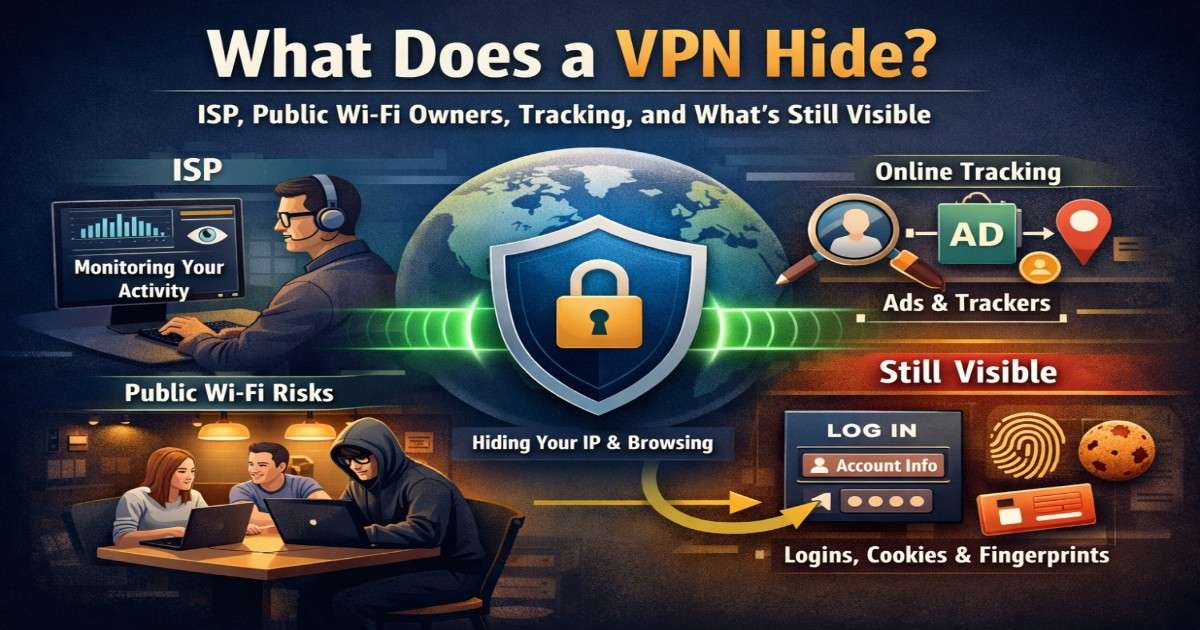
In today’s hyper-connected world, every click, search, and download leaves a digital trail. Internet service providers (ISPs), public Wi-Fi providers, advertisers, and even malicious actors constantly seek ways to monitor online activity. This is where a VPN becomes essential—but it’s equally important to understand what a VPN hides and what it doesn’t.
Let’s break it down clearly.
How a VPN Protects Your Online Activity
A Virtual Private Network (VPN) creates an encrypted tunnel between your device and the internet. Instead of connecting directly through your ISP, your traffic is routed through a secure VPN server, making your online actions far more private.
Your Real IP Address
One of the most critical things a VPN hides is your real IP address. Websites, advertisers, and trackers normally use IPs to identify your location and browsing patterns. With a VPN, they only see the IP address of the VPN server—not yours.
Browsing Activity from Your ISP
ISPs can normally monitor the websites you visit, throttle speeds, or log your activity. A VPN encrypts your traffic, meaning your ISP can only see that you’re connected to a VPN—not the sites you access, what you download, or what you stream.
Activity on Public Wi-Fi Networks
Public Wi-Fi hotspots in cafés, airports, or hotels are a major security risk. Network owners and cybercriminals can intercept unencrypted traffic. A VPN shields your data, protecting logins, messages, and personal details from prying eyes.
What VPNs Hide from Trackers and Advertisers
Online trackers rely on IP addresses, location data, and browsing behavior to build user profiles. A VPN disrupts this process by masking your IP and encrypting traffic, making it harder for advertisers to link online behavior to your real identity.
However, VPNs work best alongside good browsing habits, not as a standalone solution.
What a VPN Does Not Hide
Despite common myths, VPNs are not invisibility cloaks. Some information can still remain visible.
Your Account Logins
If you sign in to Google, social media platforms, or email accounts, those services still know who you are. A VPN does not anonymize logged-in identities.
Cookies and Browser Fingerprinting
Cookies, device identifiers, and browser fingerprints still track users across websites. Using private browsing modes, clearing cookies, or pairing a VPN with privacy-focused browsers strengthens protection.
Malware on Your Device
A VPN cannot protect you if spyware, keyloggers, or malicious software are already installed on your device. Strong antivirus tools and system hygiene are essential.
Does a VPN Hide Torrenting and Downloads?
Yes—to a large extent. A VPN conceals your IP address from torrent peers and hides download activity from your ISP. This improves privacy and reduces the risk of monitoring or throttling.
That said, privacy also depends on factors like VPN logging policies, encryption standards, and whether DNS or IPv6 leaks are prevented.
Why Understanding VPN Limits Matters
Many users assume VPNs make them completely anonymous—but smart online safety is about layers of protection. A VPN is a powerful privacy tool, not a magic shield.
Used correctly, it significantly improves:
- Online privacy
- Public Wi-Fi security
- ISP activity concealment
- Tracking resistance
But combining a VPN with secure browsers, tracker blockers, and cautious behavior delivers the best results.
Final Thoughts
So, what does a VPN hide?
It hides your IP address, browsing activity from ISPs, and data on public networks—but it doesn’t erase your digital identity or protect against unsafe behavior.
Understanding both the strengths and limits of a VPN empowers you to use the internet more safely, privately, and confidently.