How to Install PIA (Private Internet Access) on Firestick: A Step-by-Step Guide
Editor's Choice
#1 Pick
Editor's Choice
 Pure VPN
$3.55/month
Save 20% today!
Blazing Fast
214
6
Get Pure VPN - Save 20% Off
How to Install PIA on Firestick with Ease
Follow this quick guide to install PIA on Firestick for secure streaming.
Step 01
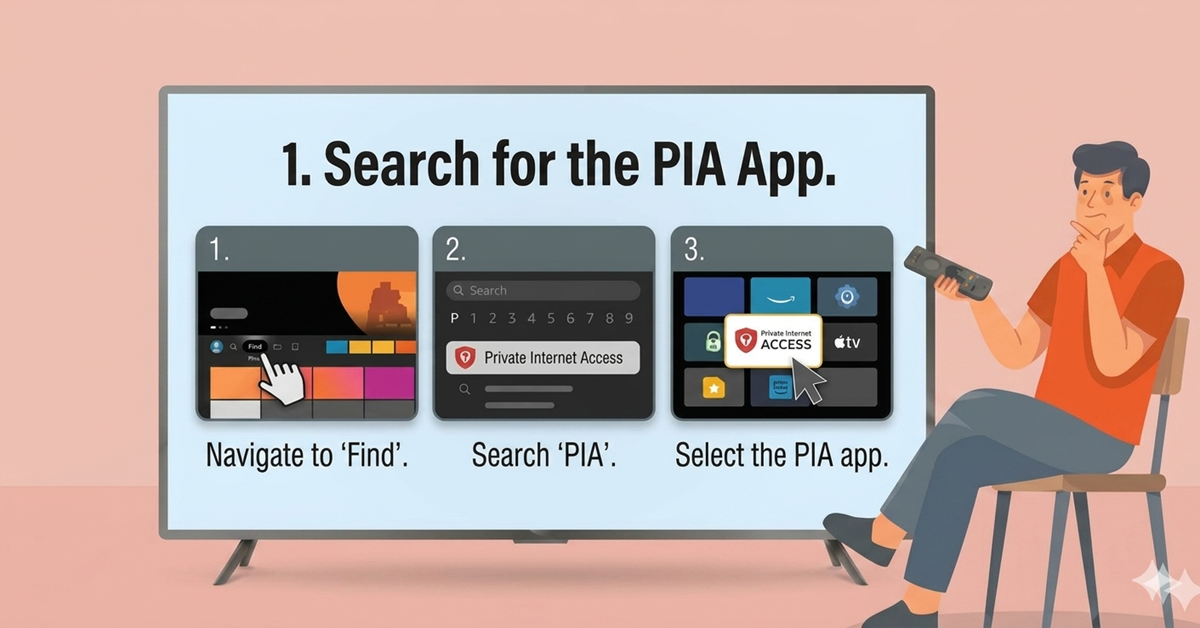
Search for the PIA App
-
Navigate to the Find menu on your Firestick home screen.
-
Select Search and type "PIA" or "Private Internet Access".
-
Select the official PIA VPN app from the search results.
Step 02
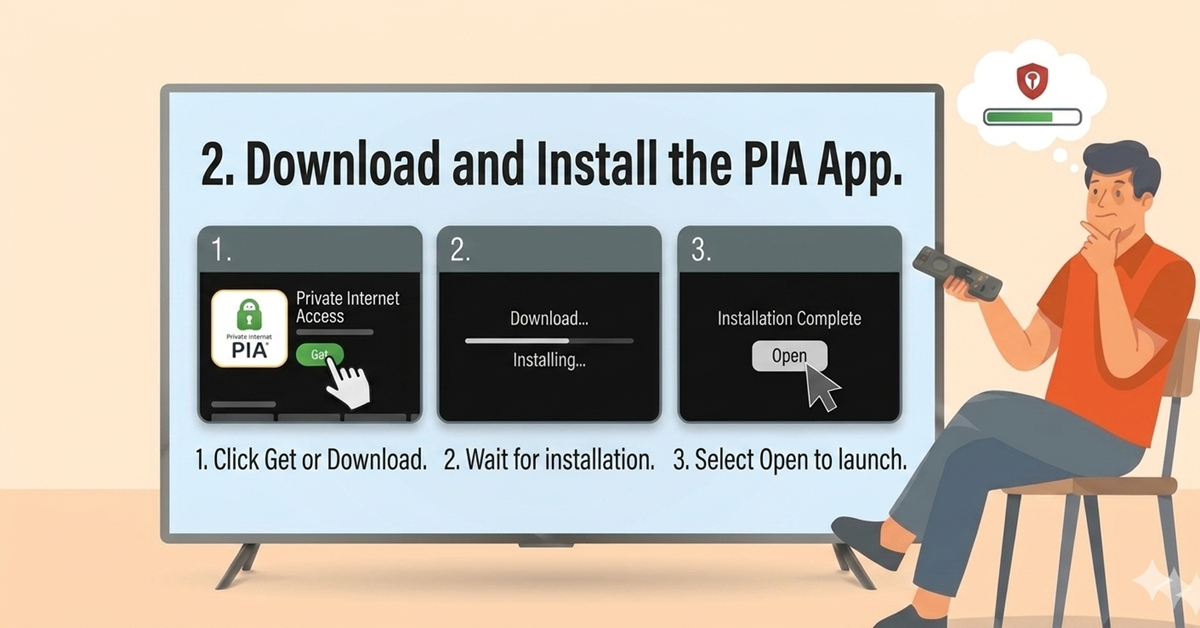
Download and Install
-
Open the app's product page and click Get or Download.
-
Wait for the installation to complete.
-
Select Open to launch the Private Internet Access application.
Get Pure VPN — 20% Off
Best VPN for Fire Stick streaming. Save 20% today!
Step 03
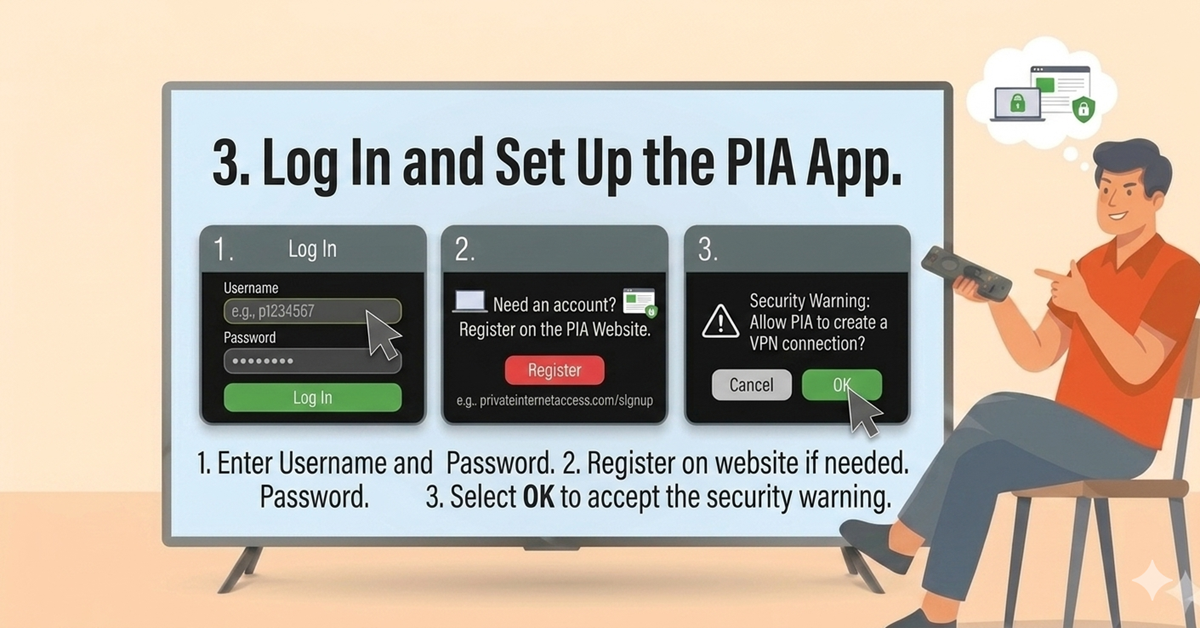
Log In and Set Up
-
Enter your PIA Username and Password when prompted.
-
If you don't have an account, register on the official PIA website first.
-
Select OK to accept the security warning and proceed to the dashboard.
Step 04
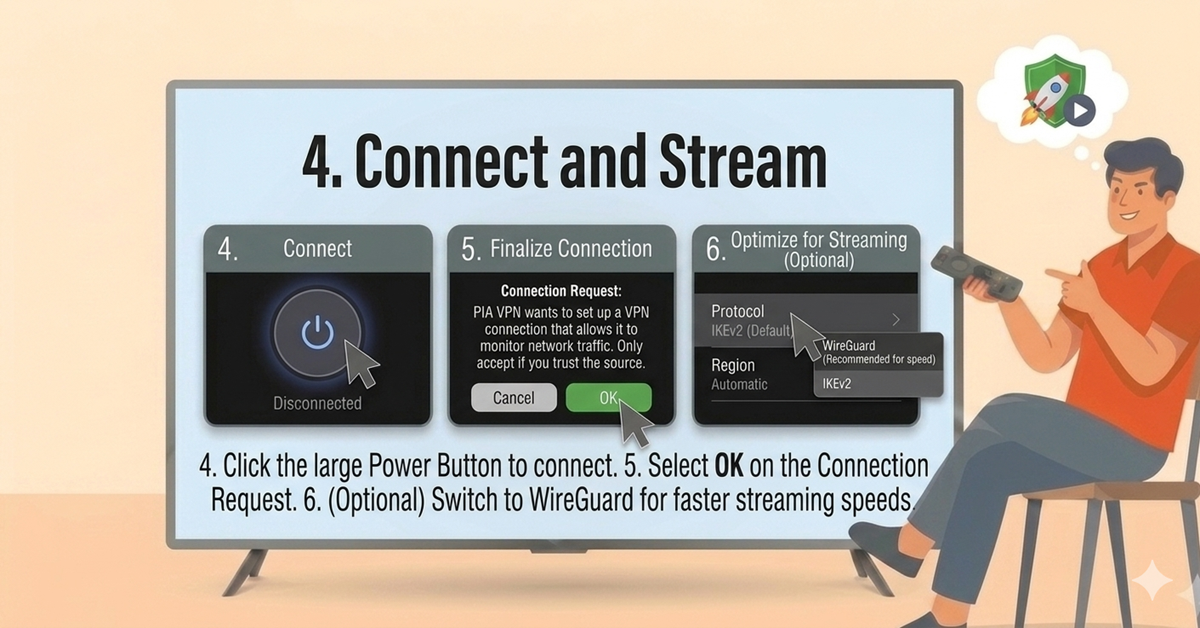
Connect and Stream
-
Click the large Power Button to connect to the recommended server.
-
Select OK on the Firestick's Connection Request to finalize the secure tunnel.
-
Go to settings and switch your protocol to WireGuard for the fastest streaming speeds.
Quick Comparison
Side-by-side comparison of top Fire Stick VPNs
 Proton VPN
 IPVanish
Frequently Asked Questions
Is PIA VPN free on Firestick?
The app is free to download, but using it requires a paid PIA subscription. You must log in with active account credentials.
How many devices can I use with one account?
PIA is very generous, allowing you to connect unlimited devices simultaneously under a single subscription plan.
Which Firestick models are compatible?
PIA supports the Firestick 4K, 4K Max, and 2nd Gen models or newer. It is generally not supported on 1st-generation devices.
How do I unblock US Netflix?
In the server list, manually select a US-based server. Once connected, your Fire TV Stick will appear to be in the US, granting access to its content library.
What is the best protocol for streaming?
For the best balance of speed and security, go to app settings and select WireGuard. It is often faster than the traditional OpenVPN protocol.
Does PIA have a Kill Switch?
Yes. You can enable the VPN Kill Switch in the app settings to automatically block your internet if the VPN connection drops unexpectedly.
Can I use PIA on public Wi-Fi?
Yes, it is highly recommended to use PIA whenever you travel or use your Fire TV Stick on public networks to keep your data encrypted.
How do I verify the VPN is working?
Open the Silk browser on your Fire TV Stick and visit a site like DNSleaktest.com to confirm your IP address has changed to an anonymous one.