How to Install NordVPN on Firestick: Step by Step Guide
Editor's Choice
#1 Pick
Editor's Choice
 NordVPN
$4.39/month
Blazing Fast
6,998+
214
8
Step by Step Instructions
Step 01

Go to Search on Fire TV
On your Fire TV home screen, select the Search (Find) option at the top.
Step 02

Type “NordVPN”
Use your remote to type NordVPN and choose the app when it appears in the results.
Step 03

Install the App
Click on Get or Download to install NordVPN on your Fire TV.
Step 04

Log In & Connect
Open the app, sign in to your account, and press the connect button to start using the VPN.
How to Install NordVPN on Firestick
Get NordVPN set up and streaming on your firestick quickly
Step 01
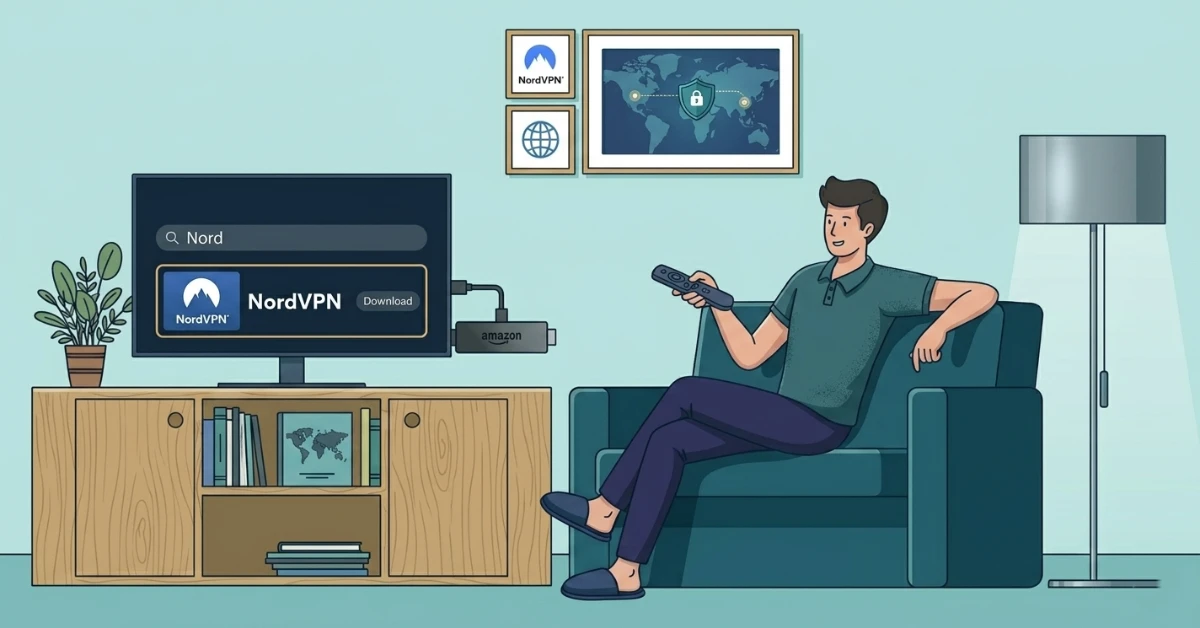
Download NordVPN
-
From the Fire TV home screen, head to Find and select Search.
-
Type "NordVPN" and choose the official app from the search results.
-
Hit Get to download, then Open once the installation is complete.
Step 02
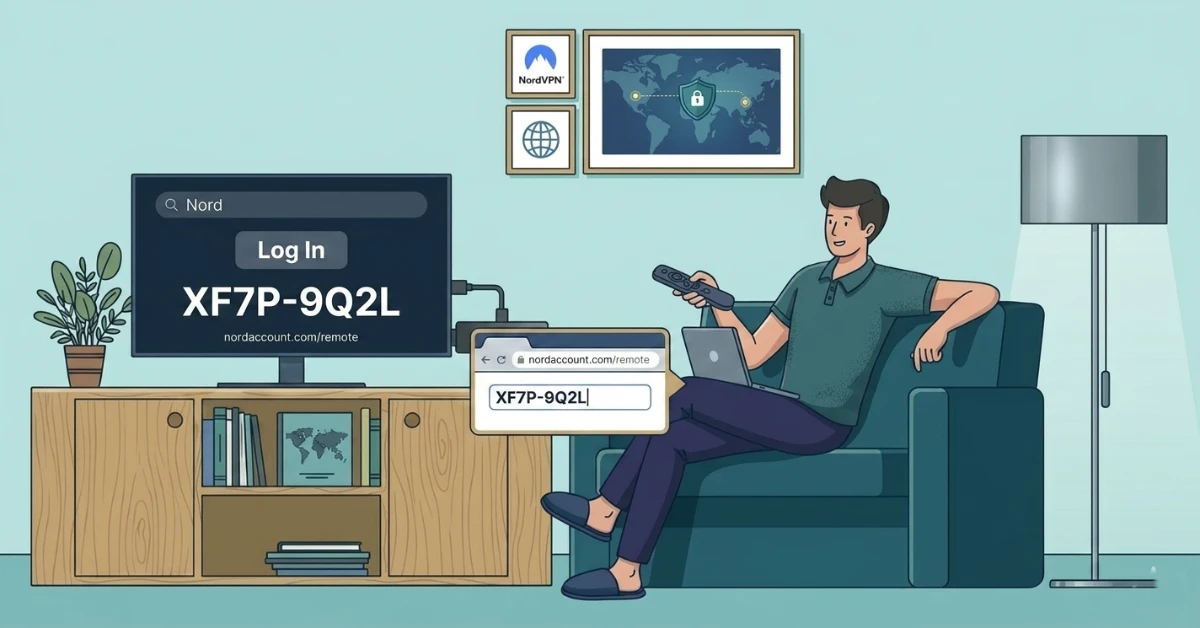
Sign In With a Unique Code
-
Select the Log In tab and note down the code displayed on your Firestick screen.
-
On your phone or laptop, visit nordaccount.com/remote and enter the code.
-
You will be signed in to NordVPN on your Firestick instantly.
Get NordVPN
Step 03
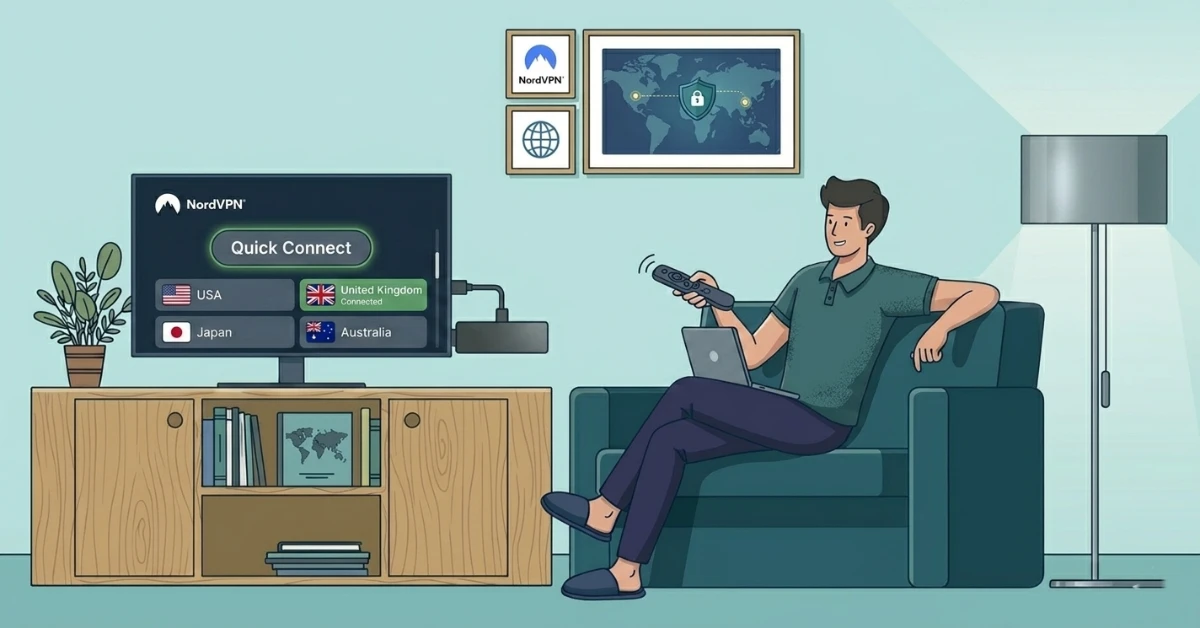
Pick a Server & Connect
-
Tap Quick Connect to let NordVPN choose the fastest server for you.
-
Or browse the server list and select any country manually.
-
The server tile turns green once your connection is confirmed and active.
Step 04
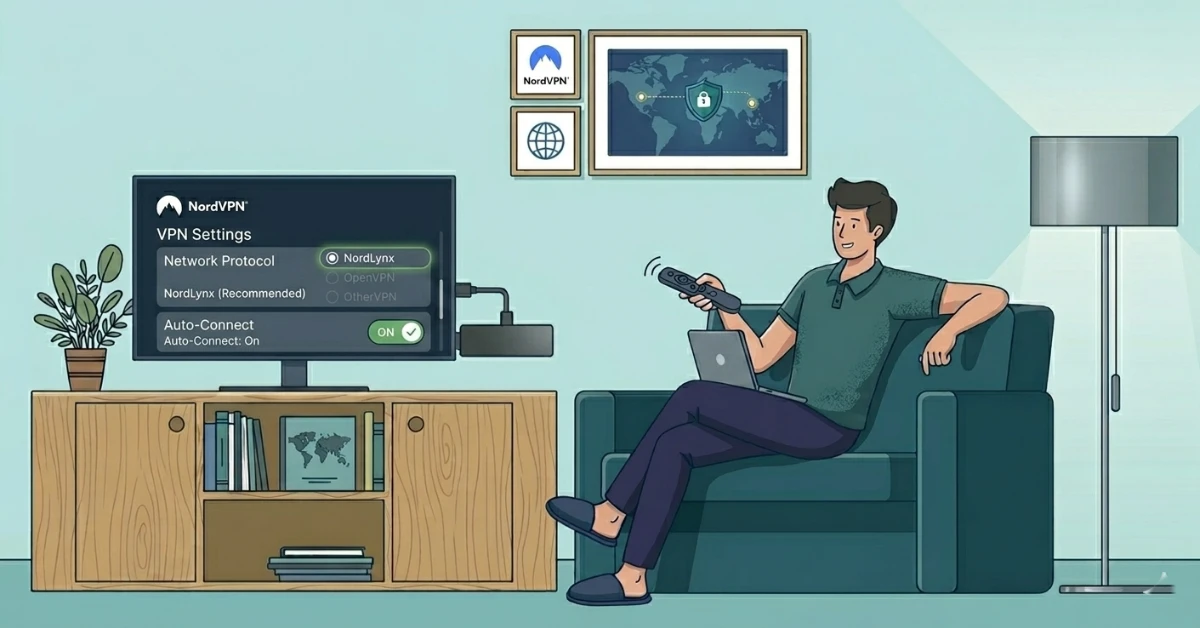
Setting for Best Performance
-
Head into Settings and set the protocol to NordLynx for optimal speeds.
-
Switch on Auto-Connect so NordVPN starts up every time you open Firestick.
-
Your device is now fully configured for secure and stable streaming.
Quick Comparison
Side-by-side comparison of top Fire Stick VPNs
| VPN | Price | Servers | Speed | Devices | Rating | Actions |
|---|---|---|---|---|---|---|
|
NordVPN
|
$4.39/mo | 6,998+ | Blazing Fast | 8 | 4.8 | Get Deal |
|
|
$1.88/mo | 3,200+ | Blazing Fast | 8 | 4.7 | Get Deal |
 EXPRESS VPN
|
$2.79/mo | 3,000+ | Blazing Fast | 8 | 5 | Get Deal |
 IPVanish
|
$2.49/mo | 3,100+ | Blazing Fast | 6 | 4 | Get Deal |
 Pure VPN
|
$3.55/mo | — | Blazing Fast | 6 | 4 | Get Deal |
 PrivadoVPN
|
$1.99/mo | — | Blazing Fast | 5 | 4 | Get Deal |
Frequently Asked Questions
Is NordVPN good for Firestick?
Yes, NordVPN is one of the best VPNs for Firestick. It offers fast speeds, strong encryption, a dedicated Fire TV app, and the NordLynx protocol for smooth and stable streaming.
How do I set up NordVPN on Amazon Fire Stick?
Search for NordVPN on the Amazon App Store, download the app, log in using the unique code at nordaccount.com/remote, and tap Quick Connect to start streaming securely.
Does NordVPN Fire TV support specialty servers?
Yes, NordVPN Fire TV gives you access to specialty servers including P2P, Double VPN, and Obfuscated servers directly from within the app.
Can I install NordVPN on Fire TV Stick without sideloading?
Yes, you can install NordVPN on Fire TV Stick directly from the Amazon App Store without needing to sideload or adjust any device settings.
How long does the NordVPN Firestick setup take?
The full NordVPN Firestick setup takes under five minutes from download to connection, making it one of the quickest VPN setups available for Fire TV devices.
Does the NordVPN app for Firestick update automatically?
Yes, if automatic updates are enabled on your Firestick, the NordVPN app will update automatically whenever a new version is available on the Amazon App Store.
Can I use the NordVPN Firestick guide on all Fire TV devices?
Yes, the NordVPN Firestick guide works on most Amazon Fire TV devices, including Firestick 4K and Fire TV Cube.
What is the best server for NordVPN streaming on Firestick?
For NordVPN streaming on Firestick, connect to a server in the country where your desired content is available. Using the NordLynx protocol ensures the fastest possible speeds for HD and 4K streaming.