How do I Change the Resolution on Firestick? Step-By-Step Guide
 Surfshark
Step by Step Instructions

Open Search on Fire TV
From your Fire TV home screen, go to the Find (Search) option.

Search for Surfshark
Type Surfshark using your remote and select the app from the results.

Install the App
Click on Download or Get to install Surfshark on your device.

Sign In & Start VPN
Open the app, log in to your account, and connect to a server to start using the VPN.
How do I change the resolution on Firestick?
Step by step instructions to change the resolution on Firestick. Takes about 10 minutes.
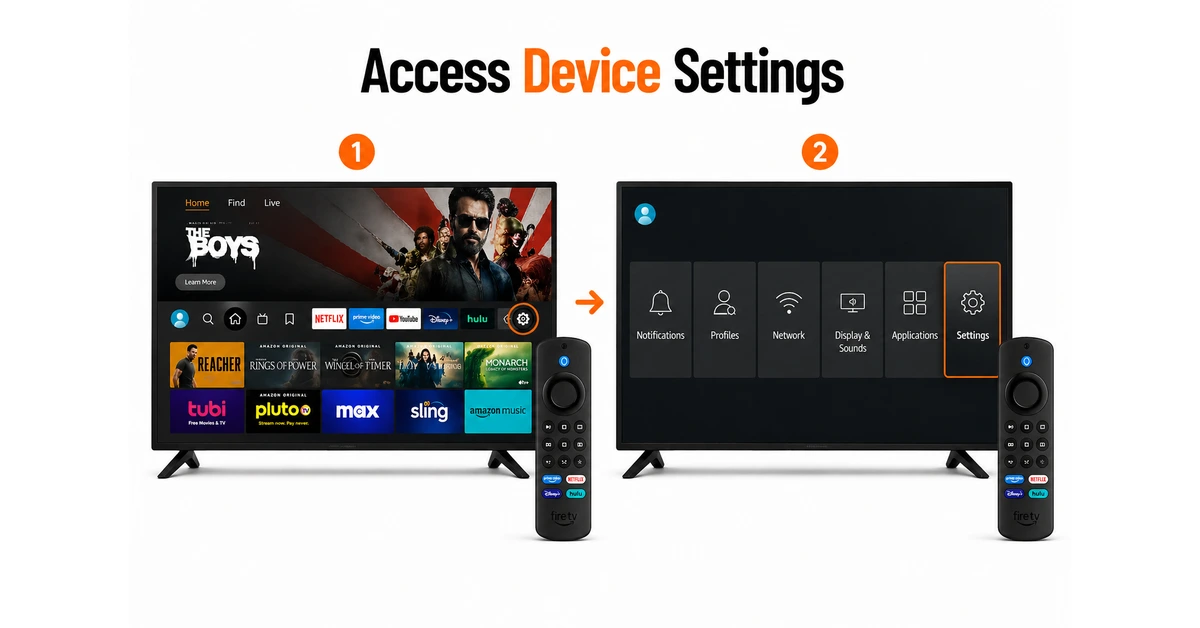
Open Settings Menu
-
Go to the Fire Stick home screen and Open settings menu
-
Navigate using remote to access device settings options
-
Ensure device is on main home interface
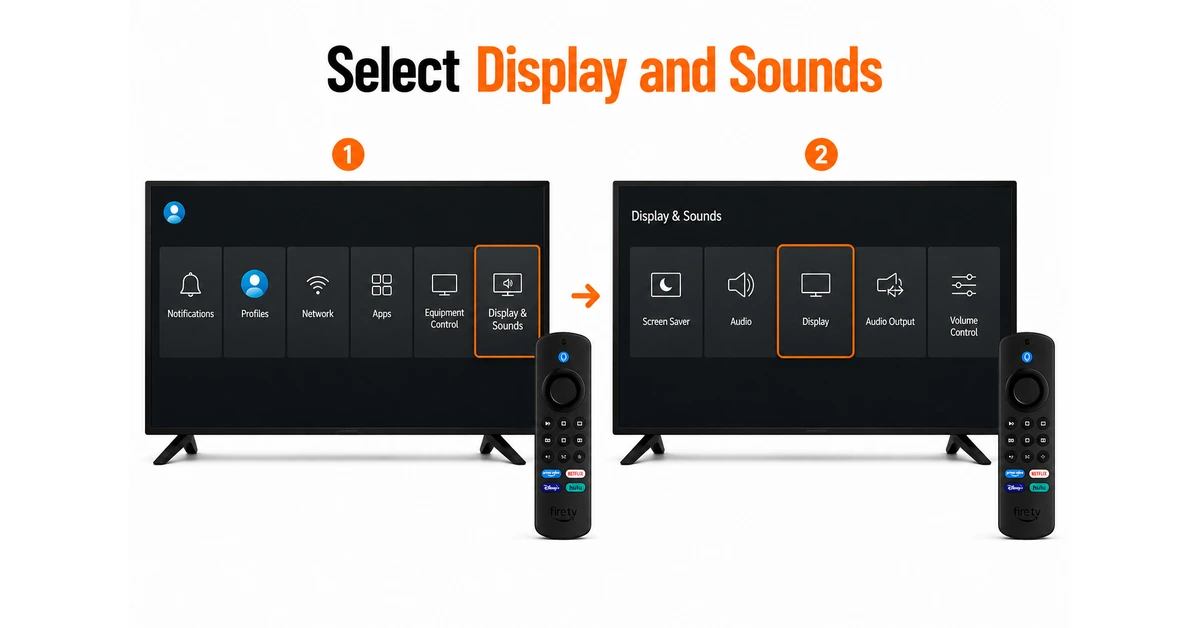
Navigate to Resolution Settings
-
Scroll right and select Display and Sounds option
-
Open display settings to manage video output preferences
-
Access screen configuration and resolution settings menu
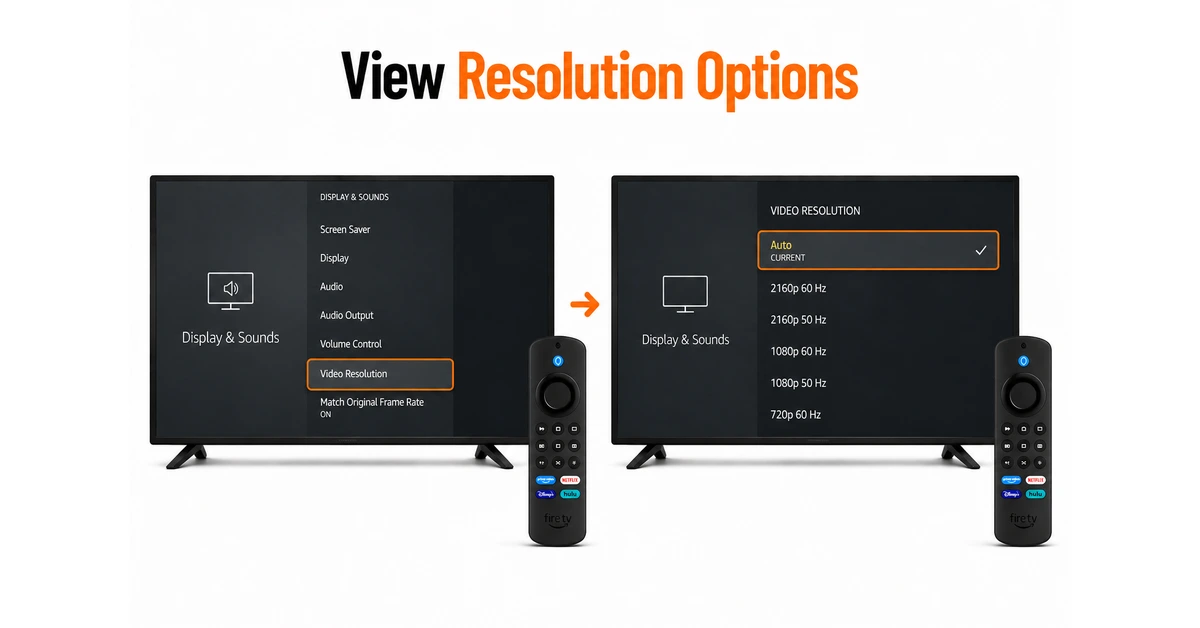
Check your Current Resolution
-
Scroll down and choose "Video Resolution" from the list.
-
View all supported resolution options on screen
-
Check currently selected resolution on your device
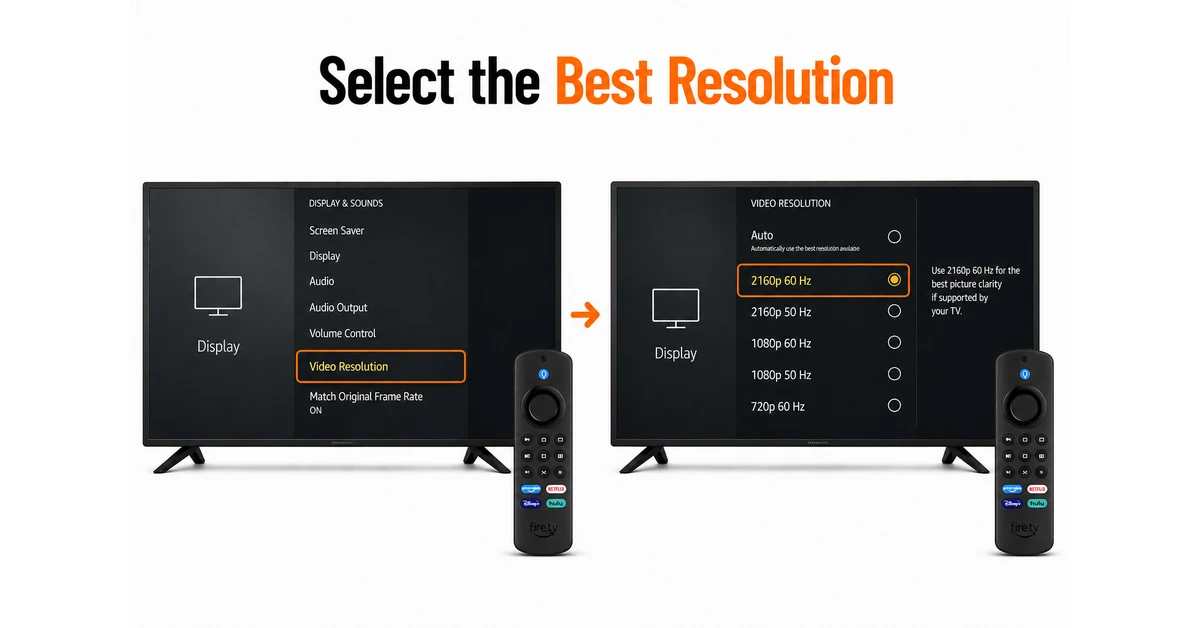
Choose Preferred Resolution
-
Select highest resolution available for best picture clarity
-
Choose Auto Mode for automatic resolution adjustment
-
Ensure resolution matches your TV display compatibility
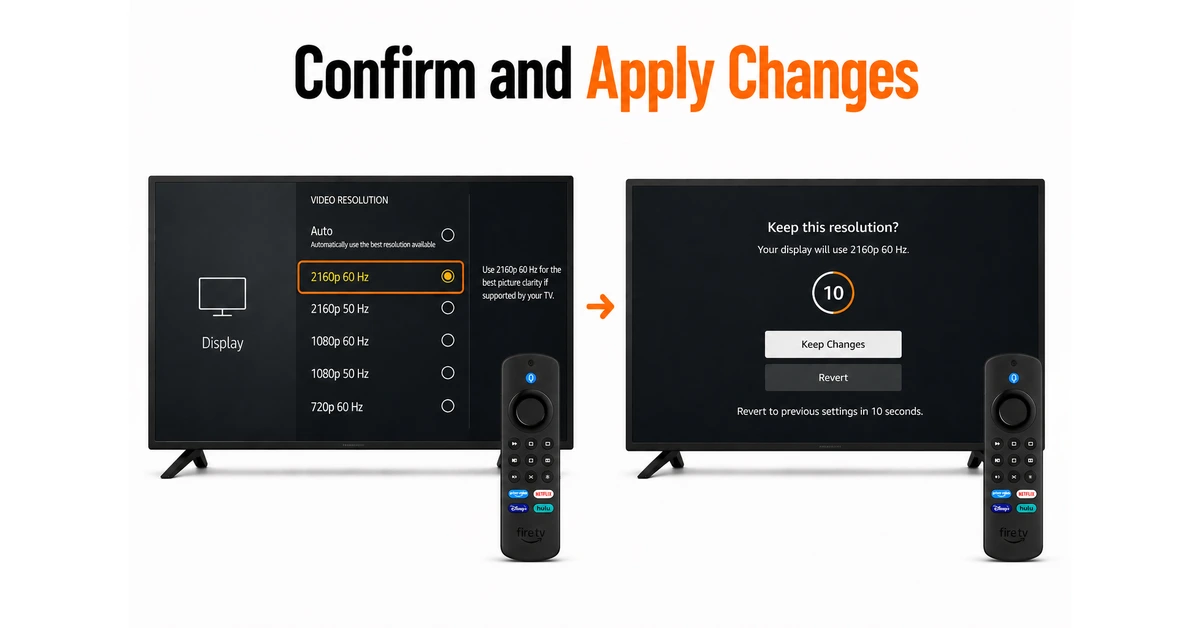
Confirm Change & Hit Apply After Final Check
-
Wait for screen to adjust resolution settings properly
-
Confirm changes if display appears clear and stable
-
Revert settings if screen looks distorted or unclear
Quick Comparison
Side-by-side comparison of top Fire Stick VPNs
| VPN | Price | Servers | Speed | Devices | Rating | Actions |
|---|---|---|---|---|---|---|
|
|
$1.88/mo | 3,200+ | Blazing Fast | 8 | 4.7 | Get Deal |
 EXPRESS VPN
|
$2.79/mo | 3,000+ | Blazing Fast | 8 | 5 | Get Deal |
 NordVPN
|
$4.39/mo | 6,998+ | Blazing Fast | 8 | 4.8 | Get Deal |
 Proton VPN
|
$3.99/mo | 14,999+ | Blazing Fast | 7 | 4.8 | Get Deal |
 Pure VPN
|
$3.55/mo | — | Blazing Fast | 6 | 4 | Get Deal |
Frequently Asked Questions
This may be due to unsupported TV settings or limited device compatibility.
Use the highest supported resolution, like 1080p or 4K, for the best quality.
Yes, higher resolution provides sharper and clearer visuals.
Yes, auto mode adjusts resolution based on your TV capability.
This happens if the selected resolution is not supported by your TV.
Restarting helps apply changes properly and ensures stable display output.