How Do I Stop Firestick From Collecting My Data? (Step-by-Step)
Editor's Choice
#1 Pick
Editor's Choice
 Surfshark
$1.88/month
Save 20%
Blazing Fast
3,200+
214
8
Step by Step Instructions
Step 01

Open Search on Fire TV
From your Fire TV home screen, go to the Find (Search) option.
Step 02

Search for Surfshark
Type Surfshark using your remote and select the app from the results.
Step 03

Install the App
Click on Download or Get to install Surfshark on your device.
Step 04

Sign In & Start VPN
Open the app, log in to your account, and connect to a server to start using the VPN.
How Do I Stop Firestick From Collecting my data? (Step-by-Step)
Complete guide to disabling fire stick data collection settings. Takes about 5 minutes.
Step 01
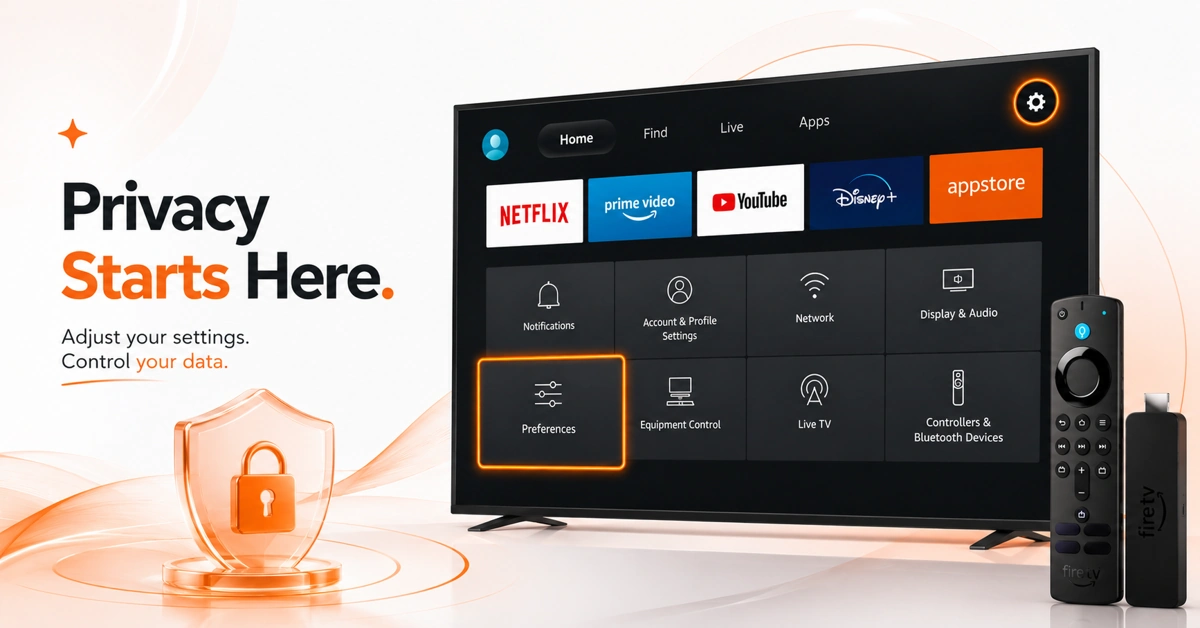
Open Privacy Settings on Your Firestick
-
Press Home and select the Settings gear icon on Fire TV.
-
Scroll through Settings and open the Preferences menu.
-
Select Privacy Settings to access all fire tv privacy controls.
Step 02
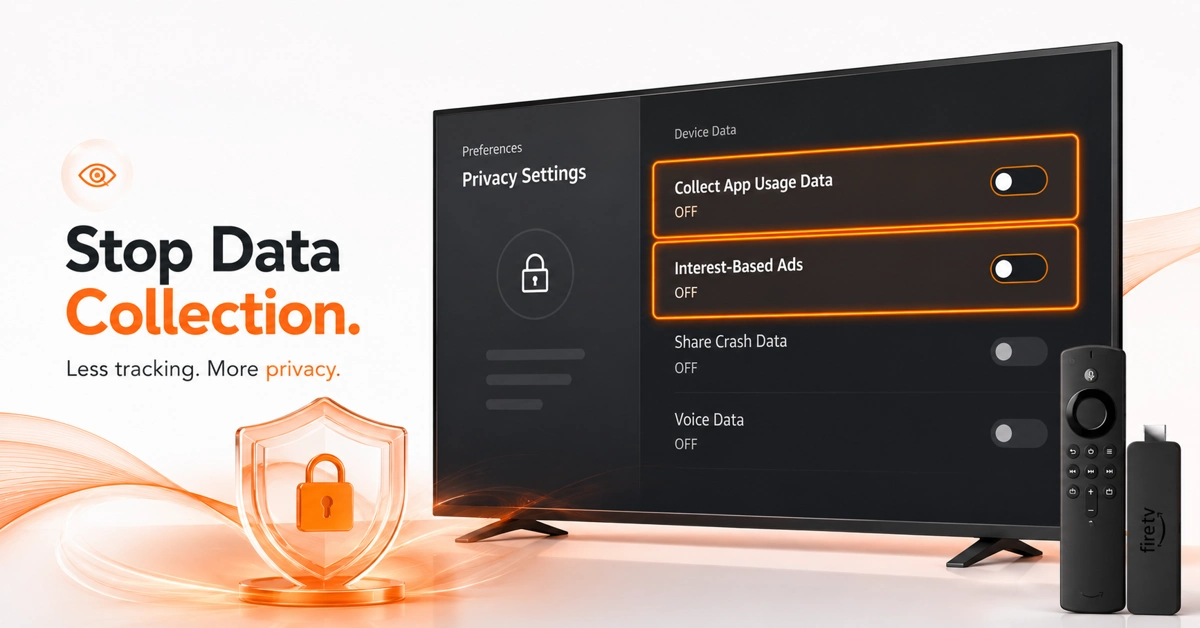
Disable Device Usage Data Collection
-
Turn Off Firestick Data Collection Settings for App Monitoring
-
Inside Privacy Settings, find the Collect App Usage Data toggle.
-
Turn it off to stop fire stick from collecting your data.
-
Also disable Interest-Based Ads to reduce behavioral profiling on device.
Get Surfshark — 20% Off
Step 03
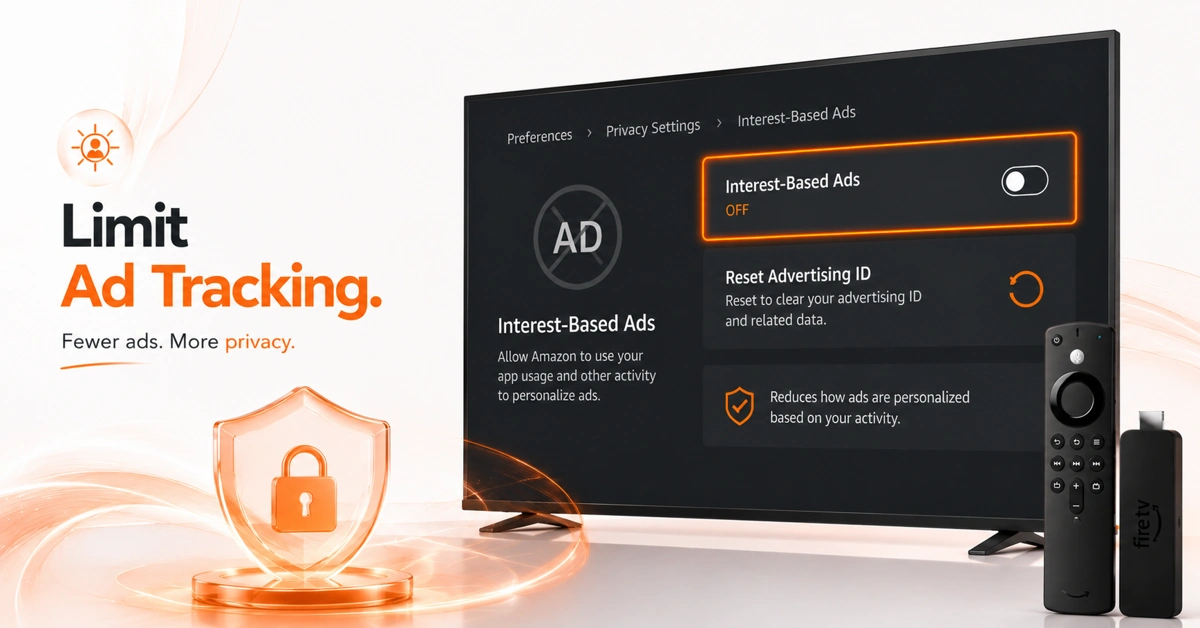
Limit Ad Tracking on Fire TV
-
Disable Fire TV Data Tracking Linked to Advertising and Targeting
-
Inside Privacy Settings, select Interest-Based Ads and turn it off.
-
Reset Advertising ID to clear your existing data tracking profile.
-
This limits how Amazon uses your viewing data for targeted advertising.
Step 04
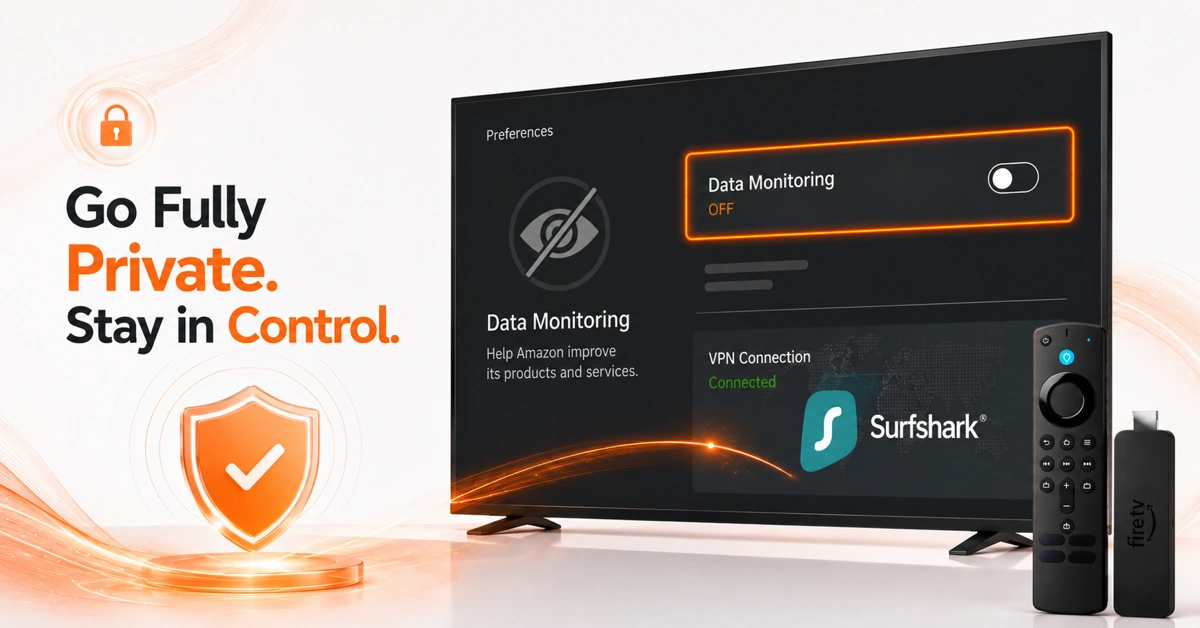
Opt Out of All Remaining Data Collection
-
Complete Your Full Opt Out of Fire Stick Data Collection
-
Go back to Preferences and open the Data Monitoring option.
-
Toggle Data Monitoring off to disable fire tv data tracking entirely.
-
Install Surfshark VPN to encrypt remaining outbound data traffic.
Quick Comparison
Side-by-side comparison of top Fire Stick VPNs
| VPN | Price | Servers | Speed | Devices | Rating | Actions |
|---|---|---|---|---|---|---|
|
|
$1.88/mo | 3,200+ | Blazing Fast | 8 | 4.7 | Get Deal |
 EXPRESS VPN
|
$2.79/mo | 3,000+ | Blazing Fast | 8 | 5 | Get Deal |
 Proton VPN
|
$3.99/mo | 14,999+ | Blazing Fast | 7 | 4.8 | Get Deal |
 NordVPN
|
$4.39/mo | 6,998+ | Blazing Fast | 8 | 4.8 | Get Deal |
 PrivadoVPN
|
$1.99/mo | — | Blazing Fast | 5 | 4 | Get Deal |
 Pure VPN
|
$3.55/mo | — | Blazing Fast | 6 | 4 | Get Deal |
 Cyberghost vpn
|
$12.99/mo | 9,700+ | Fast | 6 | 4.2 | Get Deal |
 Private Internet Access
|
$11.95/mo | 35,000+ | Blazing Fast | 8 | 4 | Get Deal |
Frequently Asked Questions
How do I stop fire stick from collecting my data?
Go to Settings > Preferences > Privacy Settings and disable Collect App Usage Data and Interest-Based Ads. Then turn off Data Monitoring inside Preferences. These three actions form the core of stopping fire stick from collecting my data on your viewing habits.
What fire stick data collection settings should I change first?
The key fire stick data collection settings to change are Collect App Usage Data, Interest-Based Ads, and Data Monitoring. All three are inside Settings > Preferences. Turning them all off is the most thorough way to reduce Amazon's data collection from your Fire TV.
How do I disable fire TV data tracking completely?
Go to Settings > Preferences > Privacy Settings and toggle off all available data options. Also select Reset Advertising ID to clear your targeting profile. Adding a VPN to disable fire tv data tracking at the network level gives you the most complete coverage.
Can I opt out of fire stick data collection entirely?
You can opt out of fire stick data collection through Privacy Settings, but Amazon may still collect some operational data to run the device. Turning off all toggles combined with a VPN gives you the closest to a full opt out the platform currently allows.
What are Fire TV privacy controls and where do I find them?
Fire tv privacy controls are found under Settings > Preferences > Privacy Settings. They include toggles for app usage data, interest-based advertising, and data monitoring. These controls let you limit how much behavioral data Amazon collects from your Firestick usage.
Does turning off data collection affect streaming performance?
No. Turning off fire stick data collection settings does not impact streaming quality, app functionality, or device performance in any way. The toggles only control what behavioral and usage data Amazon collects and stores from your Fire TV activity.
How does a VPN help with fire TV data tracking?
A VPN like Surfshark encrypts your internet traffic before it leaves your device, blocking your ISP and many third-party trackers from seeing your activity. It works alongside fire tv privacy controls to provide a more complete layer of privacy than settings alone can offer.
Does Amazon still collect data after I opt out?
Some basic operational data may still be collected even after you opt out of fire stick data collection to run core device functions and deliver updates. A VPN adds an encryption layer that limits how much of your traffic Amazon and third parties can observe.