How to Fix Firestick Remote Not Pairing? Step-by-Step Guide
Editor's Choice
#1 Pick
Editor's Choice
 NordVPN
$4.39/month
Save 20%
Blazing Fast
6,998+
214
8
Step by Step Instructions
Step 01

Go to Search on Fire TV
On your Fire TV home screen, select the Search (Find) option at the top.
Step 02

Type “NordVPN”
Use your remote to type NordVPN and choose the app when it appears in the results.
Step 03

Install the App
Click on Get or Download to install NordVPN on your Fire TV.
Step 04

Log In & Connect
Open the app, sign in to your account, and press the connect button to start using the VPN.
How to Fix Firestick Remote Not Pairing?
Simple steps to get your Firestick remote paired and working again
Step 01
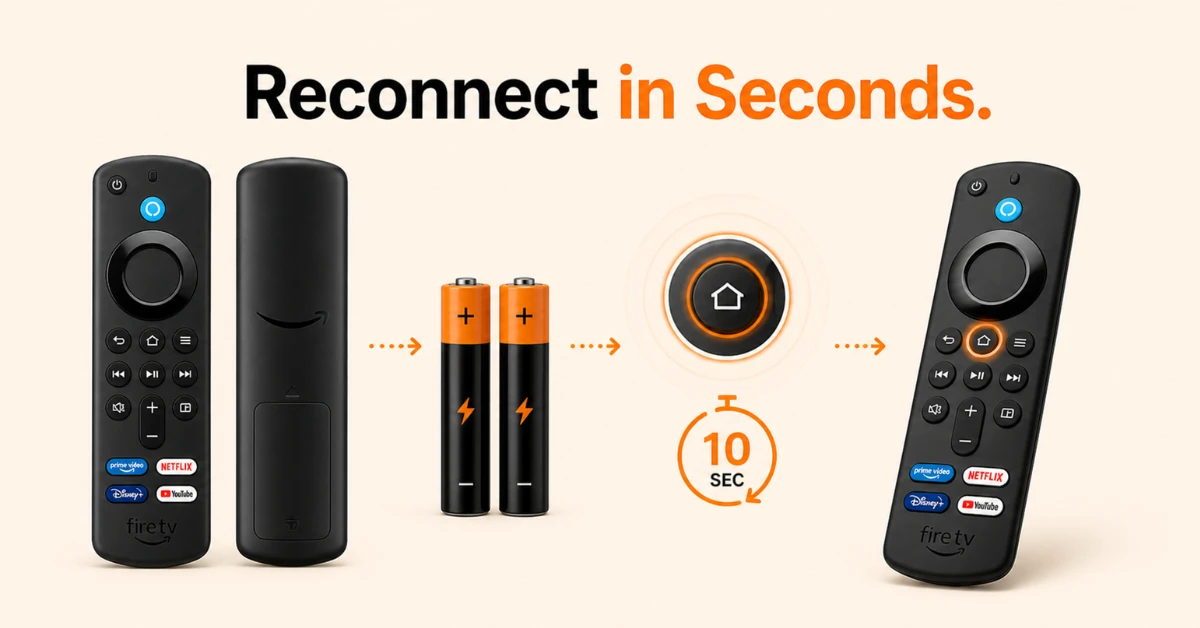
Check the Basics First
-
Make sure your remote is within 10 feet of your Firestick device
-
Press and hold the Home button for 10 seconds until Press to Start appears on screen
-
If nothing happens, remove the batteries, wait 30 seconds, reinsert them and press and hold the Home button again
Step 02
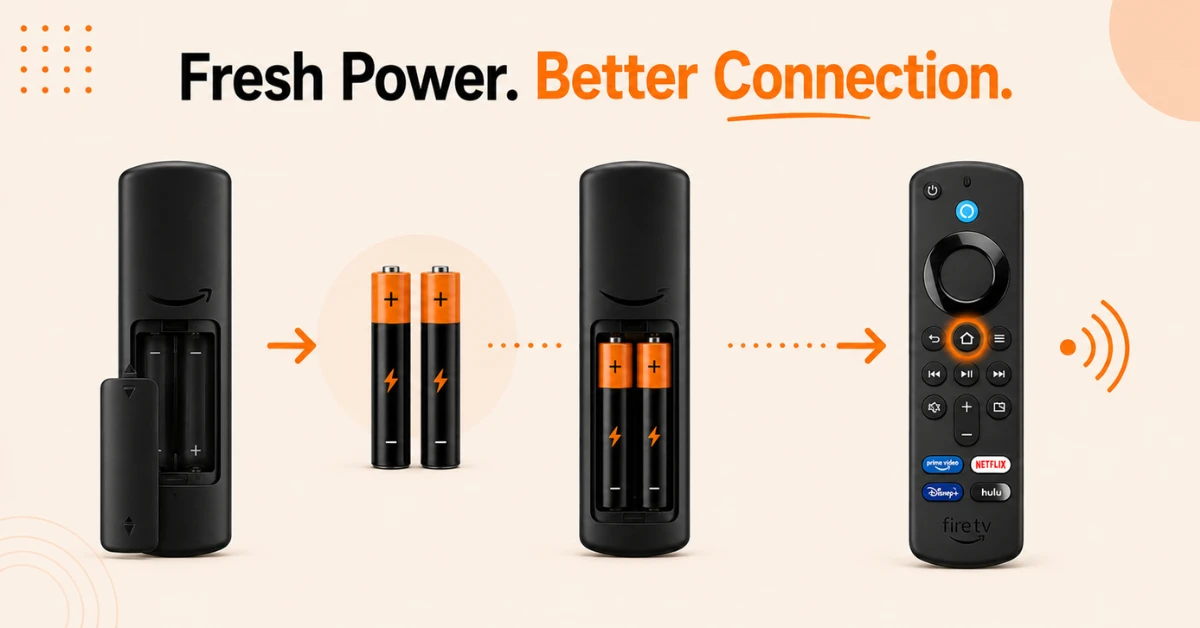
Replace the Batteries
-
Remove the existing batteries from your remote
-
Insert a fresh pair of alkaline batteries
-
Press and hold the Home button again to attempt pairing
Get NordVPN — 20% Off
Step 03
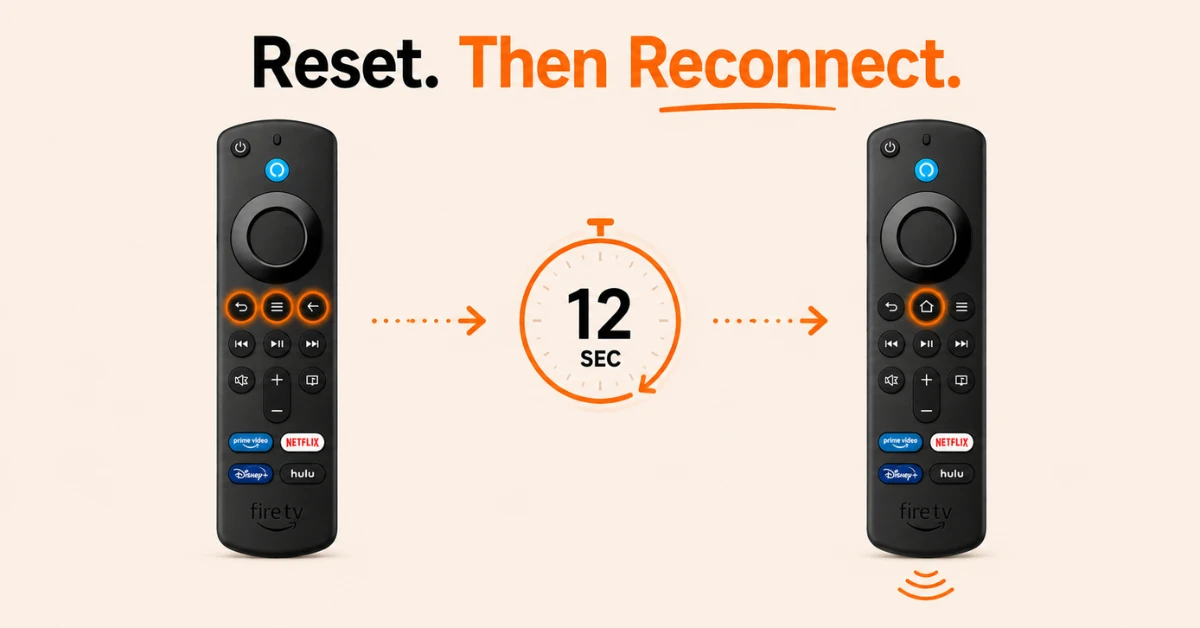
Reset Your Firestick Remote
-
Press and hold the Left button, Menu button, and Back button at the same time
-
Hold all three buttons for 12 seconds
-
Release and then press and hold the Home button again to re-pair
Step 04
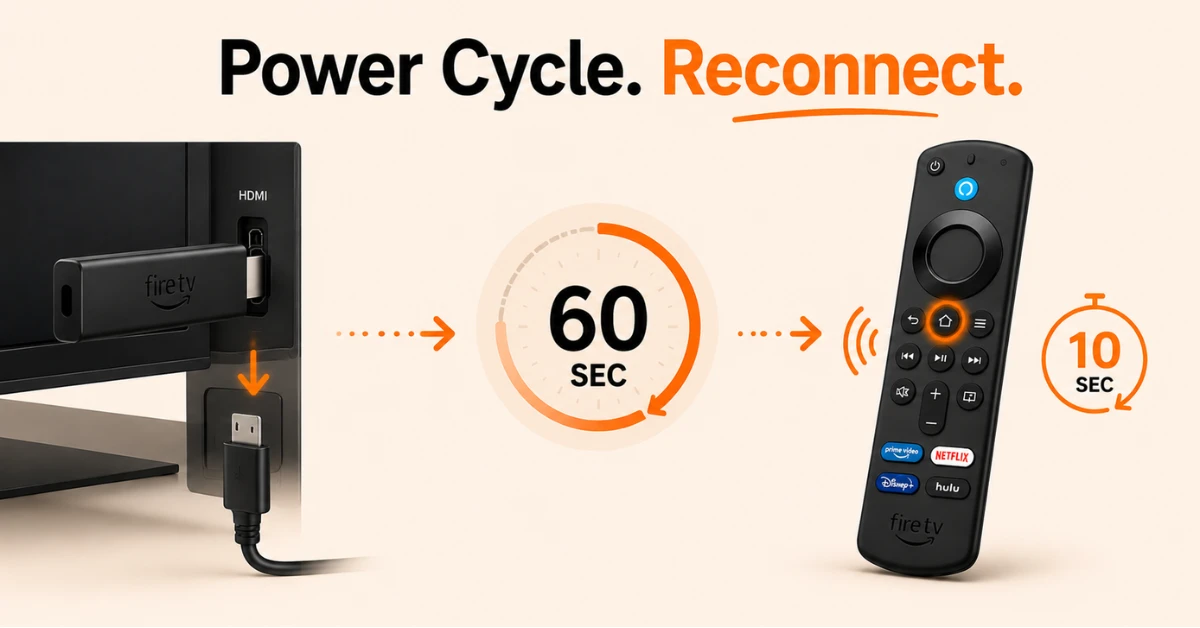
Restart Your Firestick
-
Unplug your Firestick from the power supply and remove the batteries from the remote
-
Wait 60 seconds before doing anything
-
Plug your Firestick back in and wait for the on-screen remote detection message to appear
-
Press and hold the Home button on your remote for 10 seconds to complete pairing
Quick Comparison
Side-by-side comparison of top Fire Stick VPNs
| VPN | Price | Servers | Speed | Devices | Rating | Actions |
|---|---|---|---|---|---|---|
|
NordVPN
|
$4.39/mo | 6,998+ | Blazing Fast | 8 | 4.8 | Get Deal |
|
|
$1.88/mo | 3,200+ | Blazing Fast | 8 | 4.7 | Get Deal |
 EXPRESS VPN
|
$2.79/mo | 3,000+ | Blazing Fast | 8 | 5 | Get Deal |
 Proton VPN
|
$3.99/mo | 14,999+ | Blazing Fast | 7 | 4.8 | Get Deal |
 IPVanish
|
$2.49/mo | 3,100+ | Blazing Fast | 6 | 4 | Get Deal |
 PrivadoVPN
|
$1.99/mo | — | Blazing Fast | 5 | 4 | Get Deal |
Frequently Asked Questions
How do I pair Firestick remote?
To pair Firestick remote, make sure your Fire TV is turned on, then press and hold the Home button for about 10 seconds. The remote should automatically connect to the device.
Can low batteries cause a Firestick remote not pairing problem?
Yes, low or depleted batteries are a common reason for a Firestick remote not pairing. Installing a fresh set of batteries may restore the connection.
Why won't my new remote pair Firestick remote connection?
If you cannot pair Firestick remote successfully, ensure the remote is compatible with your Fire TV model and has fresh batteries installed.
What causes a Fire TV remote not connecting error?
The issue is commonly linked to battery problems, pairing failures, software bugs, or wireless interference from nearby devices.
Do I need Wi-Fi to pair Firestick remote?
The remote connects directly to the Fire TV device, so Wi-Fi is not required for the pairing process itself.
How many remotes can I pair Firestick remote with?
A Fire TV device can support multiple connected remotes, making it easy for different household members to control the device.
What is the fastest way to fix Firestick remote pairing problems?
Checking the batteries and restarting the Fire TV device are usually the quickest solutions.