How to Install ZEE5 on Firestick ? Step by Step Guide
Editor's Choice
#1 Pick
Editor's Choice
 NordVPN
$4.39/month
Save 20%
Blazing Fast
6,998+
214
8
Step by Step Instructions
Step 01

Go to Search on Fire TV
On your Fire TV home screen, select the Search (Find) option at the top.
Step 02

Type “NordVPN”
Use your remote to type NordVPN and choose the app when it appears in the results.
Step 03

Install the App
Click on Get or Download to install NordVPN on your Fire TV.
Step 04

Log In & Connect
Open the app, sign in to your account, and press the connect button to start using the VPN.
How to Install ZEE5 on Firestick ?
A Complete Guide to install ZEE5 on Firestick
Step 01
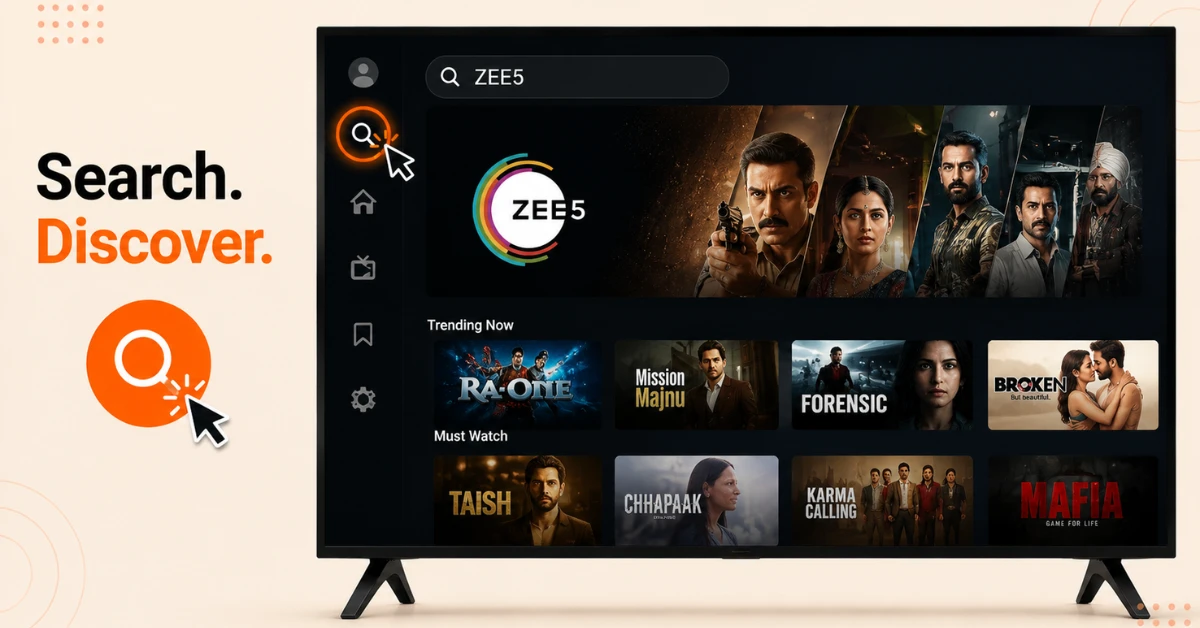
Search for ZEE5 on the Firestick
-
From the Firestick home screen select Find and then Search
-
Type ZEE5 using the on-screen keyboard or press the Alexa button and say ZEE5
-
Select the official ZEE5 app from the list of results that appear
Step 02
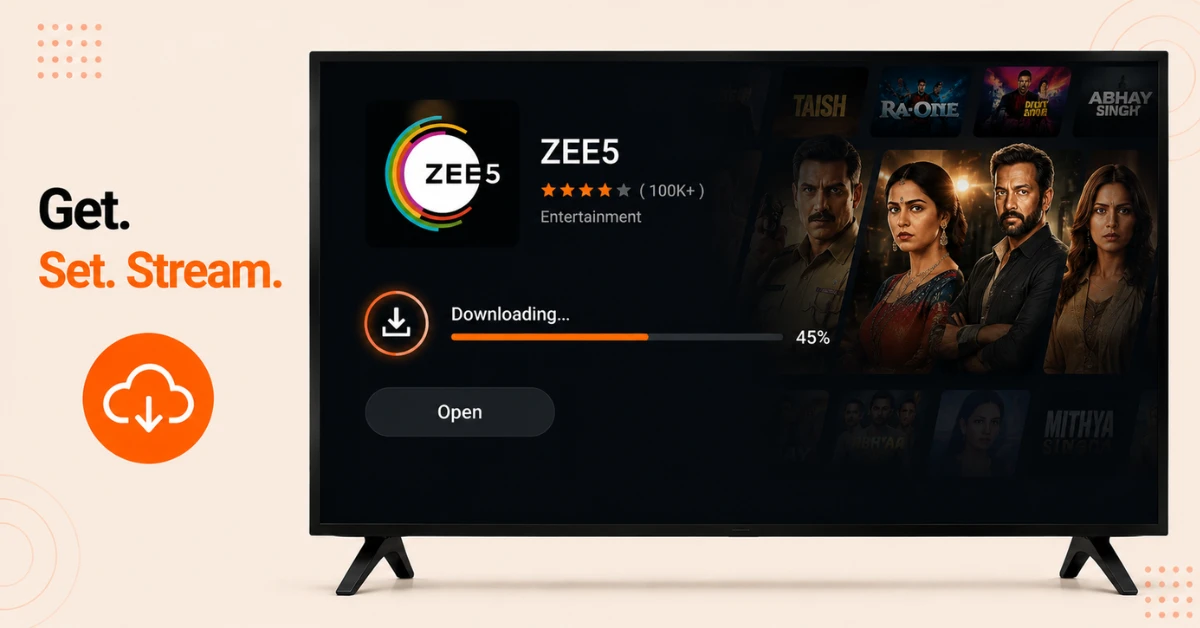
Download and Install the App
-
Select the ZEE5 app tile and click Get or Download to begin the installation
-
Wait for the download to complete on the Firestick
-
Select Open once the installation finishes to launch the app immediately
Get NordVPN — 20% Off
Step 03
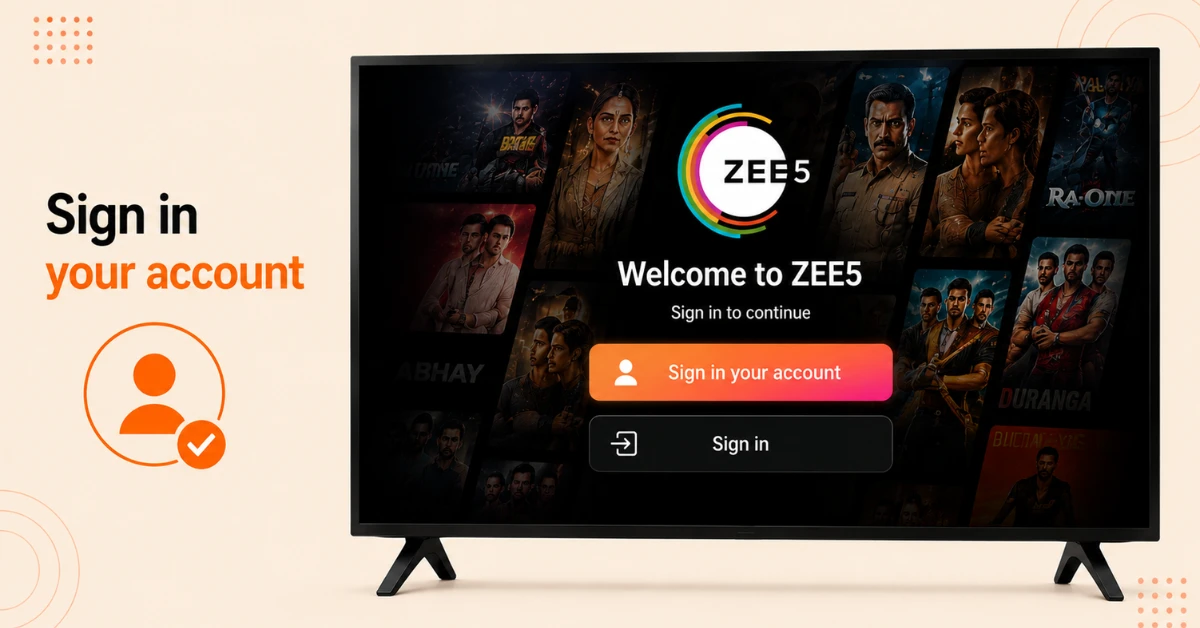
Register or Sign In
-
On the welcome screen select Register and enter an email address to create a free account
-
Select age and gender when prompted and enter the OTP received on the registered email to verify
-
If an account already exists simply select Sign In and enter the existing credentials
Step 04
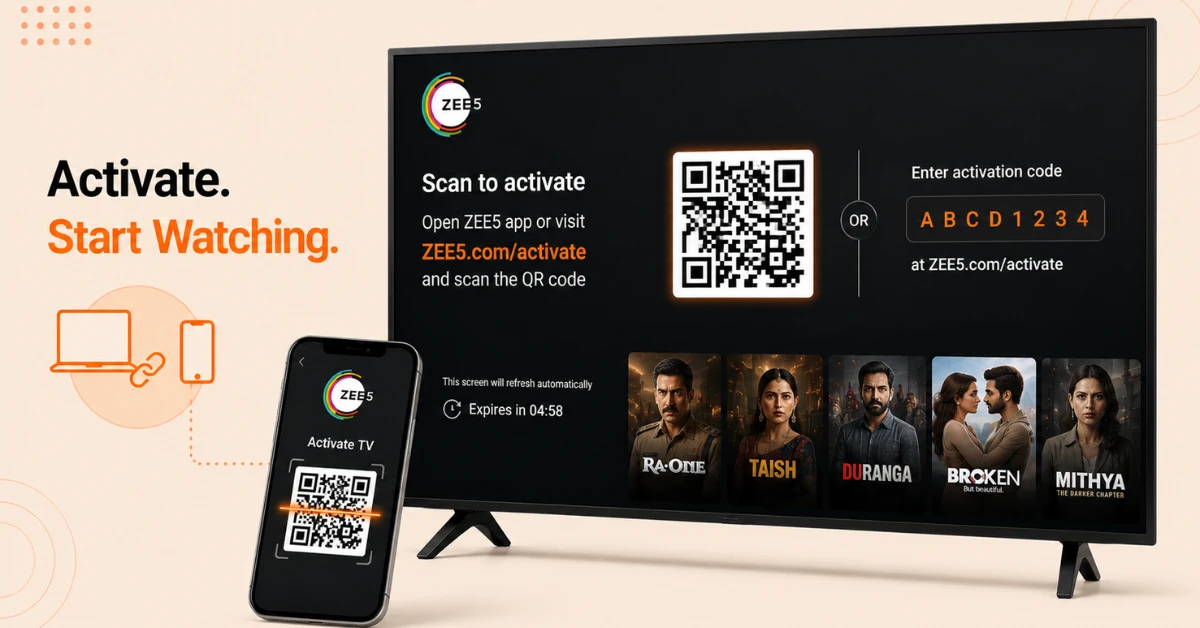
Activate Your Account
-
Once inside the app a QR code or activation code will appear on screen
-
On a phone or laptop scan the QR code or go to ZEE5.com, navigate to Activate TV, and enter the code
-
Once the TV is connected successfully select a profile and start browsing free and paid content
Quick Comparison
Side-by-side comparison of top Fire Stick VPNs
| VPN | Price | Servers | Speed | Devices | Rating | Actions |
|---|---|---|---|---|---|---|
|
NordVPN
|
$4.39/mo | 6,998+ | Blazing Fast | 8 | 4.8 | Get Deal |
 EXPRESS VPN
|
$2.79/mo | 3,000+ | Blazing Fast | 8 | 5 | Get Deal |
 Proton VPN
|
$3.99/mo | 14,999+ | Blazing Fast | 7 | 4.8 | Get Deal |
|
|
$1.88/mo | 3,200+ | Blazing Fast | 8 | 4.7 | Get Deal |
 IPVanish
|
$2.49/mo | 3,100+ | Blazing Fast | 6 | 4 | Get Deal |
 PrivadoVPN
|
$1.99/mo | — | Blazing Fast | 5 | 4 | Get Deal |
Frequently Asked Questions
Is ZEE5 on Firestick free or does it require a subscription?
ZEE5 on Firestick offers both free and paid content. Some movies, shows, and live TV channels are available without a subscription while full access to the premium library requires a paid plan.
Is ZEE5 available in multiple languages on Firestick?
Yes, ZEE5 on Firestick offers content in Hindi, Tamil, Telugu, Kannada, Bengali, Marathi, and English among other Indian languages, making it one of the most multilingual Indian streaming services available.
Is the ZEE5 app on Firestick safe to install?
Yes, the official ZEE5 app available through the Amazon Appstore has been verified as free of malware and viruses. It is safe to download and install on any compatible Firestick model.
Do I need to create an account before installing ZEE5 on Firestick?
An account is not required before installation. Registration can be completed directly inside the app after downloading by entering an email address and verifying with a one-time OTP.
How do I activate the ZEE5 Fire TV app after installing it?
After opening the ZEE5 Fire TV app a QR code or activation code appears on screen. Scan the QR code on a mobile device or visit ZEE5.com on a phone or laptop, go to Activate TV, enter the code, and click Activate.
Does the ZEE5 Fire TV app support multiple user profiles?
Yes, the ZEE5 Fire TV app allows multiple profiles to be created under a single account. Each profile can have personalised recommendations and viewing history separate from other users on the same account.
What internet speed is recommended to watch ZEE5 on Firestick without buffering?
A stable broadband connection of at least 5 Mbps is recommended for smooth HD streaming on ZEE5. A faster connection is advisable for higher quality playback during live TV broadcasts.
Does ZEE5 on Firestick support parental controls?
Yes, ZEE5 on Firestick allows parental controls to be set up to restrict access to certain content based on age ratings, making it suitable for family use.