How to Reset Advertising ID on Firestick: Reset in Minutes
Editor's Choice
#1 Pick
Editor's Choice
 NordVPN
$4.39/month
Save 20%
Blazing Fast
6,998+
214
8
Step by Step Instructions
Step 01

Go to Search on Fire TV
On your Fire TV home screen, select the Search (Find) option at the top.
Step 02

Type “NordVPN”
Use your remote to type NordVPN and choose the app when it appears in the results.
Step 03

Install the App
Click on Get or Download to install NordVPN on your Fire TV.
Step 04

Log In & Connect
Open the app, sign in to your account, and press the connect button to start using the VPN.
How Do I Reset Advertising ID on My Firestick?
Follow the simple steps to reset your Advertising ID on Firestick - no technical skills needed.
Step 01
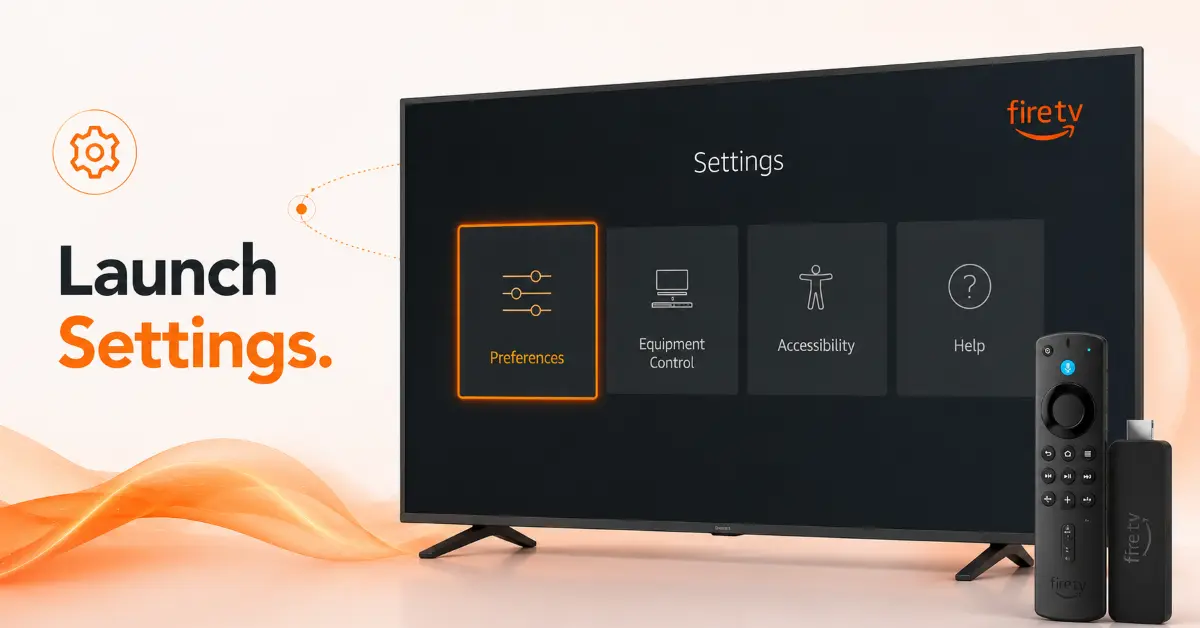
Open Firestick Settings
-
Ensure you have your Firestick switched on and wait for the Home screen to pop up
-
Go to the Settings icon at the extreme right of the menu list
-
Press on Settings using your Fire TV remote control
-
Scroll down the options until you locate Preferences
Step 02
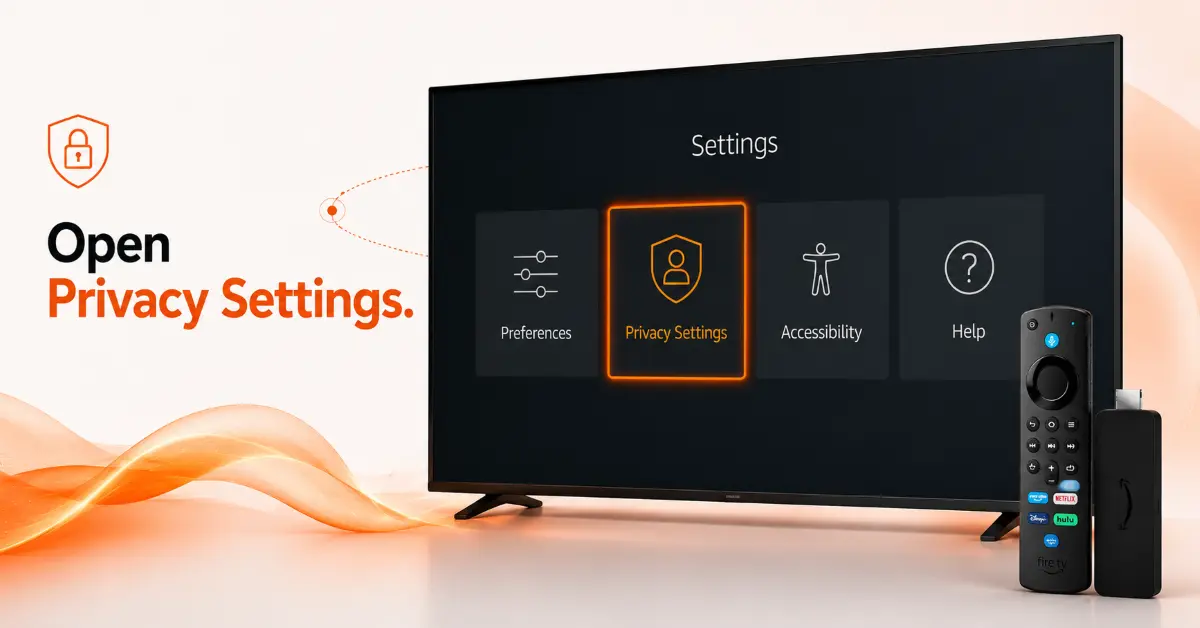
Go to Privacy Settings
-
Access the Preferences from the Settings menu list
-
Press on Privacy Settings or simply Privacy depending on the Fire OS version of your device
-
The next option to look for is the Advertising ID
-
Highlight the preference to access possible actions to take
Get NordVPN — 20% Off
Step 03
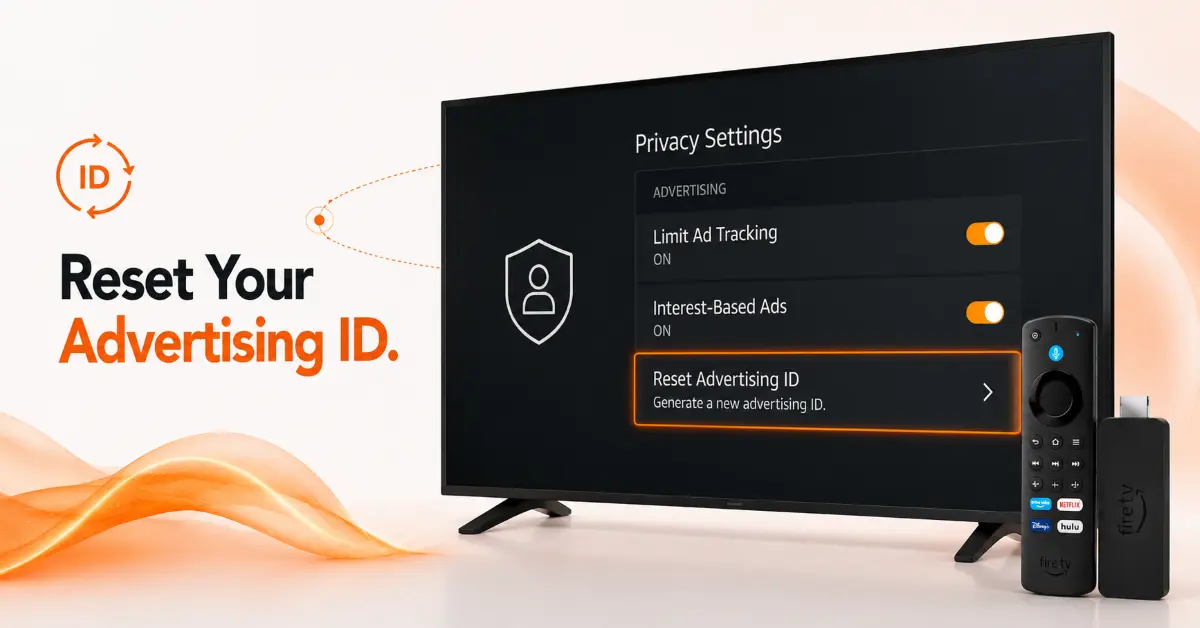
Reset Advertising ID
-
Press on Reset Advertising ID
-
There will be a confirmation prompt displayed on the screen
-
Confirm the choice by pressing Reset or Confirm to create a new Advertising ID
-
Give some time to allow the reset procedure to be completed
Step 04
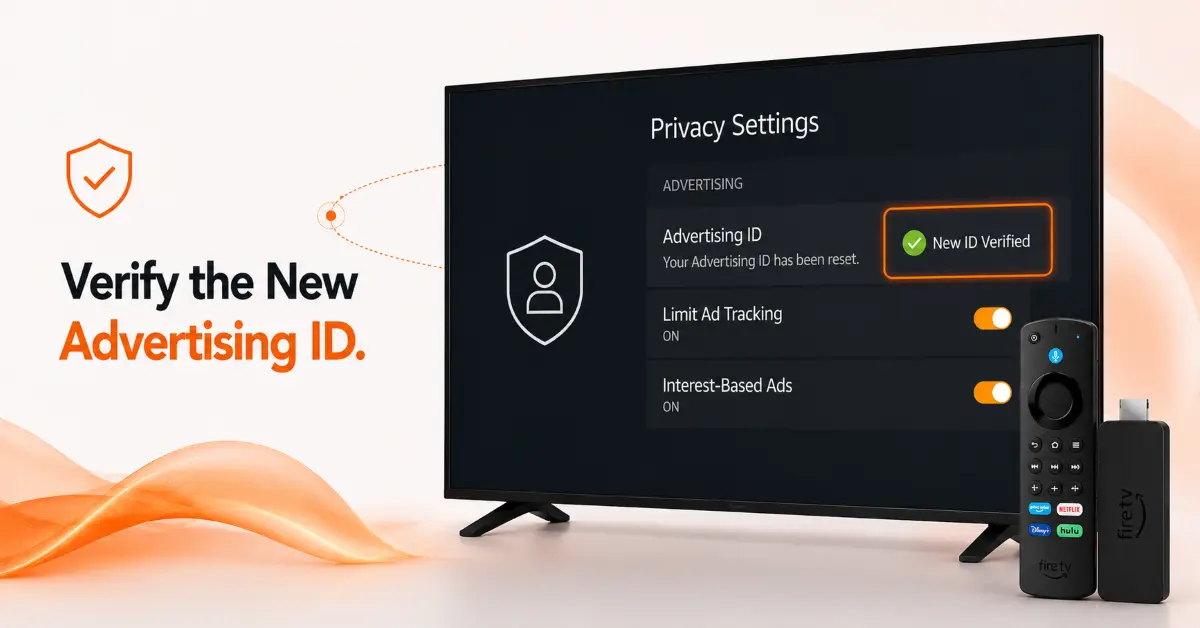
Verify the Changes
-
Press again on the Advertising ID to verify that you have a new one generated
-
Optionally activate Interest-Based Ads preference as you need
-
Exit Settings menu and start enjoying your Firestick
Quick Comparison
Side-by-side comparison of top Fire Stick VPNs
| VPN | Price | Servers | Speed | Devices | Rating | Actions |
|---|---|---|---|---|---|---|
|
NordVPN
|
$4.39/mo | 6,998+ | Blazing Fast | 8 | 4.8 | Get Deal |
 EXPRESS VPN
|
$2.79/mo | 3,000+ | Blazing Fast | 8 | 5 | Get Deal |
|
|
$1.88/mo | 3,200+ | Blazing Fast | 8 | 4.7 | Get Deal |
 Proton VPN
|
$3.99/mo | 14,999+ | Blazing Fast | 7 | 4.8 | Get Deal |
 IPVanish
|
$2.49/mo | 3,100+ | Blazing Fast | 6 | 4 | Get Deal |
Frequently Asked Questions
What does a Fire TV Advertising ID reset actually do?
The process of Fire TV Advertising ID reset replaces your existing advertising ID with a new one. It does not delete apps and your personal information but rather helps advertisers cease making connections between the new and old advertising IDs.
Is it safe for me to reset my Firestick Ad ID?
It is safe for you to perform Firestick advertising ID reset. There will be no harm to your applications or the Amazon account.
How often should I reset my Firestick Advertising ID?
You can decide to rest your Firestick Advertising ID anytime as you wish. There is no need to perform AD ID reset on scheduled intervals.
Does resetting of Amazon Fire TV Advertising ID eliminate ads?
No, it will not stop the appearance of ads in your Firestick applications. The only thing that resetting will help you to achieve is having a new advertising ID.
Does resetting the Firestick privacy ads reset delete my watch history?
Not really. Resetting the advertising ID will not delete any history, search history, or application data stored on your Firestick. All it does is generate a new advertising ID.
Can I reset the Fire TV Advertising ID on all Fire TV devices?
Yes, most of the Fire TV devices, including Firestick, Fire Cube TV, and even Fire TV smart televisions have the Reset Advertising ID option available.
Why is the Reset Advertising ID option not available on my Firestick?
If the option of Reset Advertising ID is missing in your Firestick, the chances are that your Firestick has the most recent version of Fire OS, where the option is either removed or renamed.