Fire TV Live Tab vs Freely: Which Is Better for UK Viewers?
Editor's Choice
#1 Pick
Editor's Choice
 NordVPN
$4.39/month
Save 20%
Blazing Fast
6,998+
214
8
Step by Step Instructions
Step 01

Go to Search on Fire TV
On your Fire TV home screen, select the Search (Find) option at the top.
Step 02

Type “NordVPN”
Use your remote to type NordVPN and choose the app when it appears in the results.
Step 03

Install the App
Click on Get or Download to install NordVPN on your Fire TV.
Step 04

Log In & Connect
Open the app, sign in to your account, and press the connect button to start using the VPN.
Fire TV Live Tab vs Freely: Which Is Better for UK Viewers?
Comparing Fire TV Live Tab vs Freely to help UK viewers pick the right option
Step 01
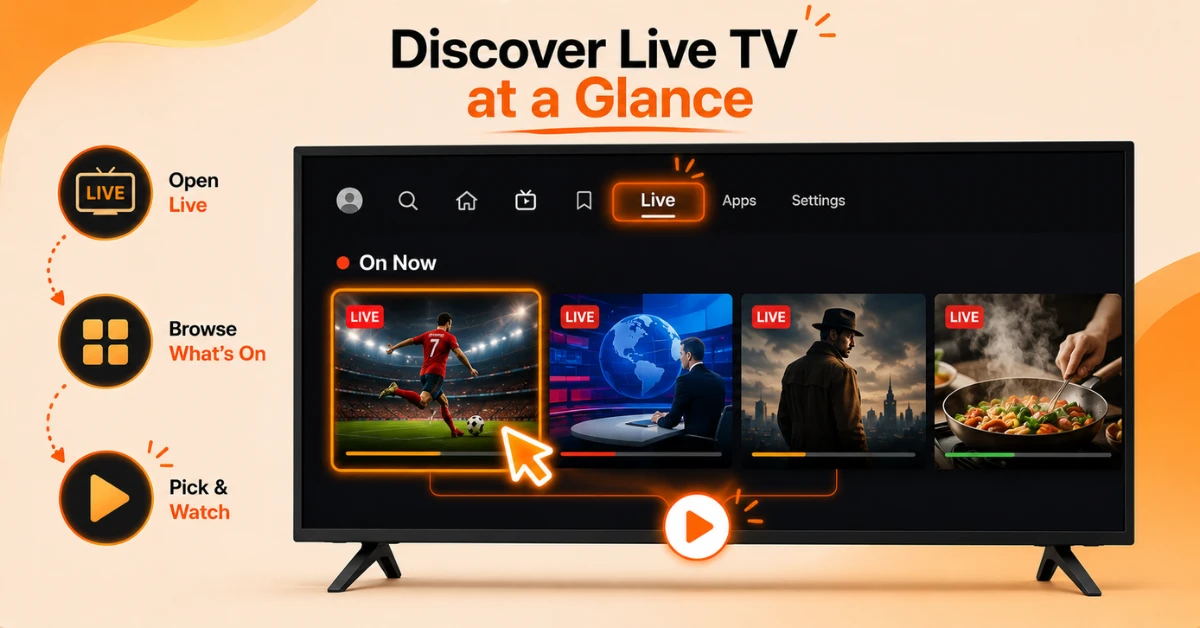
Open the Live Tab and See What's On
-
Select the Live tab from your Fire TV home screen
-
Browse thumbnails showing what's airing now on BBC, ITV, Channel 4, and Channel 5
-
Select any programme to jump into the matching broadcaster app
Step 02
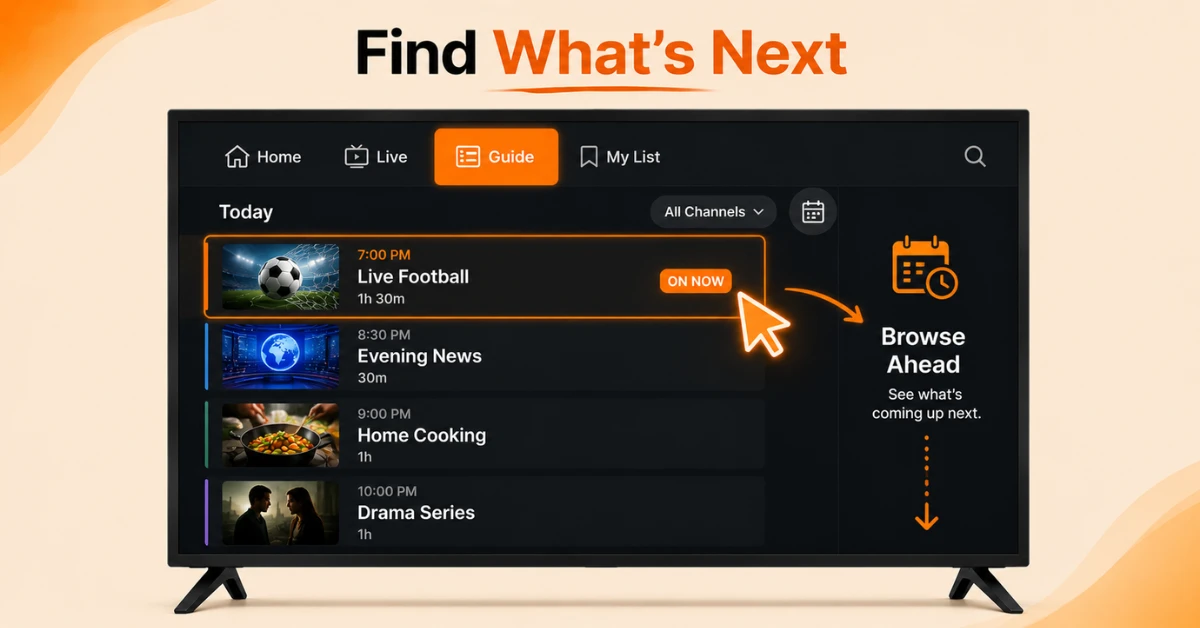
Use the Guide for a Proper TV Listing
-
Open the Guide section for current and upcoming programmes
-
Filter by BBC only, ITVX only, or a custom list of favourites
-
Browse forward through the schedule, since looking back isn't supported here
Get NordVPN — 20% Off
Step 03
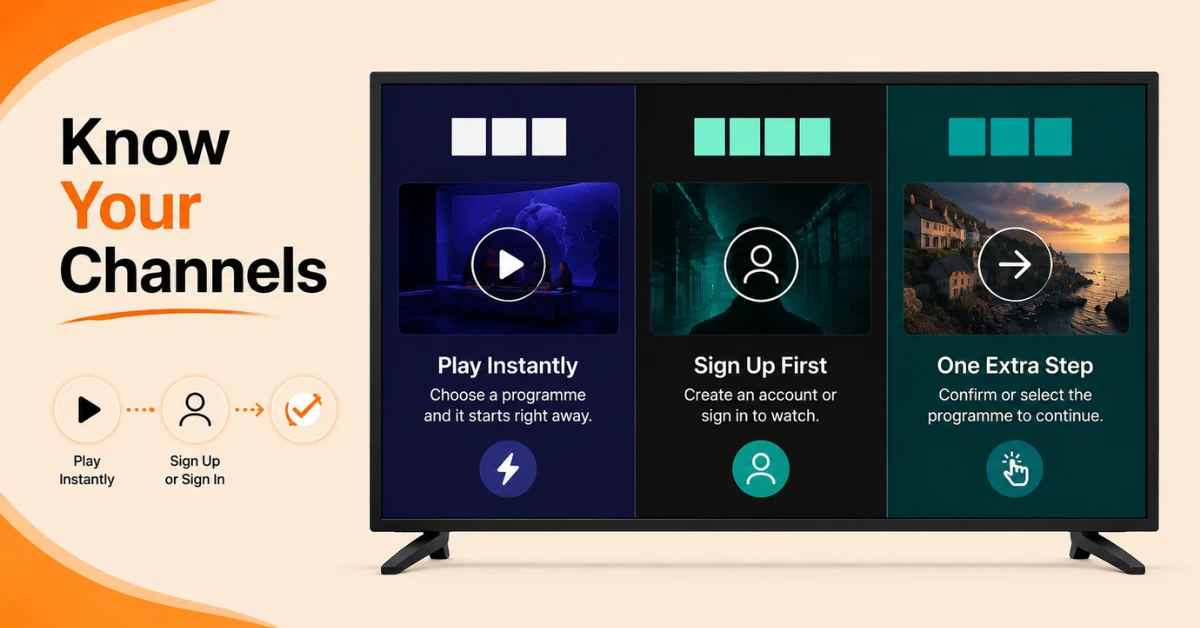
Know Each Broadcaster
-
BBC and Channel 4 start playback immediately once you're signed in
-
ITV needs one extra click inside ITVX before streaming begins
-
Channel 5 opens directly, though its guide listings aren't showing properly yet
Step 04
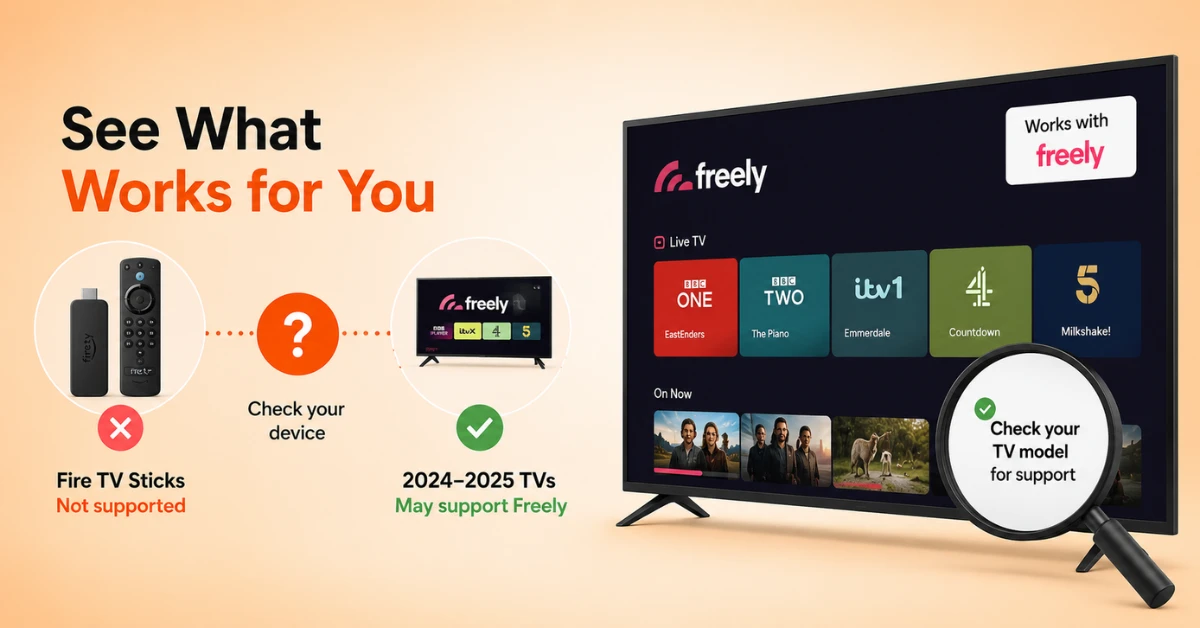
Check If Freely Is an Option for You
-
Freely only works on specific 2024-2025 TV models, not on Fire TV Sticks
-
If you own a regular Fire TV Stick, the Live Tab is your only choice between the two
-
If you're buying a new TV instead, check whether that exact model supports Freely
Quick Comparison
Side-by-side comparison of top Fire Stick VPNs
| VPN | Price | Servers | Speed | Devices | Rating | Actions |
|---|---|---|---|---|---|---|
|
NordVPN
|
$4.39/mo | 6,998+ | Blazing Fast | 8 | 4.8 | Get Deal |
 EXPRESS VPN
|
$2.79/mo | 3,000+ | Blazing Fast | 8 | 5 | Get Deal |
 Proton VPN
|
$3.99/mo | 14,999+ | Blazing Fast | 7 | 4.8 | Get Deal |
|
|
$1.88/mo | 3,200+ | Blazing Fast | 8 | 4.7 | Get Deal |
 IPVanish
|
$2.49/mo | 3,100+ | Blazing Fast | 6 | 4 | Get Deal |
 Pure VPN
|
$3.55/mo | — | Blazing Fast | 6 | 4 | Get Deal |
Frequently Asked Questions
What's the real difference in fire tv live tab vs freely?
The Fire TV Live Tab works on any Fire TV device by jumping you into separate broadcaster apps, while Freely offers a single seamless interface but only on specific newer TV models.
Which feels smoother to use, fire tv live tab vs freely?
Freely generally feels smoother since it avoids jumping between different apps, while the Fire TV Live Tab visibly switches you into BBC iPlayer, ITVX, or another app each time. The Live Tab requires a few more clicks along the way.
What channels are available on the fire tv live tab?
It now includes all major BBC channels alongside ITV, Channel 4, Channel 5, and FAST services like Pluto TV, Plex, and Prime Video. This means all of the UK's main public broadcasters are represented in one place.
Can I filter channels on the fire tv live tab?
Yes, the Guide section lets you filter to show only BBC channels, only ITVX content, or a custom list of your own favourites. This is useful if you only care about a handful of channels rather than the full lineup.
Is freely on fire tv available for everyone?
No, Freely on Fire TV is currently limited to specific TV models like the Fire TV Omni QLED Series and Fire TV 2-Series sets. It isn't available on standalone Fire TV Sticks or set-top boxes.
How do I watch firestick uk live tv channels without separate apps?
The Live Tab is the closest option, letting you browse all major channels in one place even though selecting one still opens the relevant app. It saves you from manually searching through each broadcaster app individually.
Do I need to sign in separately for firestick uk live tv channels?
Yes, channels like BBC and Channel 4 require you to be signed in to their individual apps for playback to start properly. The Live Tab itself doesn't store separate login details.