Firestick Sideloading vs Jailbreaking: What’s the Difference?
Editor's Choice
#1 Pick
Editor's Choice
 EXPRESS VPN
$2.79/month
Save 20%
Blazing Fast
3,000+
214
8
Step by Step Instructions
Step 01

Open the Amazon App Store
From your Firestick home screen, navigate to the “Find” or search icon and open the Amazon App Store.
Step 02

Search for ExpressVPN
Type “ExpressVPN” in the search bar using your remote. Select the official ExpressVPN app from the results.
Step 03

Download & Install the App
Click on the “Download” or “Get” button to install the app on your Firestick. Wait for the installation to complete.
Step 04

Sign In & Connect
Open the app, sign in with your ExpressVPN account, and tap the power button to connect to a server.
FireStick Sideloading vs Jailbreaking: What's the Difference?
The straight answer on Firestick sideloading vs jailbreaking before you touch any settings
Step 01
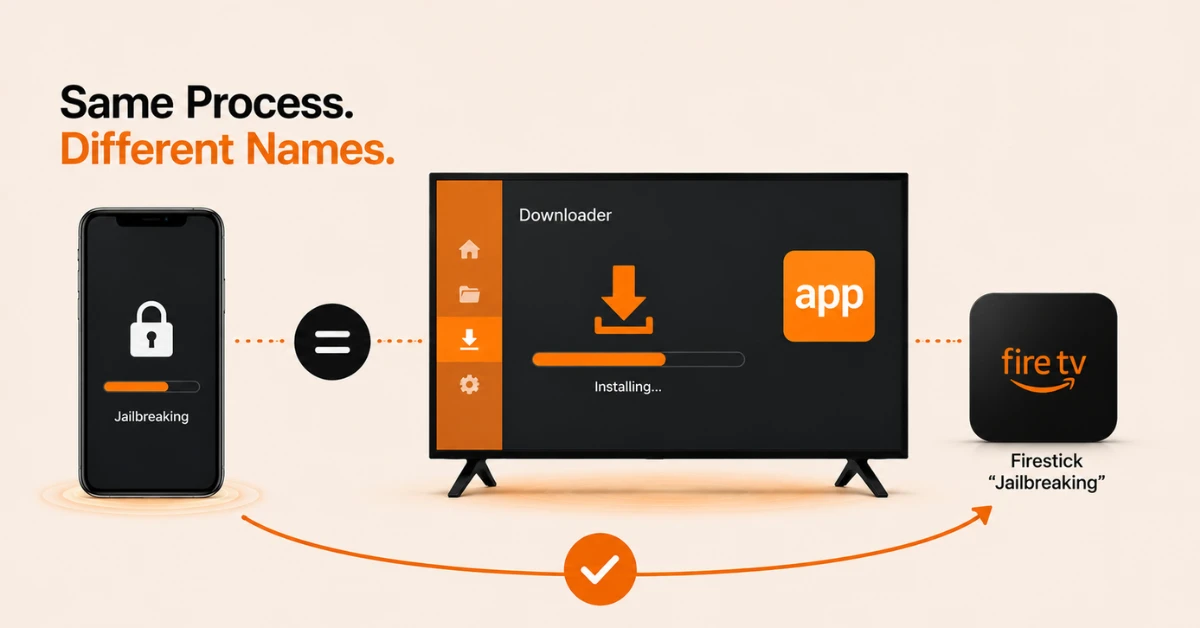
Understand They Refer to the Same Process
-
Sideloading vs jailbreaking on Firestick does not describe two separate methods
-
Jailbreaking in an iPhone involves firmware modification and root access
-
Firestick jailbreaking is used to describe the process of sideloading
Step 02
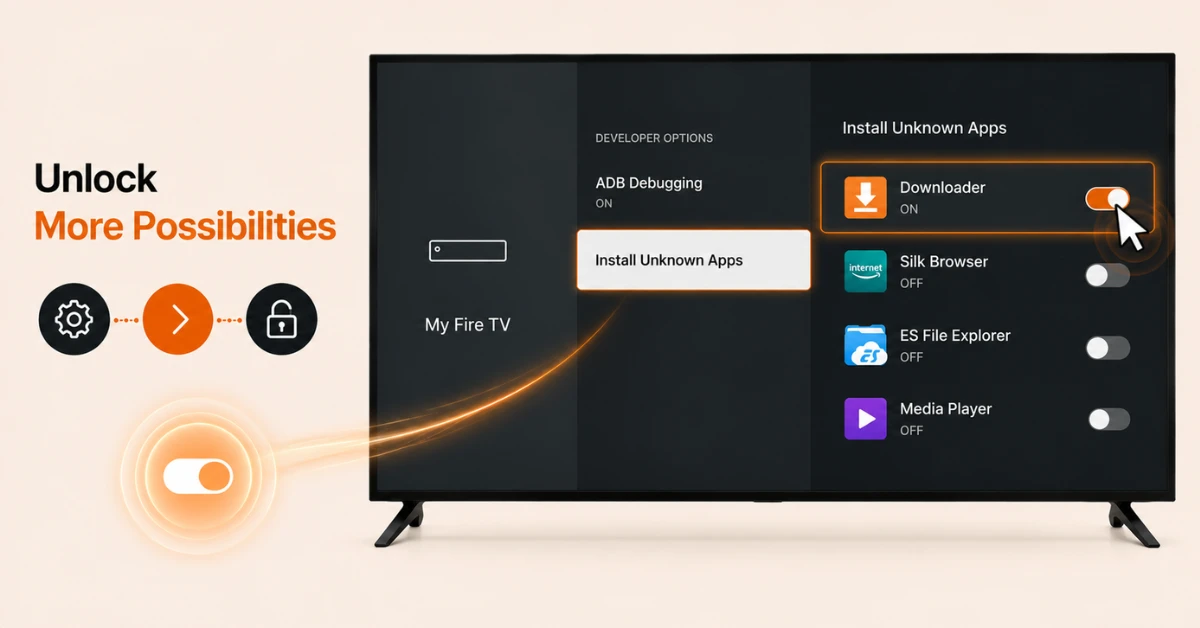
Enable the Required Setting
-
Go to Settings, then My Fire TV, then Developer Options
-
Select Install Unknown Apps
-
Switch the toggle on for the app you intend to use for sideloading, such as Downloader
Get EXPRESS VPN — 20% Off
Step 03
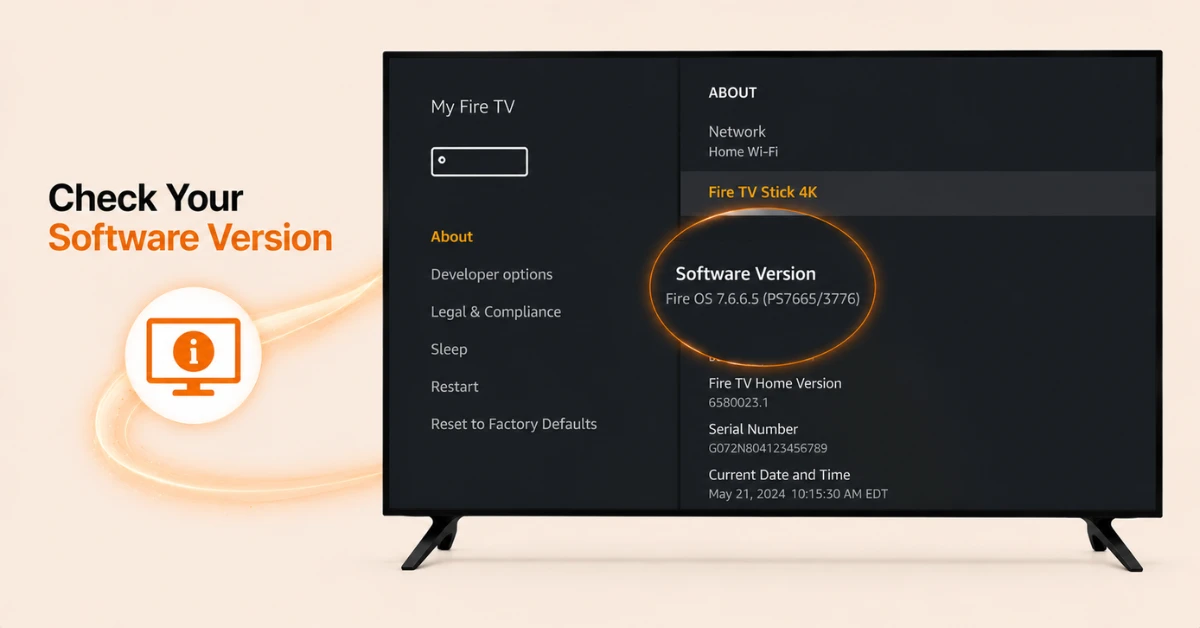
Confirm Your Device Supports This
-
Go to Settings, then My Fire TV, then About, and check the software version
-
Devices on Fire OS, mainly models released before 2024, include this Developer Options toggle
-
Devices on Vega OS, including the Fire TV Stick 4K Select, do not include this setting
Step 04
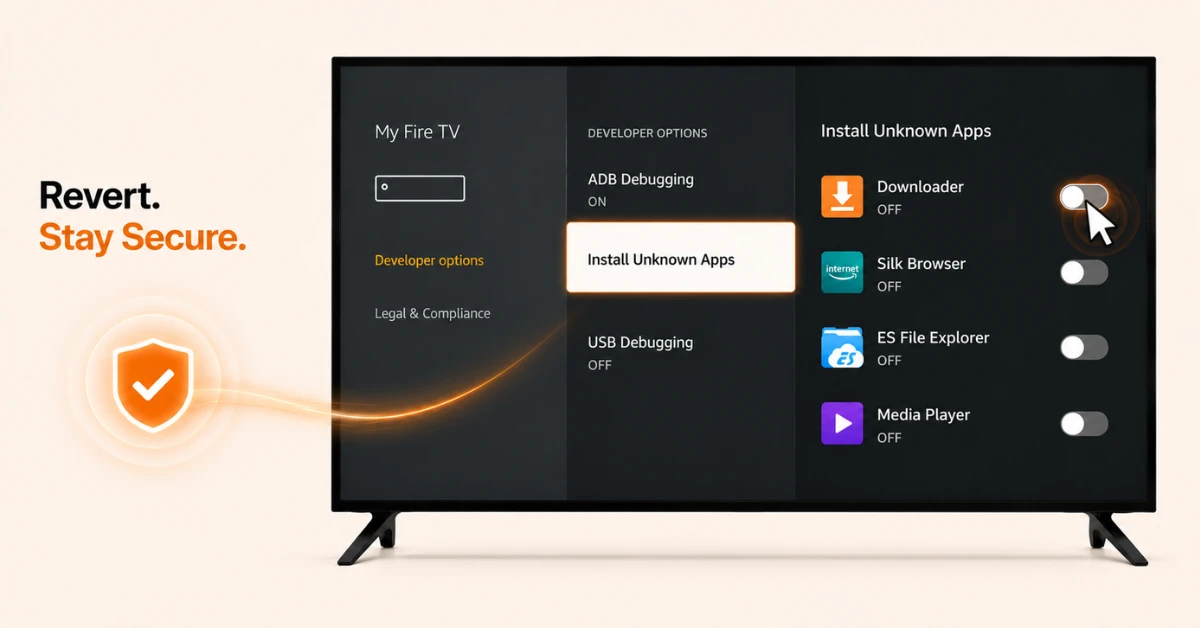
Reverse the Setting When Required
-
Return to Settings, then My Fire TV, then Developer Options, then Install Unknown Apps
-
Switch the toggle off for the app previously enabled
-
This restores the original setting with no other changes to the device
Quick Comparison
Side-by-side comparison of top Fire Stick VPNs
| VPN | Price | Servers | Speed | Devices | Rating | Actions |
|---|---|---|---|---|---|---|
|
EXPRESS VPN
|
$2.79/mo | 3,000+ | Blazing Fast | 8 | 5 | Get Deal |
 NordVPN
|
$4.39/mo | 6,998+ | Blazing Fast | 8 | 4.8 | Get Deal |
|
|
$1.88/mo | 3,200+ | Blazing Fast | 8 | 4.7 | Get Deal |
 Proton VPN
|
$3.99/mo | 14,999+ | Blazing Fast | 7 | 4.8 | Get Deal |
 IPVanish
|
$2.49/mo | 3,100+ | Blazing Fast | 6 | 4 | Get Deal |
 PrivadoVPN
|
$1.99/mo | — | Blazing Fast | 5 | 4 | Get Deal |
Frequently Asked Questions
Is there a real technical difference between sideloading vs jailbreaking on Firestick?
Yes, sideloading simply means installing an app from outside the Amazon Appstore by switching on a built-in setting. True jailbreaking, by contrast, involves gaining root access and modifying core system files, which doesn't happen on a standard Firestick at all.
Which term, sideloading or jailbreaking, should I trust more when researching Firestick apps?
Sideloading is the more accurate term and tends to come from sources that understand what's actually happening technically. If a guide constantly says jailbreak without ever mentioning Install Unknown Apps or Developer Options, it's worth treating with a bit more caution.
What does Firestick sideloading actually mean in simple terms?
Firestick sideloading meaning, put simply, is installing an app that isn't listed in the Amazon Appstore by enabling a setting that allows it. It's the same setting Amazon itself uses internally, just normally switched off by default.
Is a jailbroken Firestick vs sideloading actually two different setups?
No, a jailbroken Firestick vs sideloading describes the same configuration. The word jailbroken is simply being used to refer to a device that has Install Unknown Apps switched on.
Why does the Firestick sideloading meaning matter for legal reasons?
It matters because sideloading on its own is completely legal in most countries, since you're the device owner choosing what software to install. Legal issues only arise from what you stream afterward, not from the act of sideloading itself.
Does the Firestick jailbreaking meaning involve any risk to the device itself?
Not to the hardware or firmware, since you're not modifying anything at a system level. The real risk comes from installing unverified third-party apps afterward, which can occasionally contain malware or unwanted tracking.
Does buying a Firestick already set up this way carry more risk than doing it myself?
Yes, a device sold with apps preinstalled by someone else carries more risk, since you cannot verify what has been added. Enabling the setting yourself and choosing your own apps avoids this issue entirely.