How Do I Connect a Bluetooth Speaker to Firestick? Step by Step Guide
Editor's Choice
#1 Pick
Editor's Choice
 Surfshark
$1.88/month
Save 20%
Blazing Fast
3,200+
214
8
Step by Step Instructions
Step 01

Open Search on Fire TV
From your Fire TV home screen, go to the Find (Search) option.
Step 02

Search for Surfshark
Type Surfshark using your remote and select the app from the results.
Step 03

Install the App
Click on Download or Get to install Surfshark on your device.
Step 04

Sign In & Start VPN
Open the app, log in to your account, and connect to a server to start using the VPN.
How to Connect a Bluetooth Speaker to Firestick?
A simple guide to connecting your bluetooth speaker to Firestick
Step 01
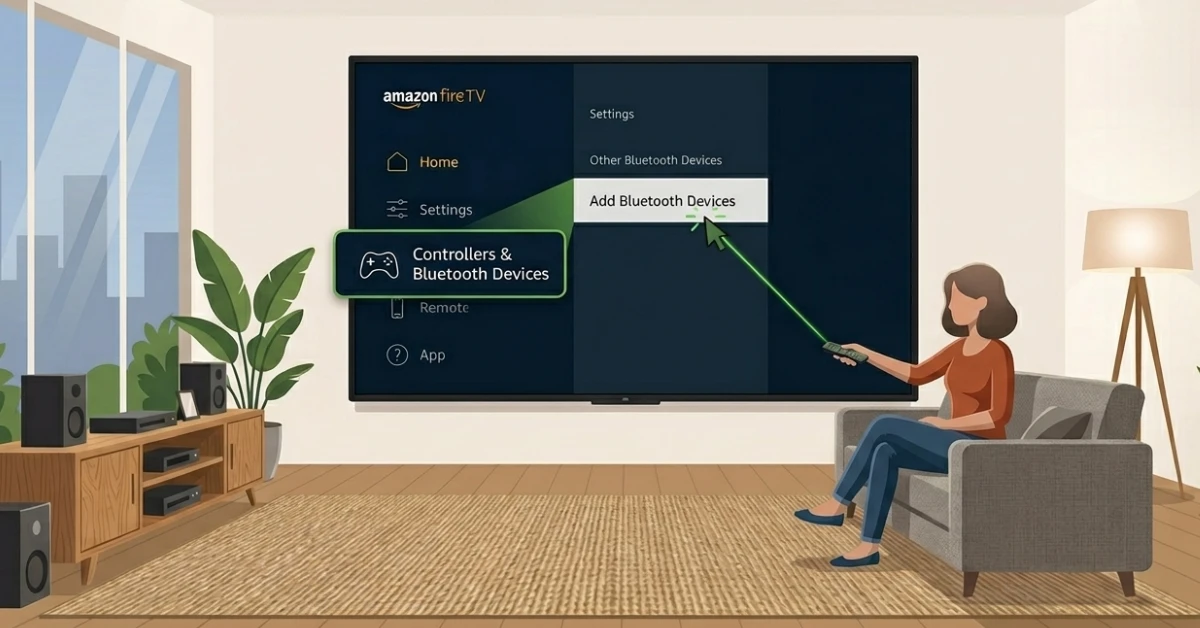
Open Bluetooth Settings on Firestick
-
Press the Home button on your remote and go to Settings.
-
Select Controllers and Bluetooth Devices.
-
Choose Other Bluetooth Devices and click Add Bluetooth Devices.
Step 02
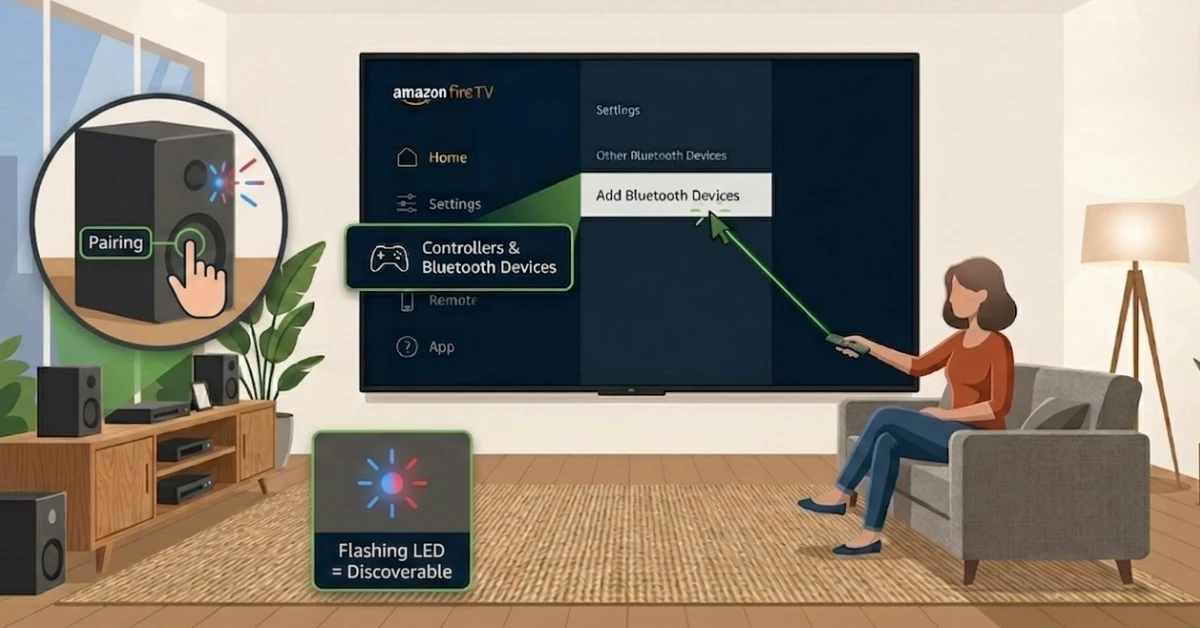
Put Your Speaker in Pairing Mode
-
Turn on your Bluetooth speaker and locate the pairing button.
-
Press and hold it until the LED light flashing, indicating it is discoverable.
-
Keep the speaker close to your Firestick during this process.
Get Surfshark — 20% Off
Step 03
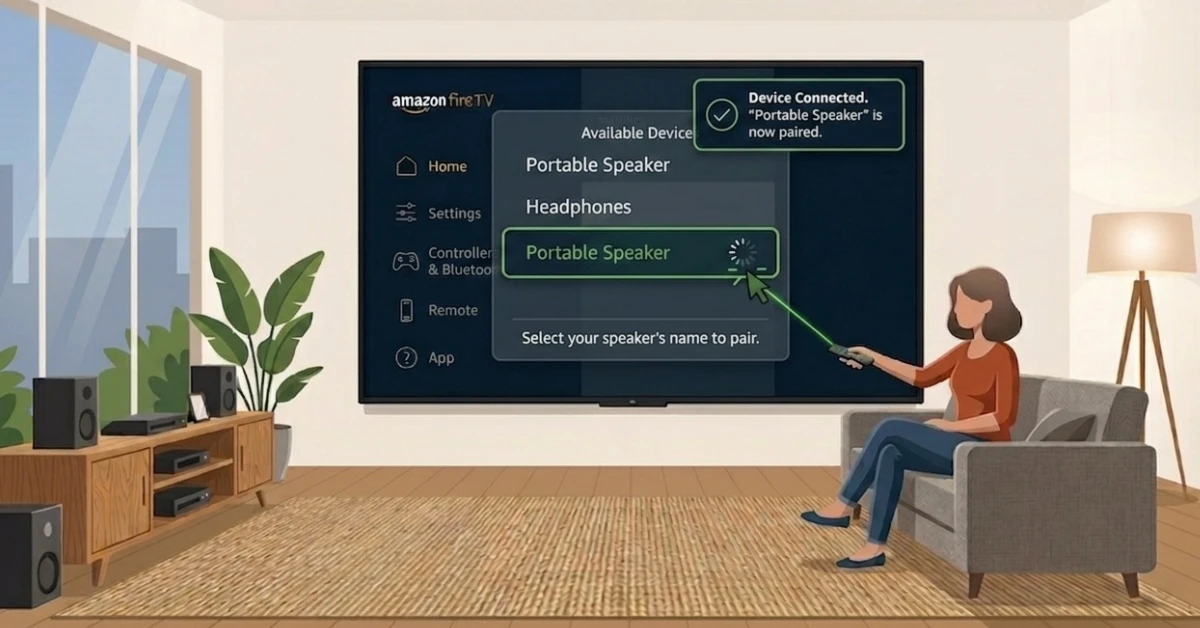
Select & Pair Your Speaker
-
Your Firestick will scan and display a list of nearby available devices.
-
Select your speaker's name from the list.
-
You will see a Device Connected confirmation on screen once paired.
Step 04
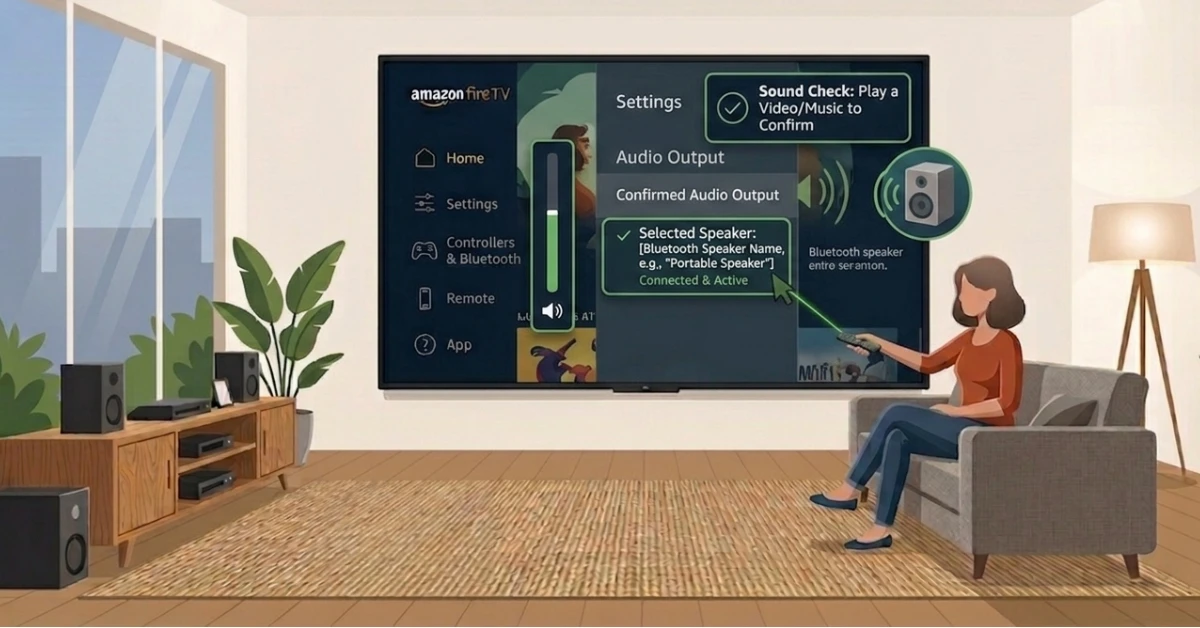
Confirm Audio Output
-
Play any video or music to test that audio is coming through the speaker.
-
If there is no sound, go back to Settings and confirm your speaker is set as the active audio device.
-
Your Bluetooth speaker is now fully connected and ready to use.
Quick Comparison
Side-by-side comparison of top Fire Stick VPNs
| VPN | Price | Servers | Speed | Devices | Rating | Actions |
|---|---|---|---|---|---|---|
|
|
$1.88/mo | 3,200+ | Blazing Fast | 8 | 4.7 | Get Deal |
 NordVPN
|
$4.39/mo | 6,998+ | Blazing Fast | 8 | 4.8 | Get Deal |
 EXPRESS VPN
|
$2.79/mo | 3,000+ | Blazing Fast | 8 | 5 | Get Deal |
 Proton VPN
|
$3.99/mo | 14,999+ | Blazing Fast | 7 | 4.8 | Get Deal |
 PrivadoVPN
|
$1.99/mo | — | Blazing Fast | 5 | 4 | Get Deal |
Frequently Asked Questions
Can I connect any Bluetooth speaker to Fire Stick?
Most Bluetooth speakers can connect to an Amazon Fire TV Stick as long as they support the A2DP for audio streaming. If your speaker does not support this profiles, it may not pair successfully with your Fire Stick.
Why won't my Bluetooth speaker connect to Fire Stick?
Make sure your speaker is in pairing mode and within range of your Firestick before attempting to connect. If it still does not connect, restart both devices and try again from the Add Bluetooth Devices menu.
Can I pair multiple Bluetooth audio devices to Fire TV at the same time?
Yes, Fire TV supports connecting up to two Bluetooth audio devices simultaneously, which is useful for shared listening experiences. However, audio sync between two devices may vary depending on the Bluetooth version and speaker model.
Where do I find Bluetooth settings on Fire Stick?
Fire Stick Bluetooth settings are located under Settings, then Controllers and Bluetooth Devices on your home screen. From here you can add new devices, manage existing connections, and remove paired devices.
How do I switch Fire TV Stick audio output to Bluetooth?
Once you pair a Bluetooth speaker, Fire TV Stick automatically routes audio output to that device. If audio does not switch over, go back to Settings and confirm your Bluetooth speaker is listed as the active audio device.
How do I turn on Bluetooth on Fire Stick?
Bluetooth on Fire Stick is automatically activated when you navigate to Controllers and Bluetooth Devices and select Add Bluetooth Devices. There is no separate toggle to turn Bluetooth on or off on Fire Stick.
What should I do if my Bluetooth speaker is not connecting to Fire Stick?
First, restart both your Fire Stick and Bluetooth speaker, then try pairing again from the Add Bluetooth Devices menu. Also check that your speaker supports the A2DP Bluetooth profile, as Fire Stick requires this for audio devices.