How Do I Program Firestick Remote to Control TV Volume: A Quick Guide
Editor's Choice
#1 Pick
Editor's Choice
 Proton VPN
$3.99/month
Save 20%
Blazing Fast
14,999+
214
7
Step by Step Instructions
Step 01
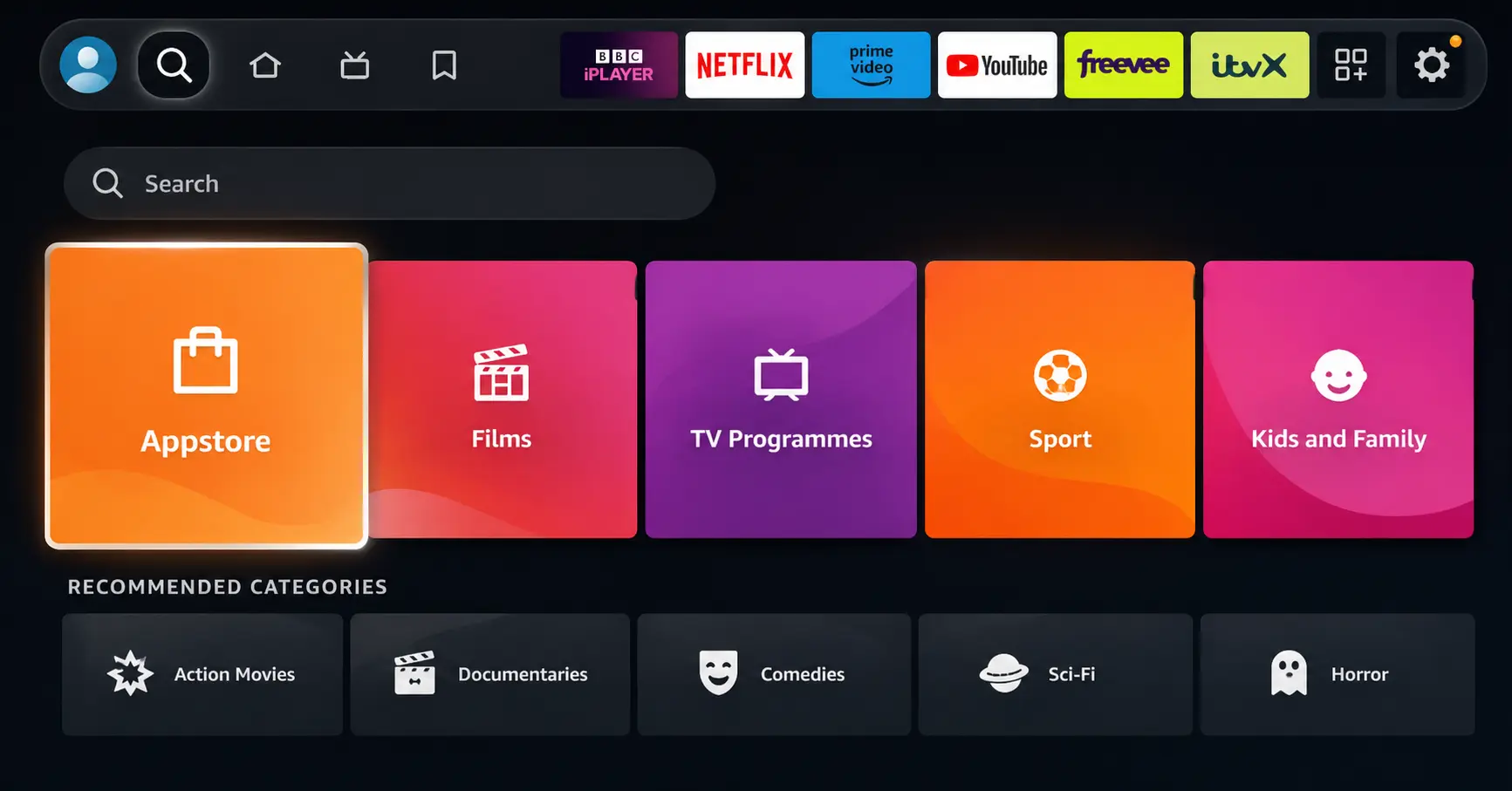
Open Search on Fire TV
Go to the Find (Search) option from your Fire TV home screen.
Step 02
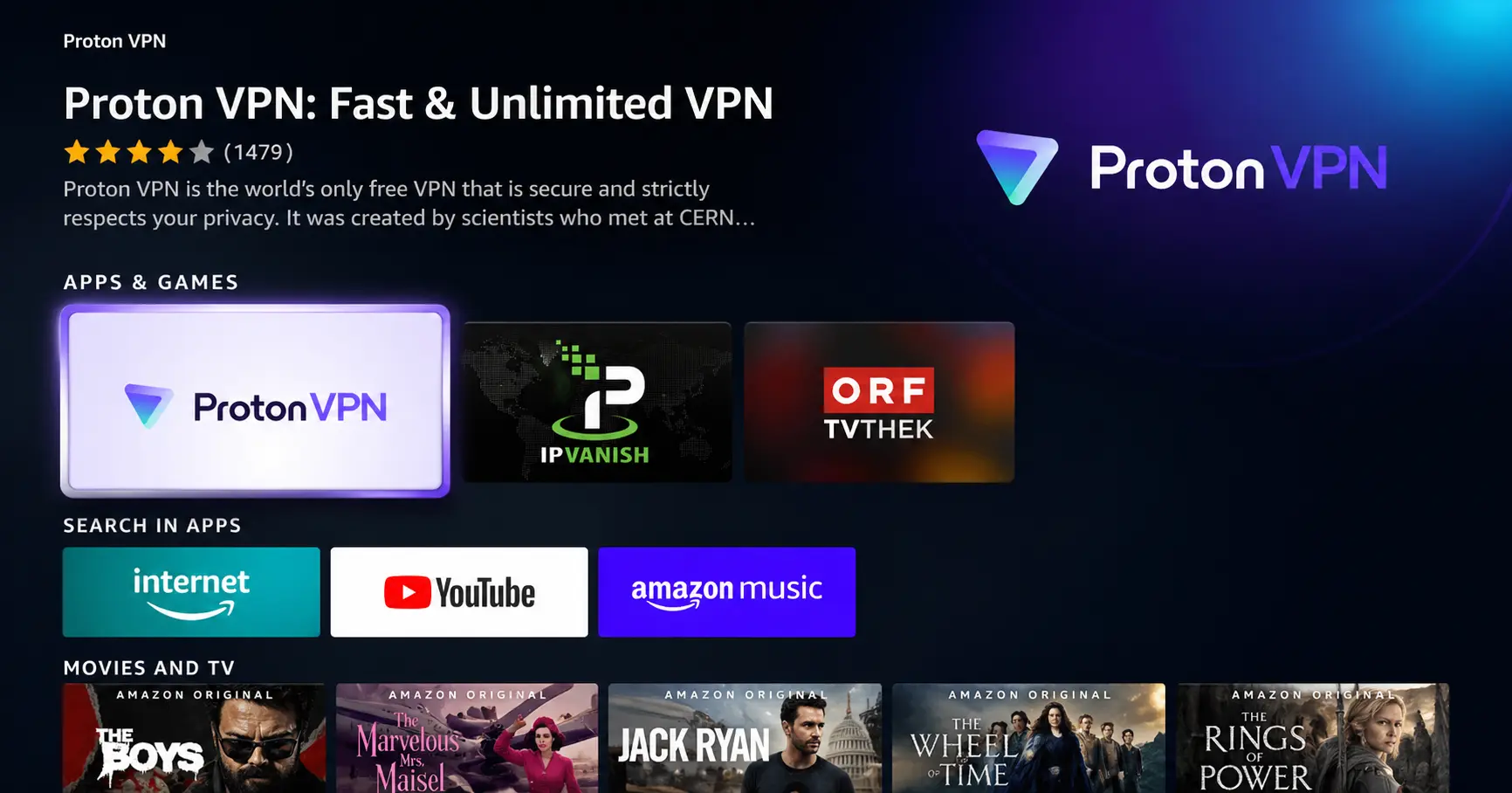
Search for ProtonVPN
Type ProtonVPN using your remote and select the app from the results.
Step 03
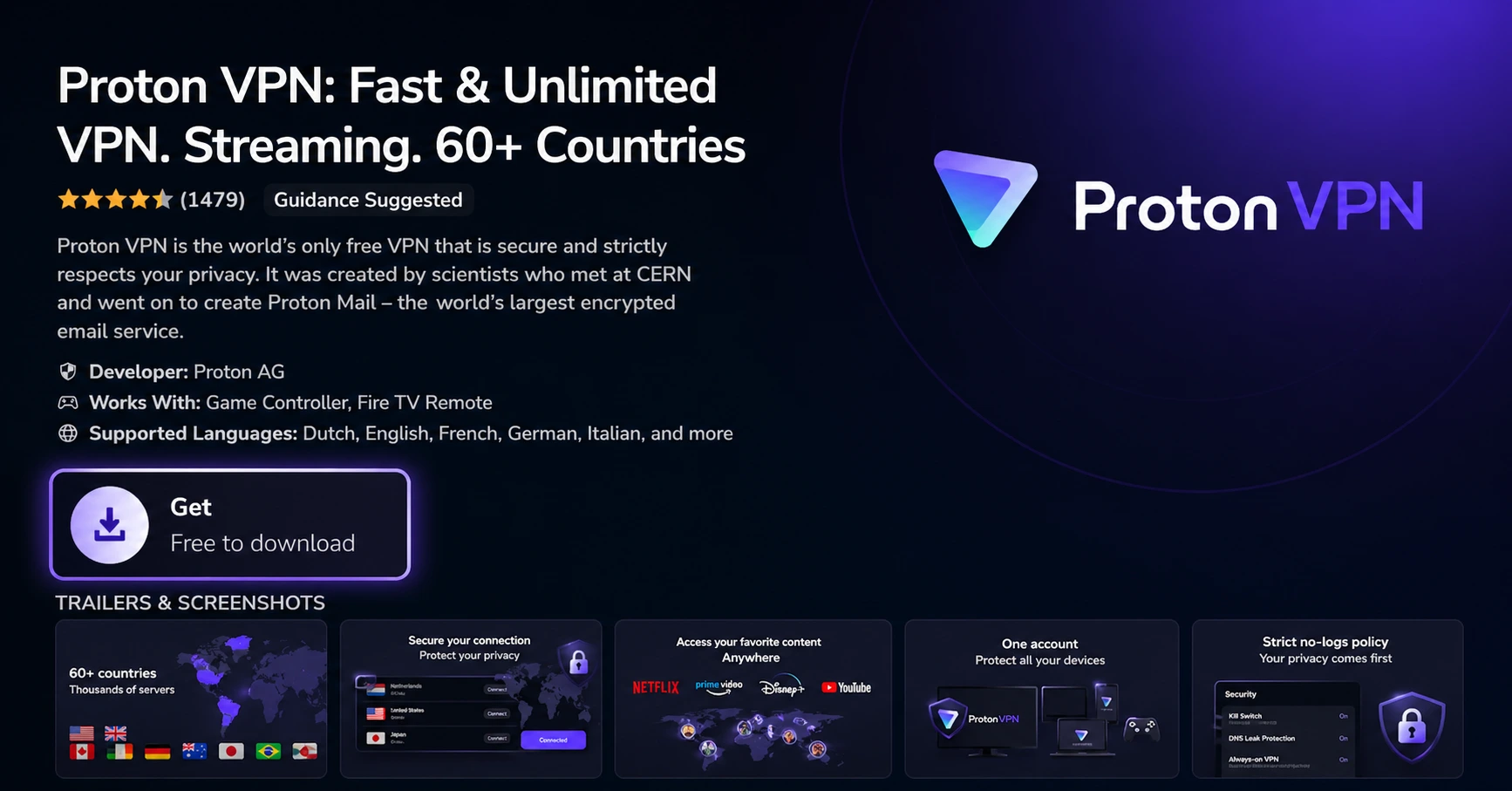
Install the App
Click on Get or Download to install ProtonVPN on your Fire TV.
Step 04
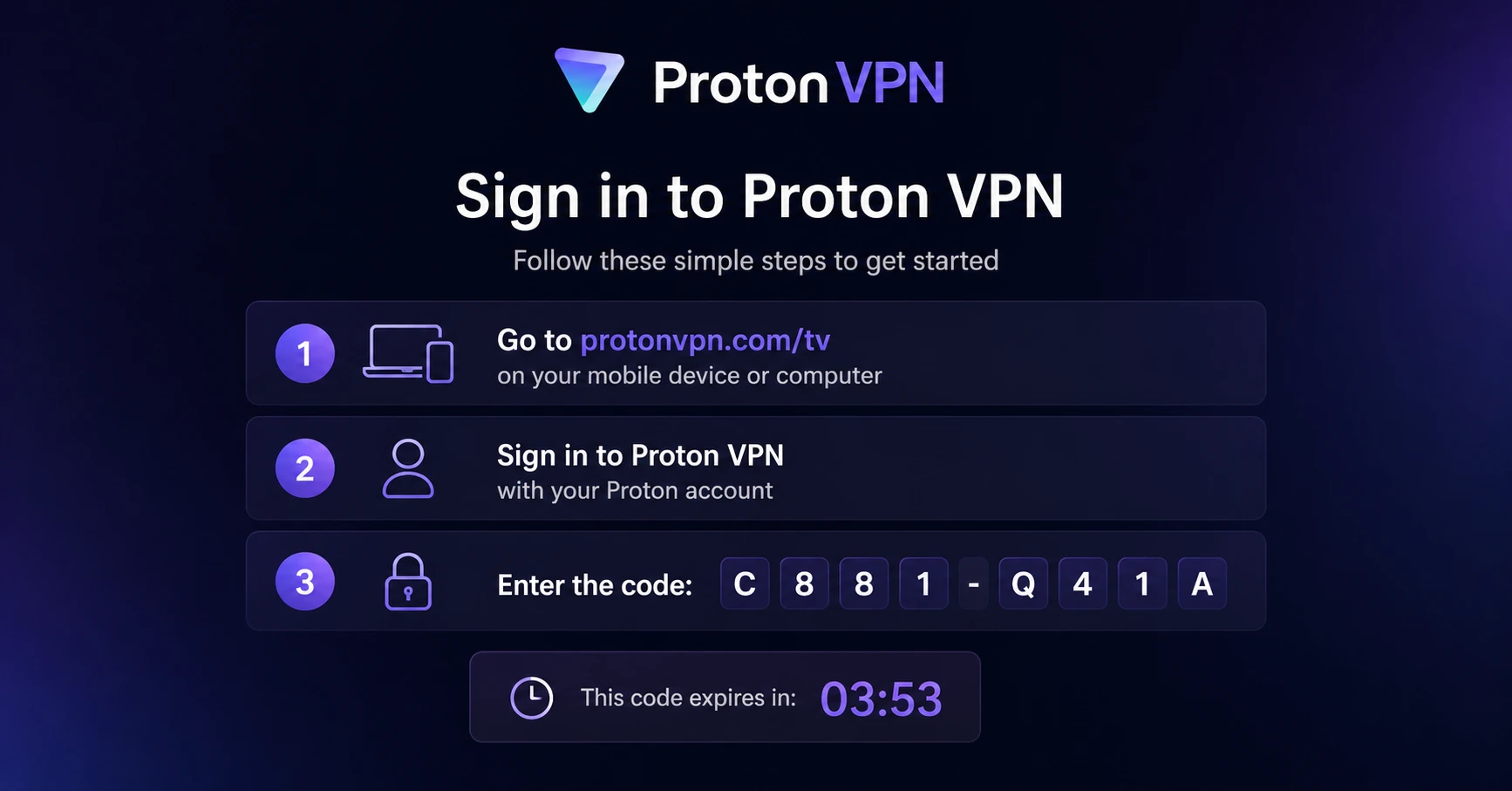
Sign In & Connect
Open the app, sign in using your Proton account (QR or code method), and connect to a server.
How Do I Program Firestick Remote to Control TV Volume
Follow these simple steps to control your TV volume using just your Firestick remote
Step 01
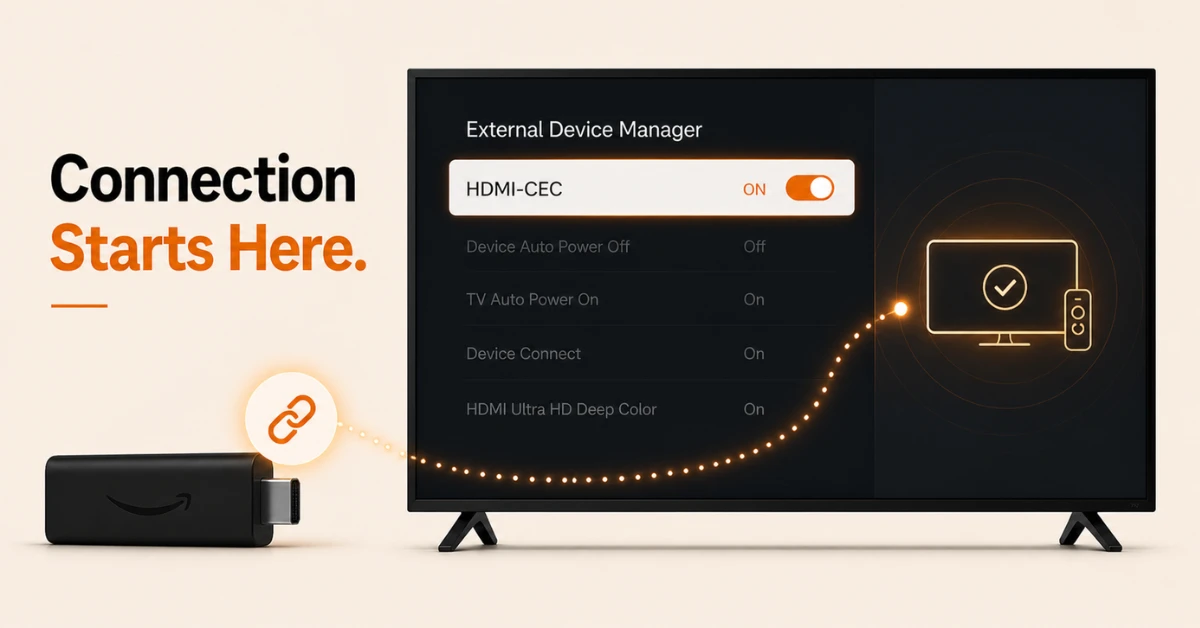
Enable HDMI CEC on Your TV
-
Go to your TV settings and look for HDMI CEC, which may be labelled differently depending on your brand
-
Common names include Anynet+ on Samsung, Bravia Sync on Sony, SimpLink on LG, and EasyLink on Philips
-
Turn it on and make sure your Firestick is plugged into a CEC compatible HDMI port on your TV
Step 02
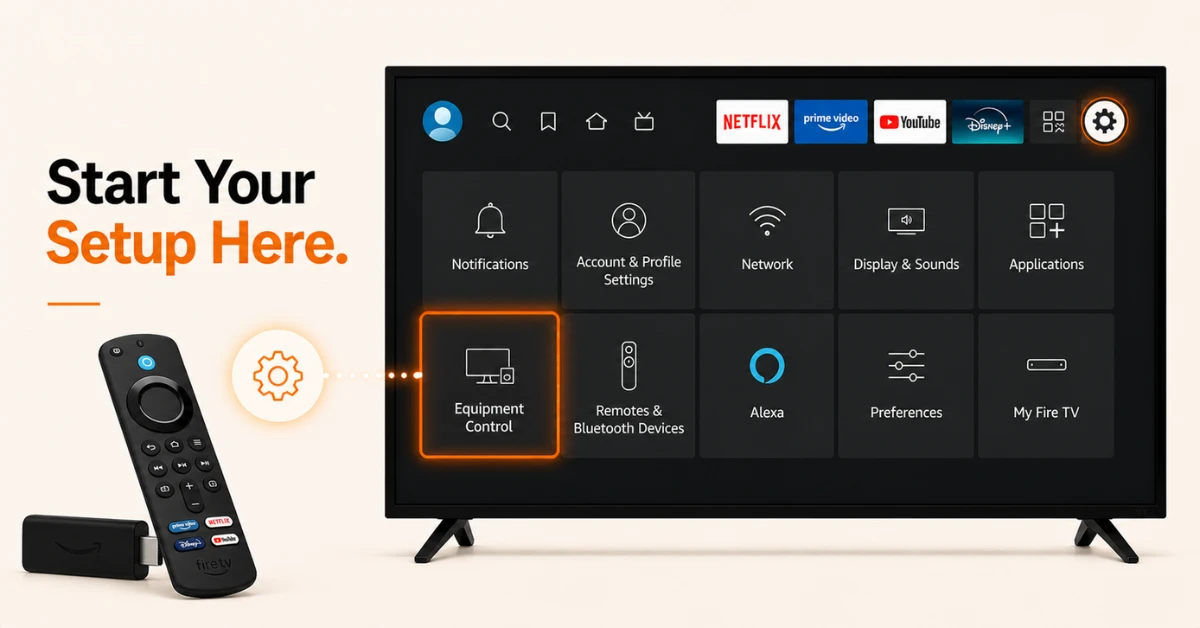
Open Equipment Control on Your Firestick
-
From the Firestick home screen, go to Settings and select Equipment Control
-
Select Manage Equipment, then choose TV from the list
-
Select Change TV, then select Change TV again to confirm
Get Proton VPN — 20% Off
Step 03
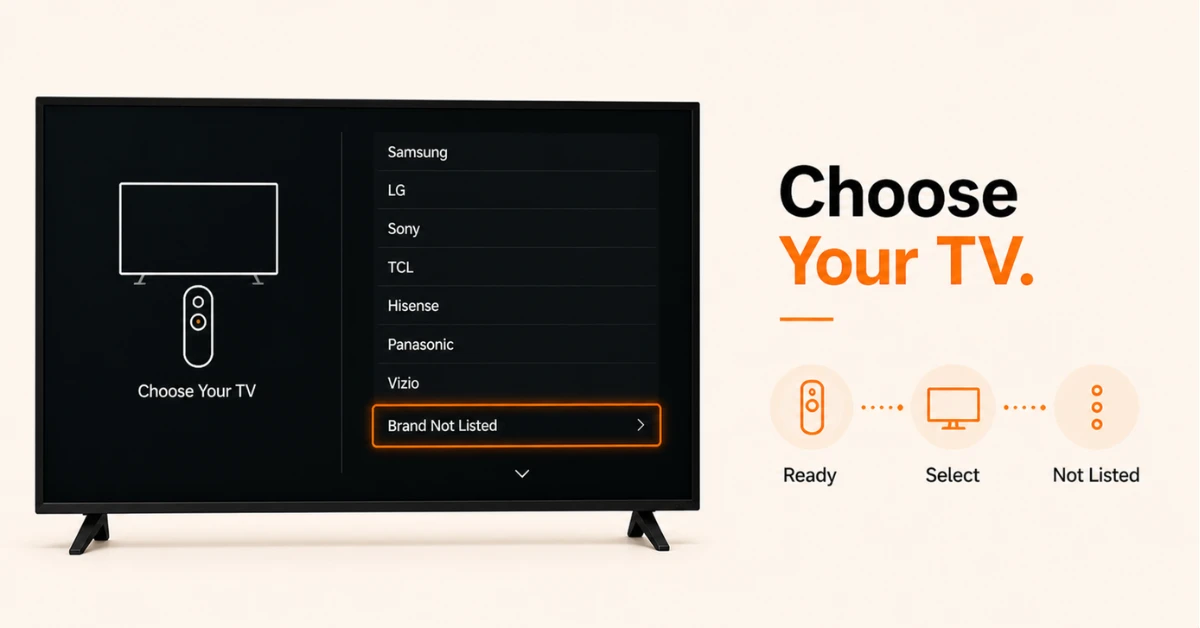
Select Your TV Brand
-
Give a moment before you use the remote
-
Select your TV brand from the list provided on screen
-
If your brand is not visible, scroll to the bottom of the list and select Brand Not Listed
Step 04
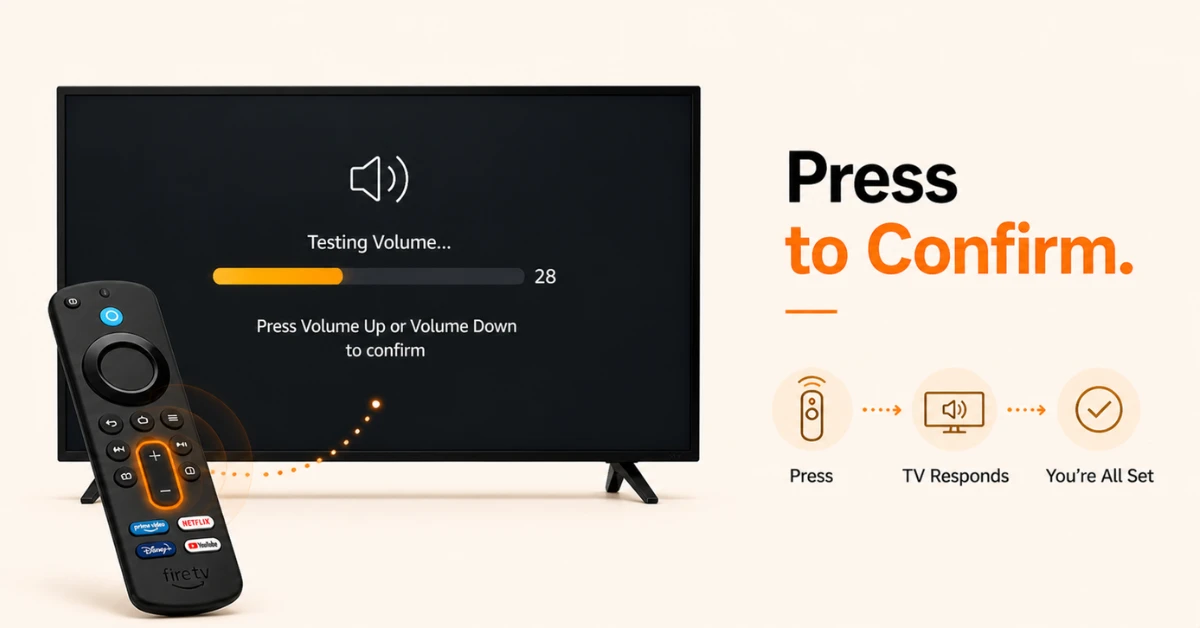
Complete the Setup and Test
-
Follow the on-screen instructions to finish up the TV control setup
-
You may be asked press the Power or Volume buttons on your Firestick remote
-
Press Volume Up and Volume Down to confirm your Firestick remote is now controlling your TV volume
Quick Comparison
Side-by-side comparison of top Fire Stick VPNs
| VPN | Price | Servers | Speed | Devices | Rating | Actions |
|---|---|---|---|---|---|---|
|
Proton VPN
|
$3.99/mo | 14,999+ | Blazing Fast | 7 | 4.8 | Get Deal |
 EXPRESS VPN
|
$2.79/mo | 3,000+ | Blazing Fast | 8 | 5 | Get Deal |
 NordVPN
|
$4.39/mo | 6,998+ | Blazing Fast | 8 | 4.8 | Get Deal |
|
|
$1.88/mo | 3,200+ | Blazing Fast | 8 | 4.7 | Get Deal |
 IPVanish
|
$2.49/mo | 3,100+ | Blazing Fast | 6 | 4 | Get Deal |
 PrivadoVPN
|
$1.99/mo | — | Blazing Fast | 5 | 4 | Get Deal |
Frequently Asked Questions
How do I complete the Fire Stick remote volume setup?
Go to Settings, select Equipment Control, then Manage Equipment, then TV, and select Change TV twice to confirm. Select your TV brand from the list and follow the on-screen instructions to finish the volume setup.
Does every Fire Stick remote support TV volume control?
No, only Fire Stick remotes with dedicated volume and mute buttons support TV volume control. If your remote does not have volume buttons, you will need to upgrade to a newer Alexa Voice Remote that includes them.
Why won't my Fire TV remote pair with my TV for volume control?
This is usually because HDMI CEC is not enabled on your TV or the Firestick is plugged into a non-CEC compatible HDMI port. Enable HDMI CEC in your TV settings and make sure the Firestick is connected to the correct port before trying again.
How do I fix volume buttons not working on my Fire Stick after setup?
Go back to Settings, select Equipment Control, then Manage Equipment, then TV, and select Change TV to redo the setup. If the issue continues, check that nothing is blocking the signal between the remote and the TV and that HDMI CEC is still enabl
Can my Fire Stick remote control the volume on a connected soundbar?
Yes, if your soundbar is connected via HDMI ARC and supports HDMI CEC, your Fire Stick remote can control its volume after completing the Equipment Control setup. Some soundbars may need to be added separately under Manage Equipment.
Why are the volume buttons not working on my Fire Stick remote?
The most common reasons are weak batteries, the remote not being properly paired for volume control, or HDMI CEC being disabled on your TV. Replace the batteries first, then check that Equipment Control is set up correctly under Firestick Settings.
Do I need to redo the Fire Stick remote volume setup after a factory reset?
Yes, a factory reset clears all equipment settings on your Firestick so you will need to go through the volume setup again. Simply go back to Settings, Equipment Control, Manage Equipment, and follow the same steps to re-pair your remote.