How Do I Type on Firestick Using My Phone Keyboard? Easy Guide
Editor's Choice
#1 Pick
Editor's Choice
 Surfshark
$1.88/month
Save 20%
Blazing Fast
3,200+
214
8
Step by Step Instructions
Step 01

Open Search on Fire TV
From your Fire TV home screen, go to the Find (Search) option.
Step 02

Search for Surfshark
Type Surfshark using your remote and select the app from the results.
Step 03

Install the App
Click on Download or Get to install Surfshark on your device.
Step 04

Sign In & Start VPN
Open the app, log in to your account, and connect to a server to start using the VPN.
How Do I Type on Firestick Using My Phone Keyboard?
Simple ways to use your phone as a keyboard on Firestick
Step 01
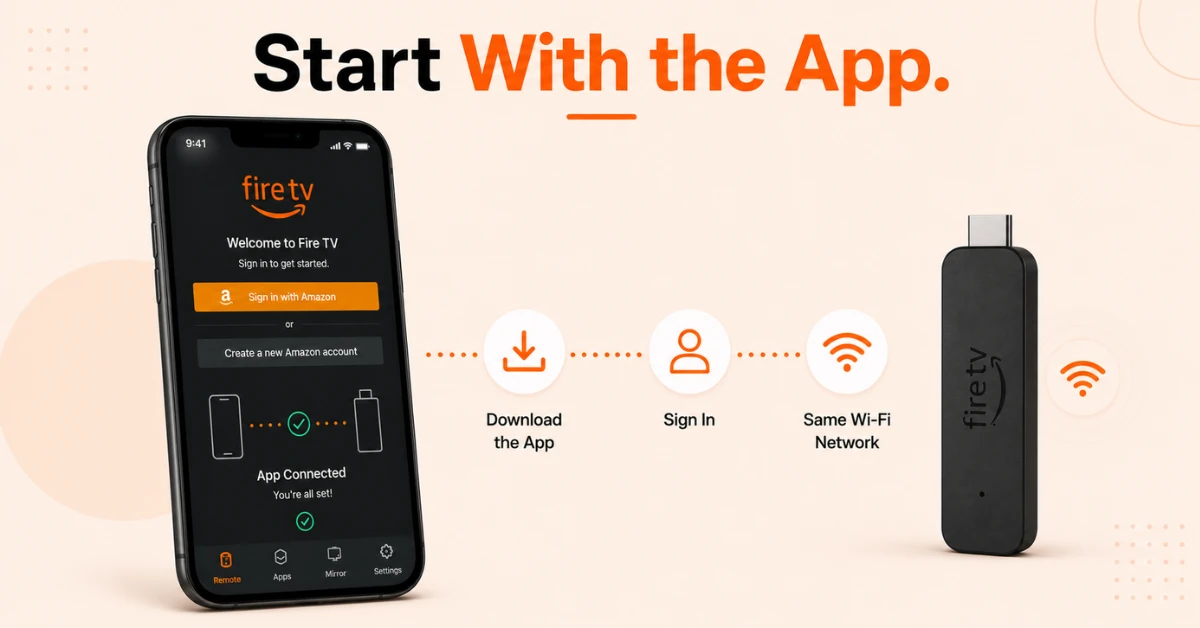
Set Up Fire TV App
-
Download the Fire TV app from the App Store on iPhone or Google Play Store on Android
-
Sign in with the same Amazon account your Firestick is registered to
-
Make sure your phone and Firestick are connected to the same Wi-Fi network
Step 02
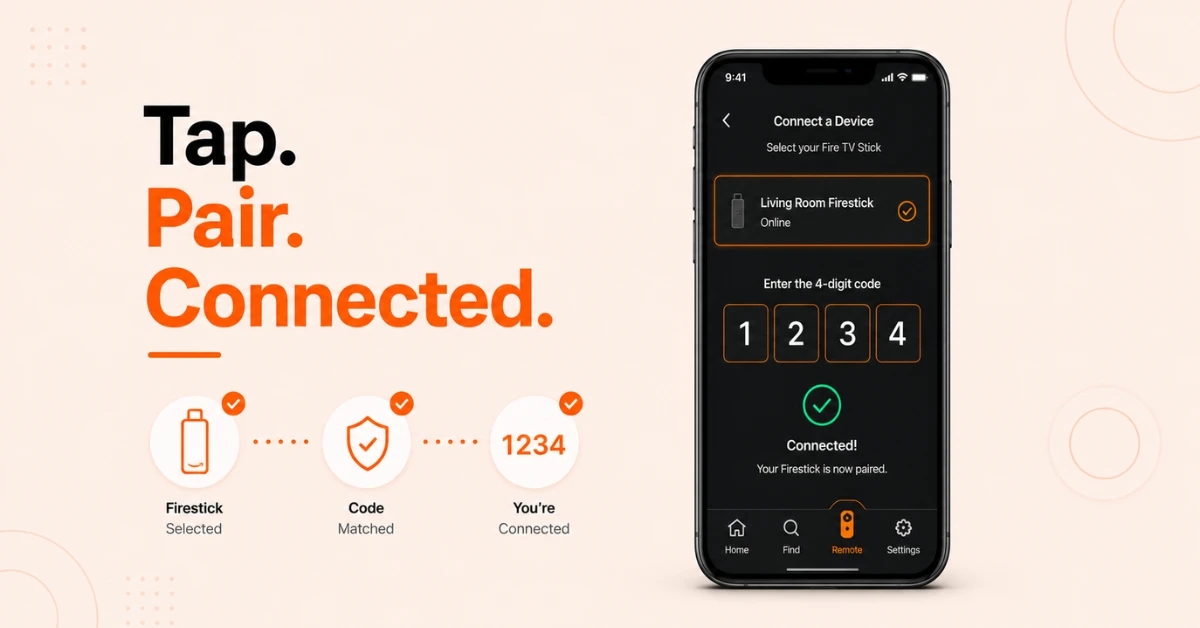
Connect the App to Your Firestick
-
Open the Fire TV app and tap the Remote icon at the bottom of the screen
-
Your Firestick will appear in the list of available devices, tap on it to connect
-
Enter the four digit code that appears on your TV screen to complete the pairing
Get Surfshark — 20% Off
Step 03
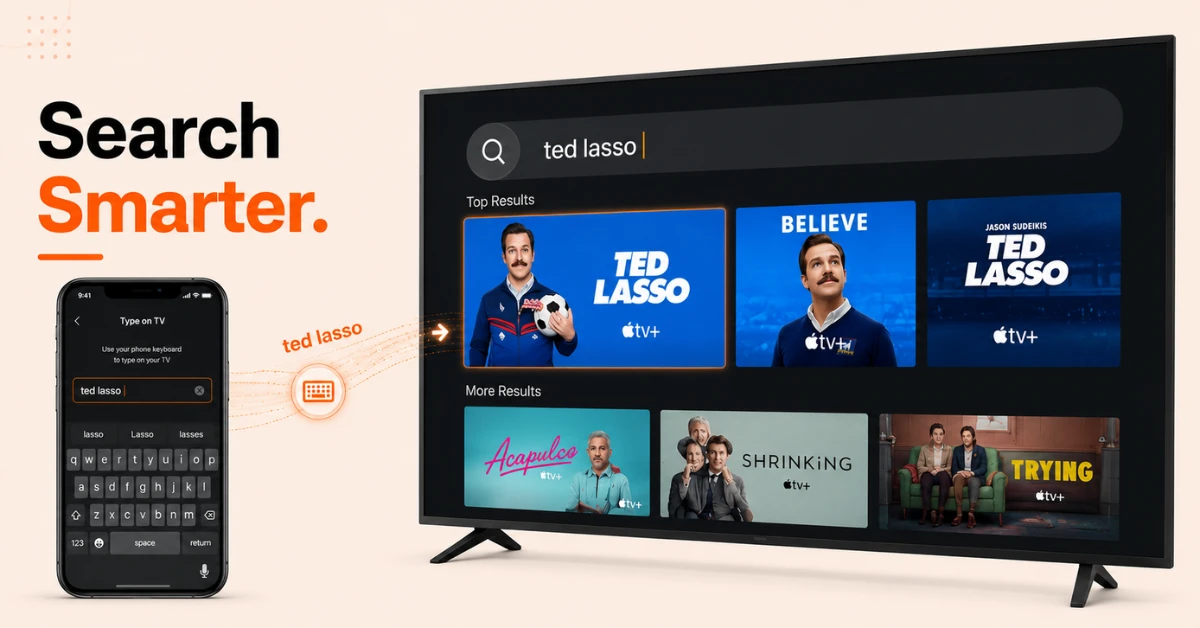
Use Your Phone Keyboard via the Fire TV App
-
On your Firestick, open any app that requires text input such as the search bar
-
A keyboard prompt will automatically appear on your Fire TV app on your phone
-
Tap on it and start typing and the text will appear on your TV screen in real time
Step 04
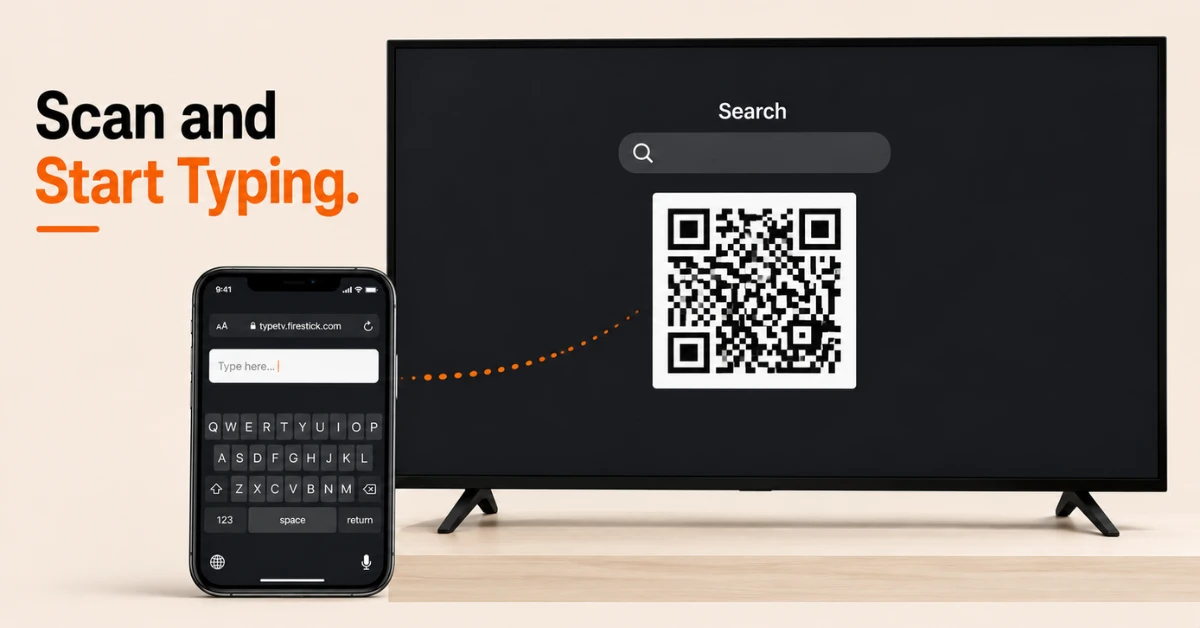
The QR Code Method: An Alternative Without App
-
On your Firestick, navigate to any search bar or text field and the on-screen keyboard will appear along with a QR code beside it
-
Scan that QR code using your phone camera and it will open a browser-based keyboard on your phone instantly
-
Type directly in the text field on your browser and the text will appear on your Firestick screen in real time
Quick Comparison
Side-by-side comparison of top Fire Stick VPNs
| VPN | Price | Servers | Speed | Devices | Rating | Actions |
|---|---|---|---|---|---|---|
|
|
$1.88/mo | 3,200+ | Blazing Fast | 8 | 4.7 | Get Deal |
 EXPRESS VPN
|
$2.79/mo | 3,000+ | Blazing Fast | 8 | 5 | Get Deal |
 NordVPN
|
$4.39/mo | 6,998+ | Blazing Fast | 8 | 4.8 | Get Deal |
 Proton VPN
|
$3.99/mo | 14,999+ | Blazing Fast | 7 | 4.8 | Get Deal |
 IPVanish
|
$2.49/mo | 3,100+ | Blazing Fast | 6 | 4 | Get Deal |
 PrivadoVPN
|
$1.99/mo | — | Blazing Fast | 5 | 4 | Get Deal |
Frequently Asked Questions
How do I type on Fire Stick using my phone keyboard?
Download the Fire TV app, pair it with your Firestick, and whenever a text field appears on your Firestick the app will automatically show a keyboard on your phone screen. Tap it and start typing and the text appears on your TV instantly.
How do I use my phone as a keyboard for Fire TV?
Open the Fire TV app on your phone and connect it to your Firestick over the same Wi-Fi network. When any search bar or text field opens on your Fire TV, your phone will automatically prompt you with a keyboard to type on.
Does the Fire Stick phone keyboard work on both iPhone and Android?
Yes, the Fire TV app is available on both the App Store for iPhone and Google Play Store for Android. The keyboard feature works the same way on both platforms once the app is paired with your Firestick.
How does the Fire TV app keyboard work?
When your Firestick opens a text input field, the Fire TV app on your phone automatically displays a keyboard prompt. Tap it and type using your phone keyboard and everything you type appears on your TV screen in real time.
Is typing on Fire Stick using my phone keyboard better than the on-screen keyboard?
Yes, typing on Fire Stick using your phone keyboard is significantly faster and easier than navigating the on-screen keyboard with your remote. It is especially useful for entering passwords, search terms, and long URLs.
Is there a way to use a keyboard on Fire TV without downloading the app?
Yes, when the Firestick on-screen keyboard appears a QR code shows up beside it. Scan it with your phone camera and it opens a browser-based keyboard instantly at keyboard.amazonfiretvapp.com without needing to download the Fire TV app
Can I type on Fire Stick with my mobile without being on the same Wi-Fi?
No, both the Fire TV app and the QR code browser keyboard require your phone and Firestick to be on the same Wi-Fi network to work. If your phone is on mobile data it will not be able to connect to your Firestick.