How to Check What Apps Are Tracking You on Firestick: Practical Guide
Editor's Choice
#1 Pick
Editor's Choice
 EXPRESS VPN
$2.79/month
Save 20%
Blazing Fast
3,000+
214
8
Step by Step Instructions
Step 01

Open the Amazon App Store
From your Firestick home screen, navigate to the “Find” or search icon and open the Amazon App Store.
Step 02

Search for ExpressVPN
Type “ExpressVPN” in the search bar using your remote. Select the official ExpressVPN app from the results.
Step 03

Download & Install the App
Click on the “Download” or “Get” button to install the app on your Firestick. Wait for the installation to complete.
Step 04

Sign In & Connect
Open the app, sign in with your ExpressVPN account, and tap the power button to connect to a server.
How Do I Check What Apps Are Tracking You on Firestick?
A quick guide to finding and managing app tracking permissions on your Firestick.
Step 01
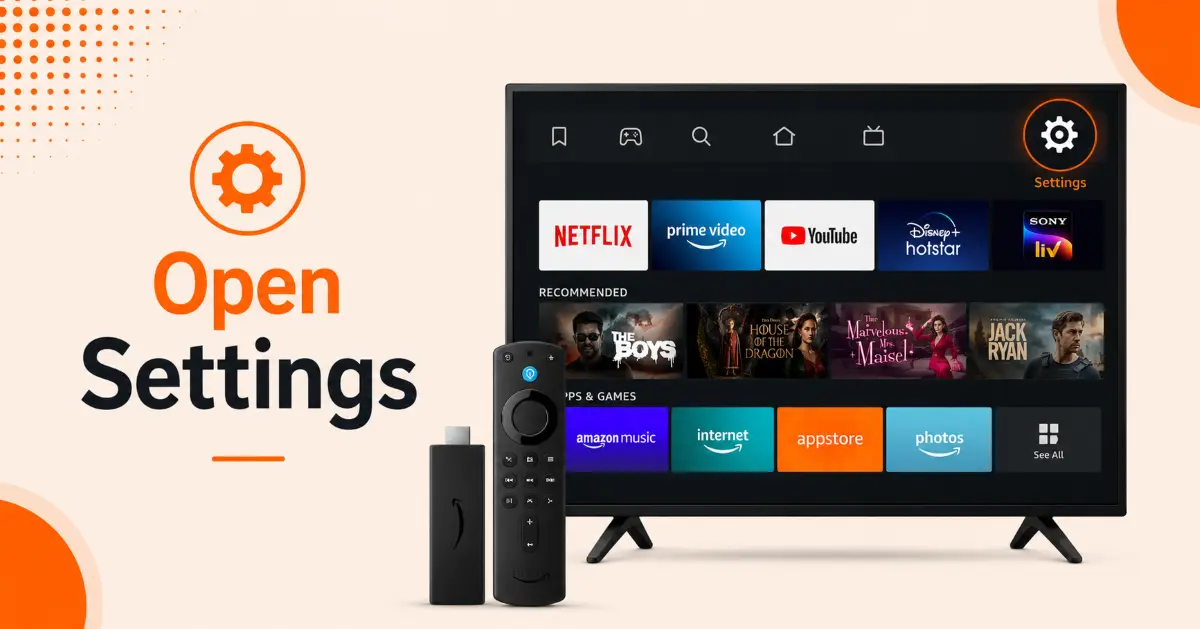
Open Firestick Settings
-
Turn on your Firestick and wait for the home screen to load
-
Use your Fire TV remote to navigate to the top menu
-
Select the Settings icon (gear symbol) on the far right
-
Browse the available settings categories to locate privacy-related options
Step 02
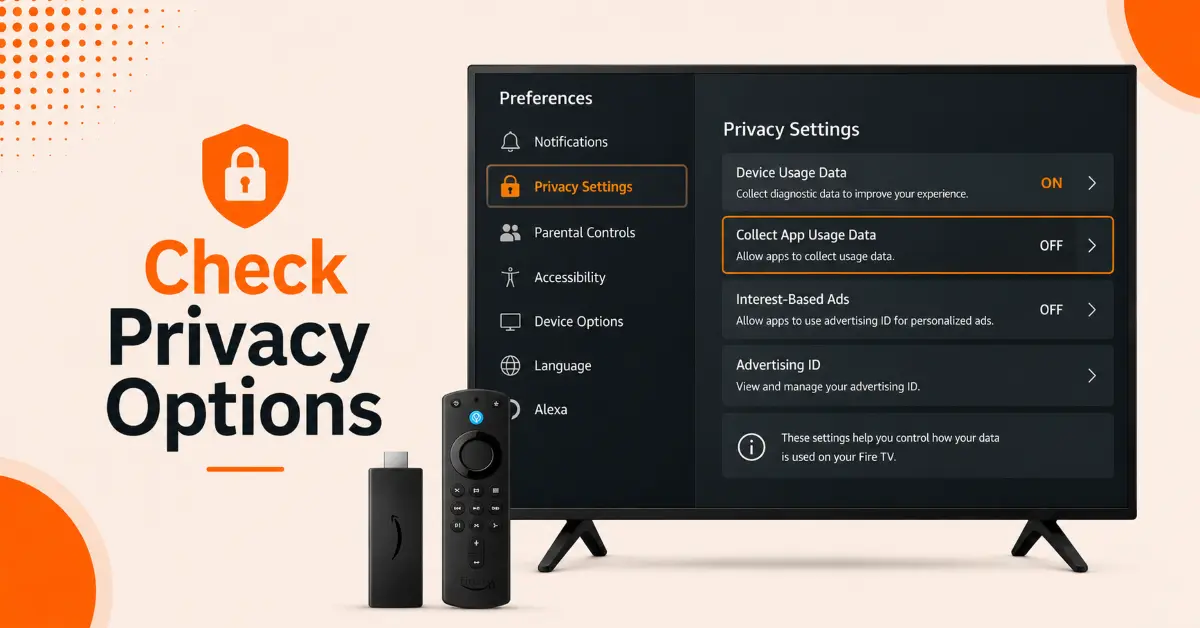
Access Privacy Settings
-
From the Settings menu, select Preferences
-
Scroll down and choose Privacy Settings
-
Review options such as Device Usage Data and Collect App Usage Data
-
Note which privacy features are currently enabled on your device
Get EXPRESS VPN — 20% Off
Step 03
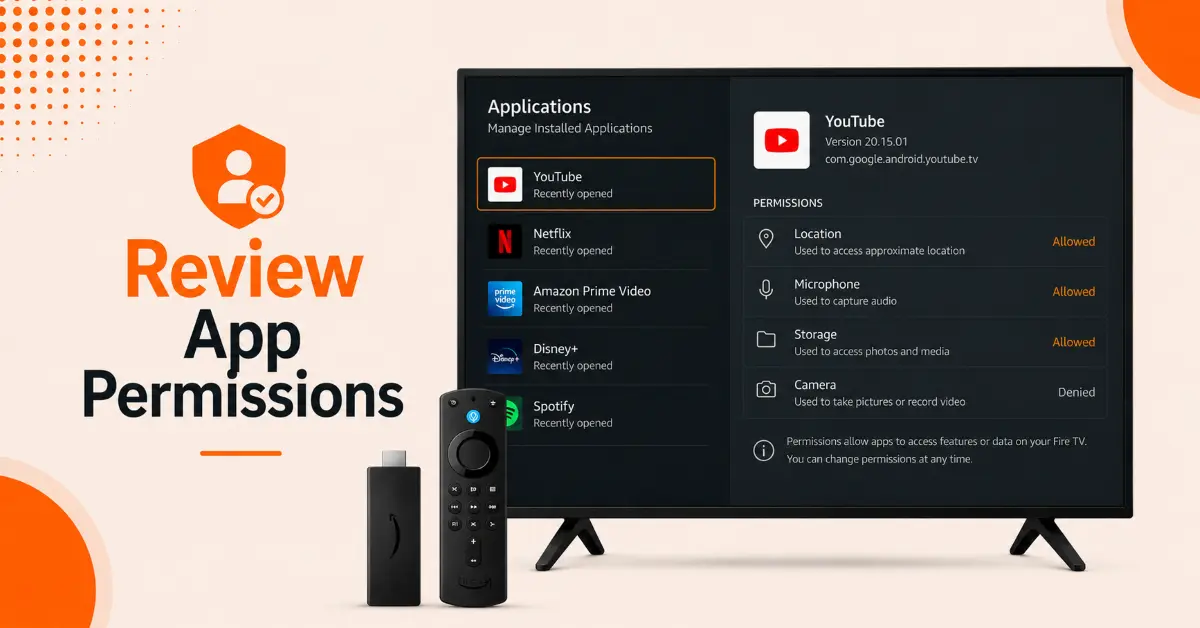
Review Installed Apps and Permissions
-
Return to the main Settings menu
-
Select Applications and then Manage Installed Applications
-
Open each app you want to inspect and review its information
-
Check whether the app requests access to data, location, or other device features
Step 04
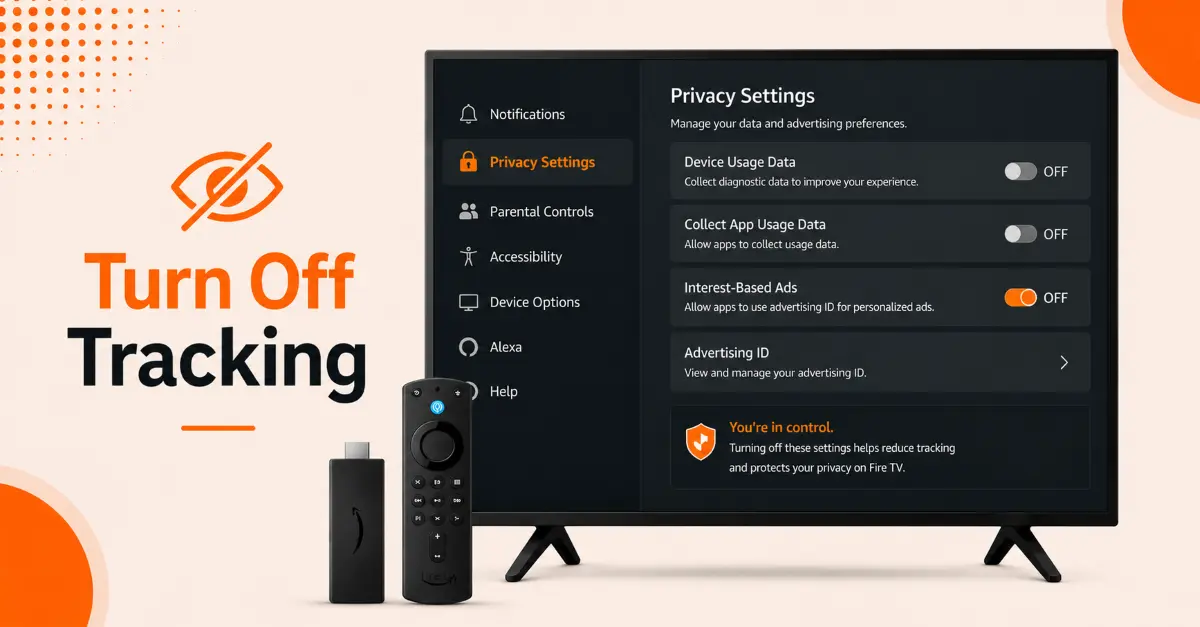
Disable Tracking Features
-
Open the Privacy Settings section again
-
Turn off Collect App Usage Data to limit app activity tracking
-
Disable Device Usage Data if you do not want Amazon to collect diagnostic information
-
Navigate to Advertising ID settings and turn off Interest-Based Ads to reduce personalized ad tracking
Quick Comparison
Side-by-side comparison of top Fire Stick VPNs
| VPN | Price | Servers | Speed | Devices | Rating | Actions |
|---|---|---|---|---|---|---|
|
EXPRESS VPN
|
$2.79/mo | 3,000+ | Blazing Fast | 8 | 5 | Get Deal |
 NordVPN
|
$4.39/mo | 6,998+ | Blazing Fast | 8 | 4.8 | Get Deal |
|
|
$1.88/mo | 3,200+ | Blazing Fast | 8 | 4.7 | Get Deal |
 Proton VPN
|
$3.99/mo | 14,999+ | Blazing Fast | 7 | 4.8 | Get Deal |
 Pure VPN
|
$3.55/mo | — | Blazing Fast | 6 | 4 | Get Deal |
Frequently Asked Questions
How do I check what apps are tracking me on Firestick?
Open Settings, access Preferences and review the available privacy options. You can inspect individual apps through Managed Installed Applications to see what data they may collect.
Can I see which apps are tracking me on my Fire TV Stick?
Fire TV Stick does not provide a dedicated list of tracking apps. However, you can review installed apps and adjust privacy settings to limit the data they collect and share.
Where can I find tracking settings on a Firestick?
Tracking related settings are available in the Privacy Settings section under Preferences. Here, you can manage options related to app usage data, device usage data, and personalized advertising.
How do I stop apps from tracking me on Firestick?
To stop apps from tracking your on Firestick, disable the "Collect App Usage Data," turning off "Device Usage Data" and opting out of Interest-based Ads in your Firestick settings.
Does Firestick track app activity?
Yes, Firestick can collect information about how apps are used on the device. This data may be used to improved services, personalize recommendations, and deliver targeted ads.
What is the Advertising ID on Firestick?
The advertising ID is a unique identifier used to deliver personalized ads. You can manage or disable ad tracking performance through the Firestick's privacy settings.
Will disabling tracking affect how my Firestick works?
No, turning off tracking options generally does not impact the core functionality of your Firestick. However, you may receive fewer personalized recommendations and advertisements.