How to Deregister Firestick from Amazon Account?
Editor's Choice
#1 Pick
Editor's Choice
 NordVPN
$4.39/month
Save 20%
Blazing Fast
6,998+
214
8
Step by Step Instructions
Step 01

Go to Search on Fire TV
On your Fire TV home screen, select the Search (Find) option at the top.
Step 02

Type “NordVPN”
Use your remote to type NordVPN and choose the app when it appears in the results.
Step 03

Install the App
Click on Get or Download to install NordVPN on your Fire TV.
Step 04

Log In & Connect
Open the app, sign in to your account, and press the connect button to start using the VPN.
How to Deregister Firestick from Amazon Account?
A step by step guide to removing your Amazon account from your Firestick
Step 01
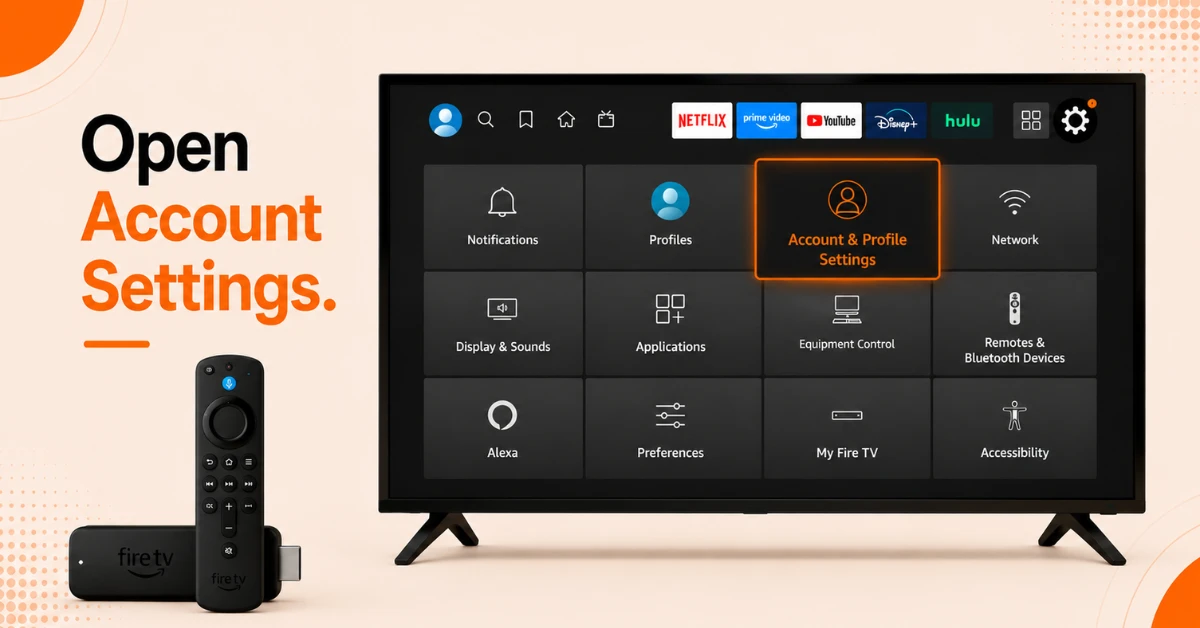
Open Account Settings on Your Firestick
-
From the Firestick home screen, go to Settings
-
Select Account and Profile Settings
-
Click on Amazon Account to view your current registered account details
Step 02
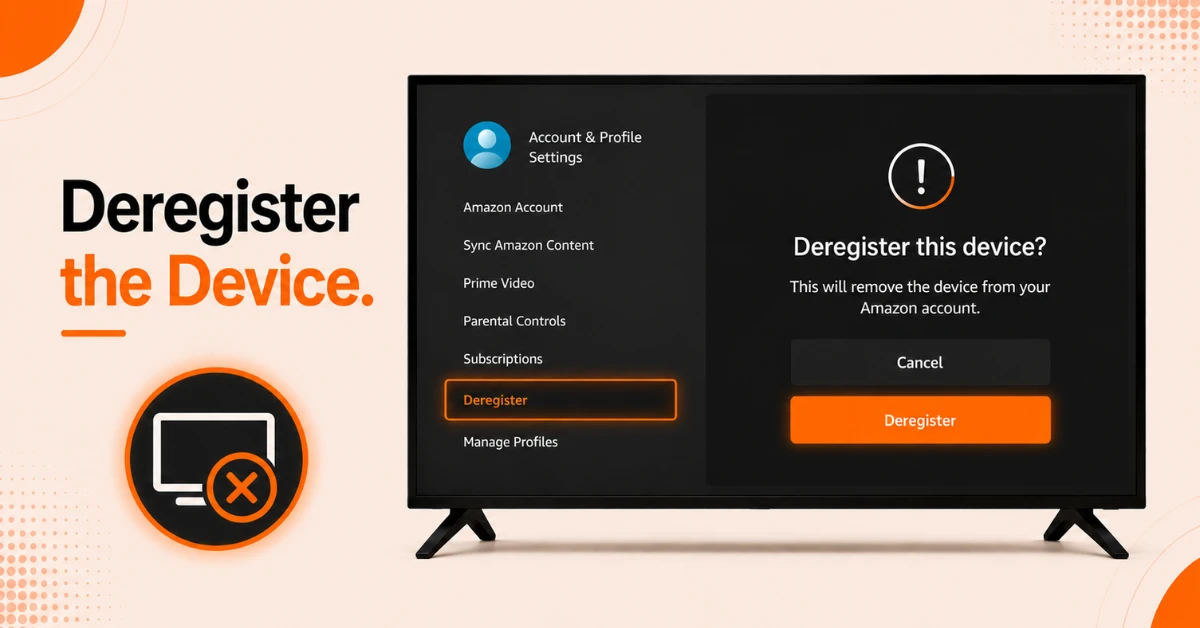
Deregister the Device
-
Select Deregister from the options on screen
-
A confirmation prompt will appear asking you to confirm
-
Select Deregister again to complete the process
Get NordVPN — 20% Off
Step 03
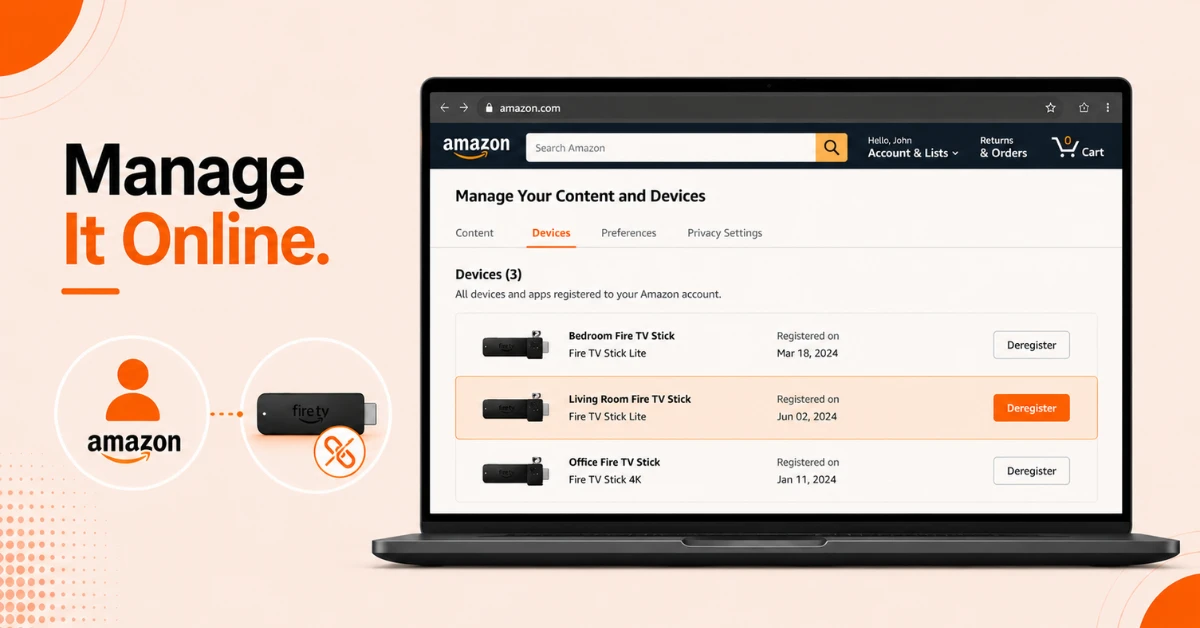
Alternatively Deregister Remotely
-
If you no longer have access to the device, open a browser and sign in to amazon.com
-
Go to Account and Lists, then select Manage Your Content and Devices
-
Click Devices, find your Firestick, select it, and click Deregister to confirm
Step 04
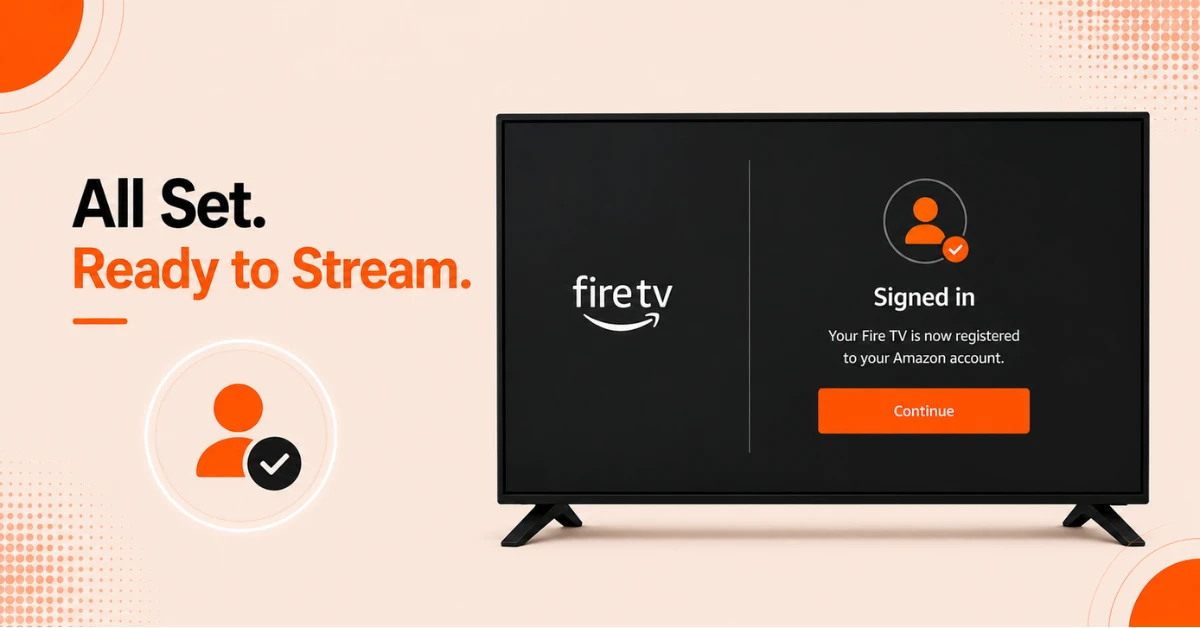
Re-register With a New Account if Needed
-
After deregistering your Firestick will prompt you to sign in to an Amazon account
-
Enter your new Amazon account credentials or create a new account to register the device
-
Once signed in your Firestick will be fully registered under the new account
Quick Comparison
Side-by-side comparison of top Fire Stick VPNs
| VPN | Price | Servers | Speed | Devices | Rating | Actions |
|---|---|---|---|---|---|---|
|
NordVPN
|
$4.39/mo | 6,998+ | Blazing Fast | 8 | 4.8 | Get Deal |
 EXPRESS VPN
|
$2.79/mo | 3,000+ | Blazing Fast | 8 | 5 | Get Deal |
 Proton VPN
|
$3.99/mo | 14,999+ | Blazing Fast | 7 | 4.8 | Get Deal |
|
|
$1.88/mo | 3,200+ | Blazing Fast | 8 | 4.7 | Get Deal |
 Pure VPN
|
$3.55/mo | — | Blazing Fast | 6 | 4 | Get Deal |
 PrivadoVPN
|
$1.99/mo | — | Blazing Fast | 5 | 4 | Get Deal |
Frequently Asked Questions
How do I remove a Fire TV from my Amazon account?
Sign in to amazon.com, go to Account and Lists, select Manage Your Content and Devices, click the Devices tab, find your Fire TV in the list, select it, and click Deregister to remove it from your account.
Does deregistering Firestick delete everything on it?
Deregistering only removes your Amazon account from the Firestick and disconnects it from your content and services. It does not wipe the device completely. If you want to erase all data and apps, you will need to perform a factory reset separately.
How do I remove my Amazon account from Firestick?
Go to Settings, select Account and Profile Settings, click Amazon Account, and select Deregister. Confirm the prompt and your Amazon account will be fully removed from the Firestick.
Can I remove my Amazon account from Firestick and add a different one?
Yes, after removing your Amazon account from Firestick the device will prompt you to sign in with a different account. Simply enter the new account credentials and your Firestick will be registered under the new account.
How many Fire TV Sticks can I have registered on one Amazon account?
Amazon allows up to ten devices to be registered under one Amazon account. If you have reached this limit, you will need to deregister an existing Fire TV Stick before you can register a new device.
Can I deregister Fire TV Stick if I have already sold it?
Yes, you can deregister Fire TV Stick remotely through your Amazon account at amazon.com even after selling or giving it away. Go to Manage Your Content and Devices, find the device, and select Deregister to remove it from your account.
Does unlinking Firestick from Amazon account cancel my subscriptions?
No, unlinking your Firestick from your Amazon account does not cancel any subscriptions. Your subscriptions remain active and are tied to your Amazon account rather than the device itself.