How to Find Firestick Serial Number?
Editor's Choice
#1 Pick
Editor's Choice
 NordVPN
$4.39/month
Save 20%
Blazing Fast
6,998+
214
8
Step by Step Instructions
Step 01

Go to Search on Fire TV
On your Fire TV home screen, select the Search (Find) option at the top.
Step 02

Type “NordVPN”
Use your remote to type NordVPN and choose the app when it appears in the results.
Step 03

Install the App
Click on Get or Download to install NordVPN on your Fire TV.
Step 04

Log In & Connect
Open the app, sign in to your account, and press the connect button to start using the VPN.
How to Find Firestick Serial Number?
A simple guide to four alternative ways to find your Firestick serial number
Step 01
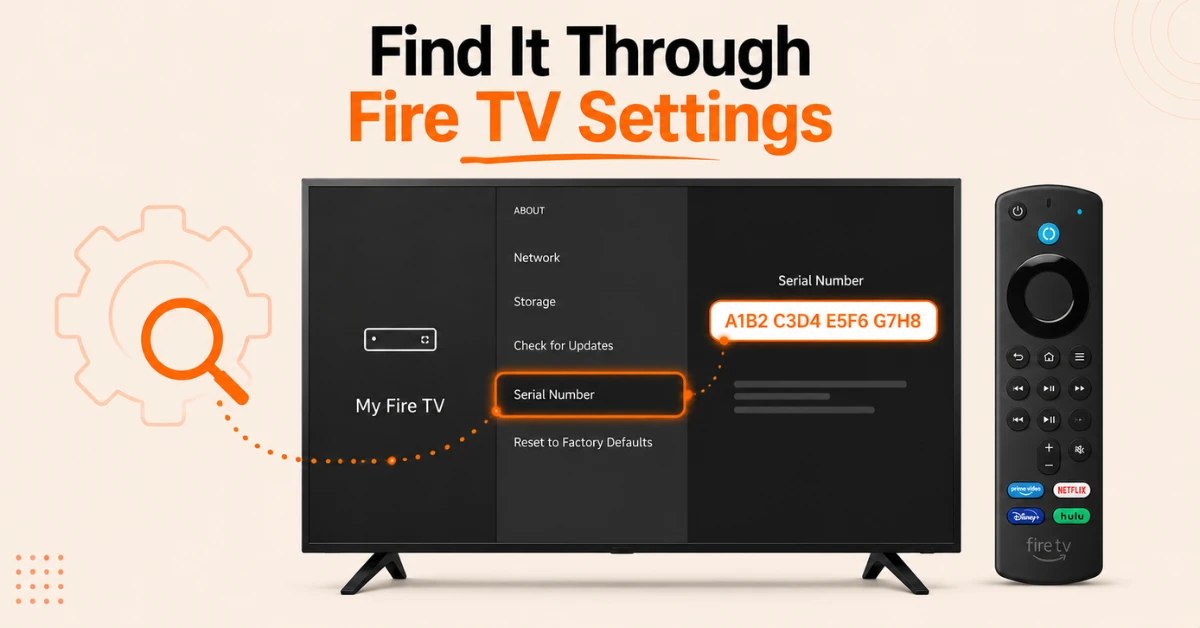
Find It Through Firestick Settings
-
Go to Settings from your Firestick home screen and select My Fire TV
-
Select About and look for Serial Number in the device information panel
-
Note it down as it is a unique 16 character combination of letters and numbers
Step 02
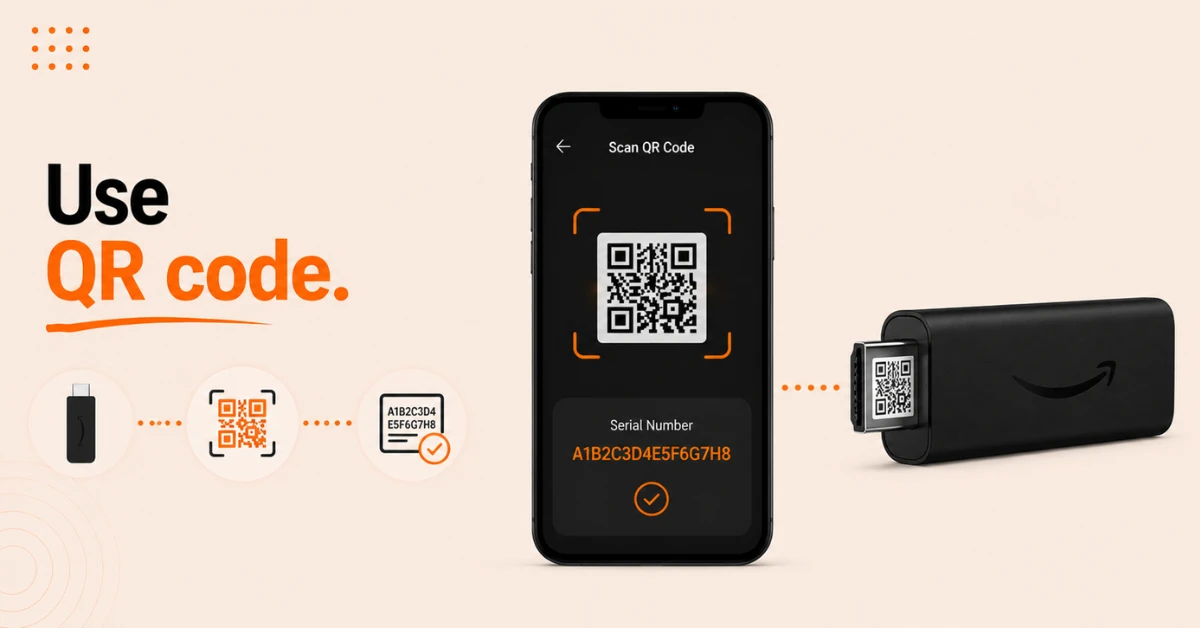
Scan the QR Code on the Device
-
Disconnect your Firestick from the TV and remove any HDMI extender
-
Locate the QR code on the HDMI connector end of your Firestick
-
Scan the QR code with your smartphone camera to instantly retrieve the serial number
Get NordVPN — 20% Off
Step 03
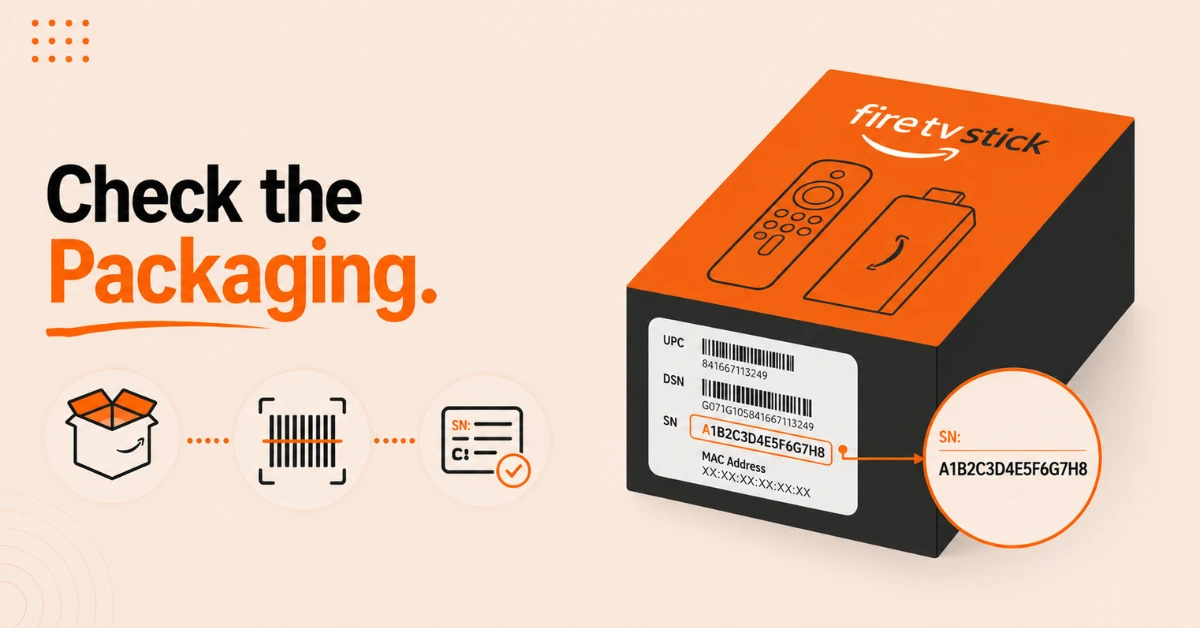
Check the Device Packaging
-
Find the label with a barcode on your Firestick's original packaging box
-
The serial number is printed on this label alongside the device barcode
-
This is useful if you need the serial number before setting up the device
Step 04
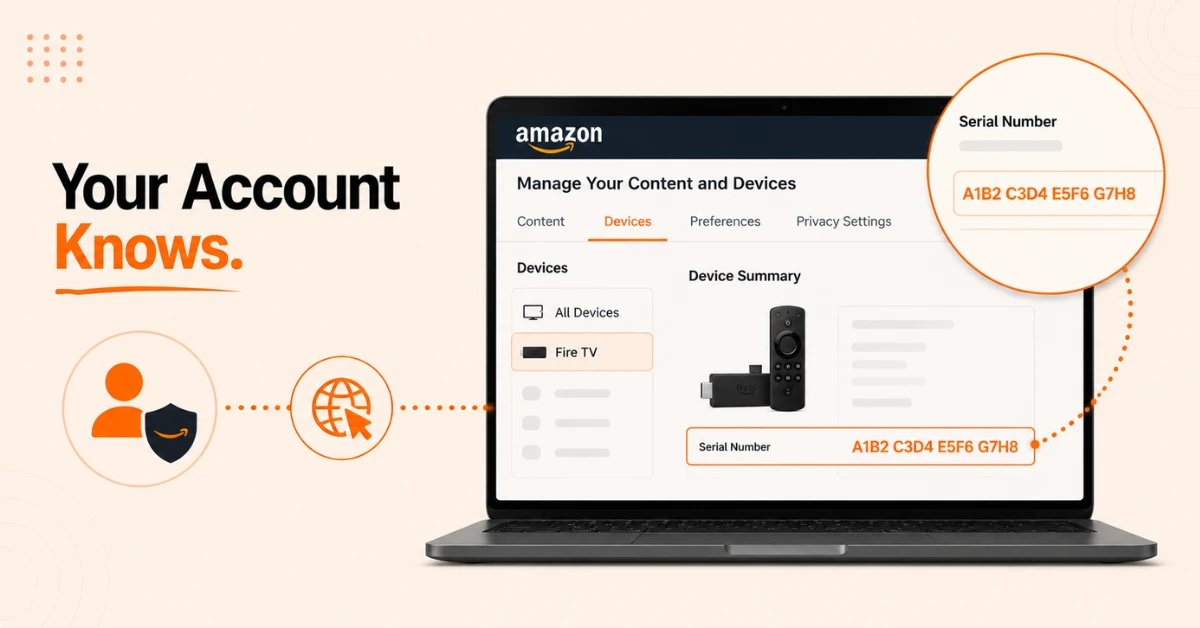
Find It Through Your Amazon Account
-
Open a browser and go to amazon.com and sign in to your account
-
Go to Manage Your Content and Devices and select the Devices tab
-
Select Fire TV, choose your Firestick and look for Serial Number in the Device Summary section
Quick Comparison
Side-by-side comparison of top Fire Stick VPNs
| VPN | Price | Servers | Speed | Devices | Rating | Actions |
|---|---|---|---|---|---|---|
|
NordVPN
|
$4.39/mo | 6,998+ | Blazing Fast | 8 | 4.8 | Get Deal |
 EXPRESS VPN
|
$2.79/mo | 3,000+ | Blazing Fast | 8 | 5 | Get Deal |
|
|
$1.88/mo | 3,200+ | Blazing Fast | 8 | 4.7 | Get Deal |
 Proton VPN
|
$3.99/mo | 14,999+ | Blazing Fast | 7 | 4.8 | Get Deal |
 Pure VPN
|
$3.55/mo | — | Blazing Fast | 6 | 4 | Get Deal |
 PrivadoVPN
|
$1.99/mo | — | Blazing Fast | 5 | 4 | Get Deal |
Frequently Asked Questions
What does a Firestick serial number look like?
A Firestick serial number is a unique 16 character combination of letters and numbers. It is listed as Serial Number or DSN in the device settings and on the original packaging label.
Can I find my Firestick serial number without turning it on?
Yes, you can find your Firestick serial number without turning it on by checking the label on the original packaging box or by scanning the QR code on the HDMI connector end of the device with your smartphone camera.
Do I need my Fire TV serial number for warranty claims?
Yes, Amazon requires your Fire TV serial number to process warranty claims and provide device specific support. Always keep a note of your serial number in case you need to contact Amazon support in the future.
How do I check my Firestick serial number quickly?
The quickest way to check your Firestick serial number is through Settings, then My Fire TV, then About. The entire process takes under a minute and the serial number is displayed immediately in the device information panel.
Can two Firesticks have the same device serial number?
No, every Firestick device serial number is completely unique. No two Firestick devices share the same serial number as it is assigned individually during manufacturing to identify each specific unit.
Can I find my Amazon Fire TV serial number if I no longer have the box?
Yes, you can find your Amazon Fire TV serial number through the device settings under My Fire TV then About, by scanning the QR code on the device, or by checking your Amazon account under Manage Your Content and Devices.
Why does Amazon need my Fire TV serial number for support?
Amazon uses your Fire TV serial number to verify your device, check its warranty status, confirm your ownership, and access device specific information to provide accurate technical support. Always have your serial number ready before contacting Amazon customer service.