How to Install CyberGhost on Firestick: A Step-by-Step Guide
Editor's Choice
#1 Pick
Editor's Choice
 NordVPN
$4.39/month
Save 20% today!
Blazing Fast
6,998+
214
8
Step by Step Instructions
Step 01

Go to Search on Fire TV
On your Fire TV home screen, select the Search (Find) option at the top.
Step 02

Type “NordVPN”
Use your remote to type NordVPN and choose the app when it appears in the results.
Step 03

Install the App
Click on Get or Download to install NordVPN on your Fire TV.
Step 04

Log In & Connect
Open the app, sign in to your account, and press the connect button to start using the VPN.
Step-by-Step Guide to Install CyberGhost on Firestick
Learn how to set up CyberGhost VPN on your Amazon Firestick in minutes.
Step 01
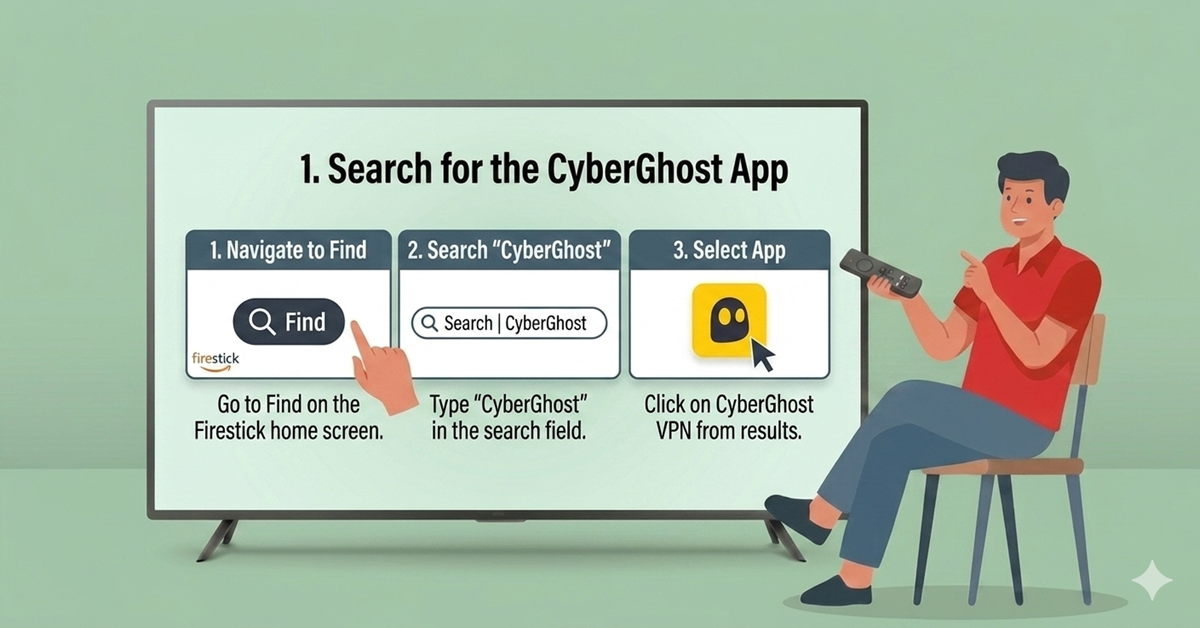
Search for the CyberGhost App
-
Navigate to the Find menu on the Firestick home screen
-
Select Search and type "CyberGhost"
-
Select CyberGhost VPN from the results
Step 02
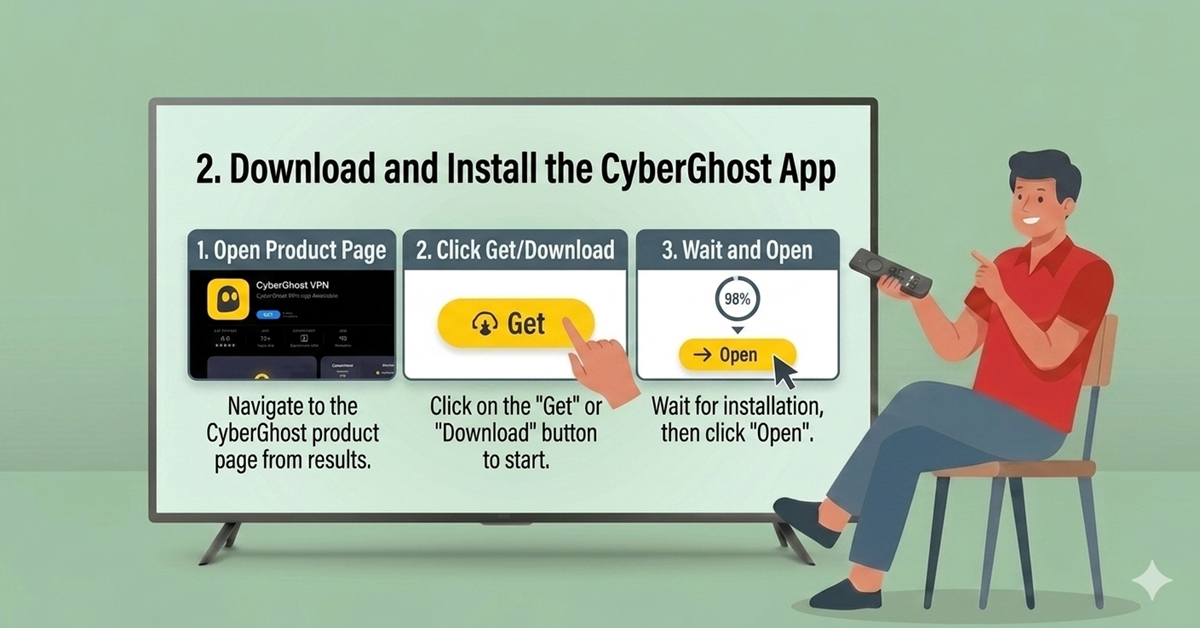
Download and Install
-
Open the CyberGhost VPN product page
-
Select Get or Download
-
Wait for the app to install and select Open
Get NordVPN — 20% Off
Best VPN for Fire Stick streaming. Save 20% today!
Step 03
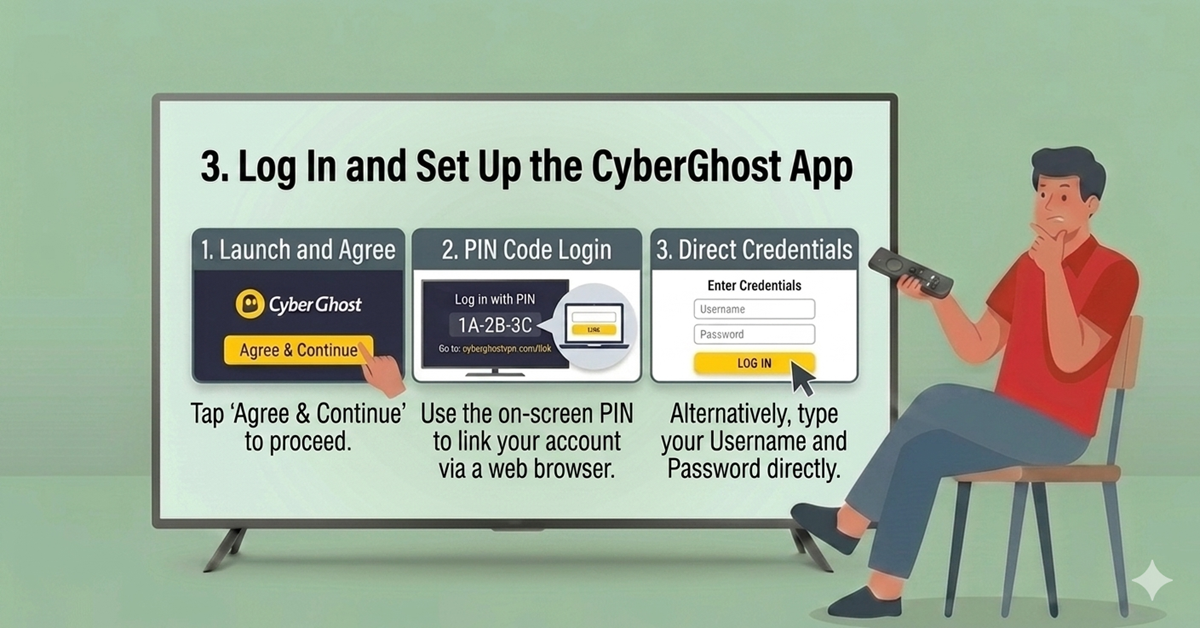
Log In and Set Up
-
Launch the app and select Agree & Continue
-
Log in via the PIN Code method (via the CyberGhost website) or by entering credentials directly
Step 04
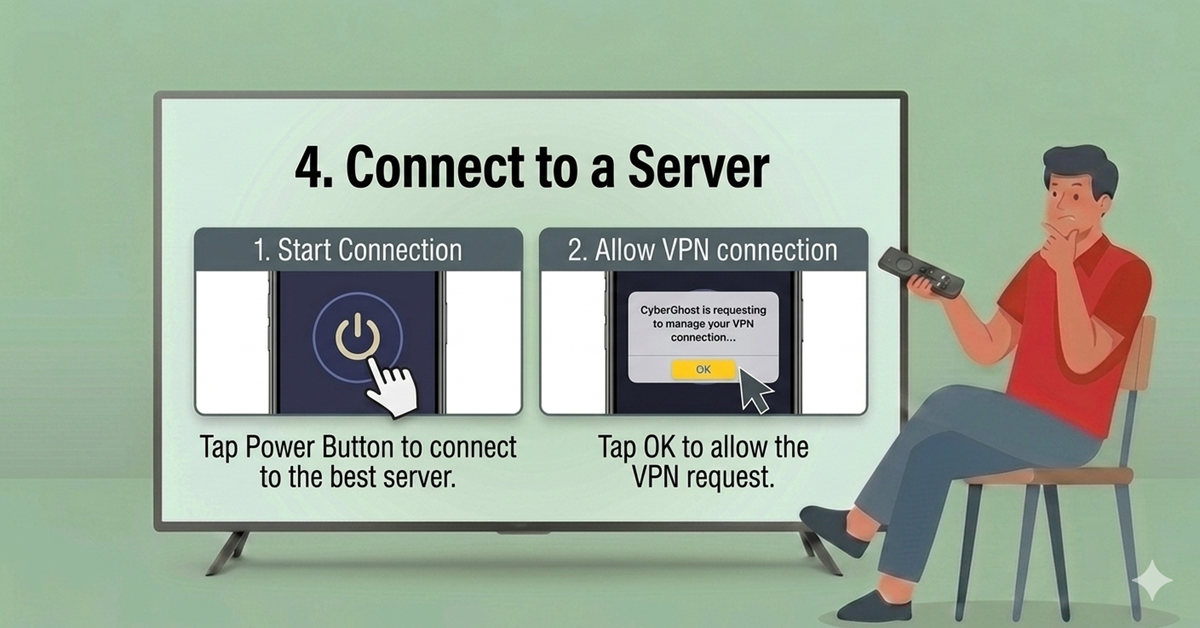
Connect to a Server
-
Click the Power Button on the main screen to connect to the best available server
-
Select OK on the connection request prompt to allow the VPN connection
Quick Comparison
Side-by-side comparison of top Fire Stick VPNs
 EXPRESS VPN
Frequently Asked Questions
Is CyberGhost VPN free to use on Firestick?
CyberGhost is a premium service requiring a paid subscription. While the app is free to download, you must log in with active credentials to use its features.
How many devices can I connect simultaneously?
A single CyberGhost subscription allows you to connect up to seven devices at the same time. This includes Firesticks, smartphones, tablets, and computers.
Does CyberGhost work on older Firestick models?
CyberGhost’s native app is compatible with most models but does not work on 1st generation Firesticks. Older devices may require a VPN-configured router instead.
How do I log in if I don’t want to type my password?
The app generates a PIN code upon launch. You can validate this code by logging into your account on a separate device at cgvpn.info/link.
Can CyberGhost help me access different Netflix libraries?
Yes, by changing your virtual server location in the app, you can bypass geo-restrictions to access content libraries from various countries, including the US and UK.
What should I do if the VPN won't connect?
First, check your internet connection or restart your router. If issues persist, try switching the VPN protocol to WireGuard or OpenVPN in the app settings.
Is it necessary to allow the "Connection Request" prompt?
Yes, you must select OK when the Firestick asks for permission. This allows the app to encrypt your traffic and establish a secure tunnel.
Can I use CyberGhost on Firestick while traveling abroad?
Absolutely. Using the CyberGhost app while traveling allows you to maintain access to your home streaming services and stay secure on public Wi-Fi.