How to Install Kodi on Firestick? Step By Step Setup Guide
Editor's Choice
#1 Pick
Editor's Choice
 Proton VPN
$3.99/month
Save 20%
Blazing Fast
14,999+
214
7
Step by Step Instructions
Step 01
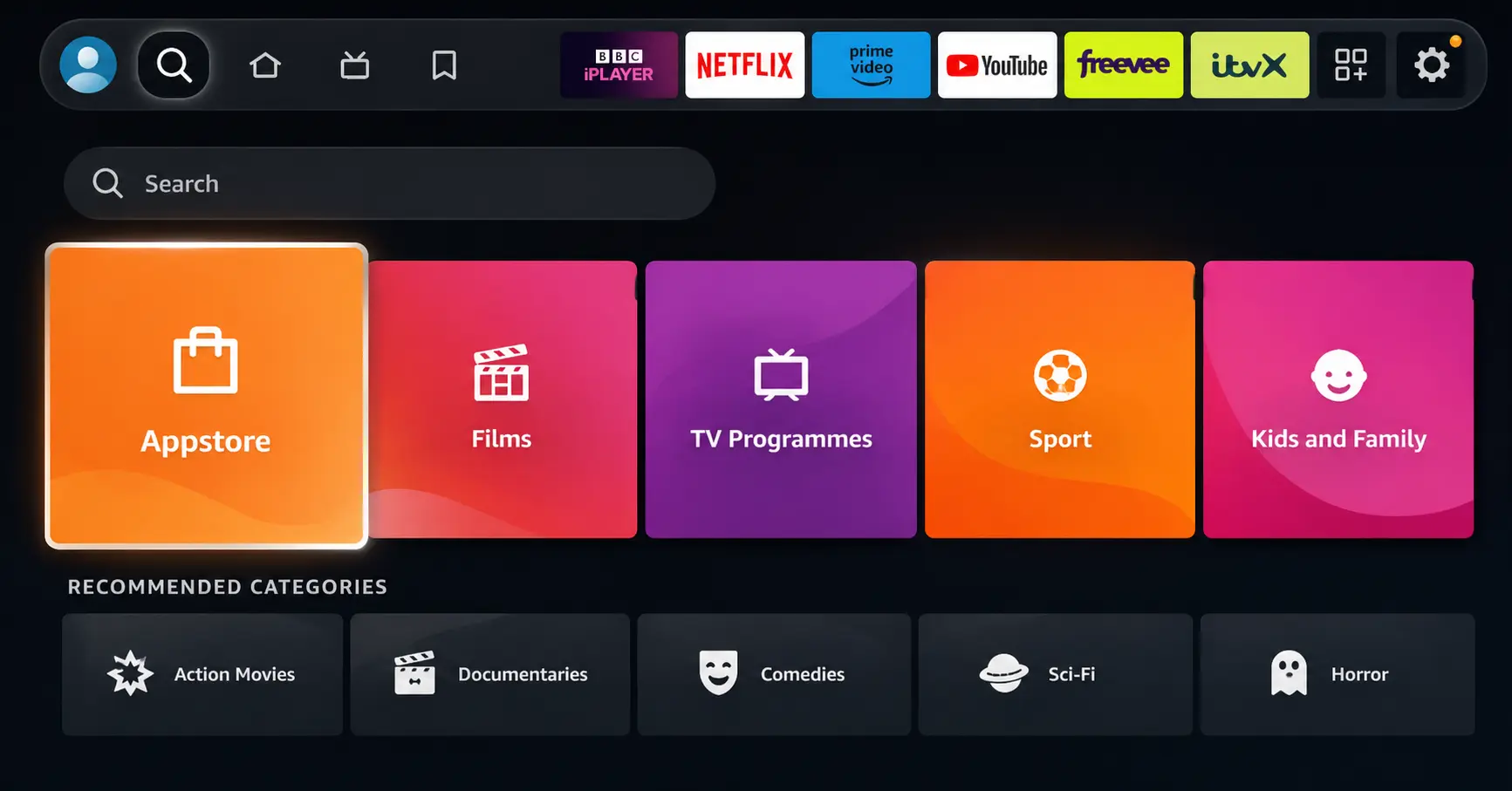
Open Search on Fire TV
Go to the Find (Search) option from your Fire TV home screen.
Step 02
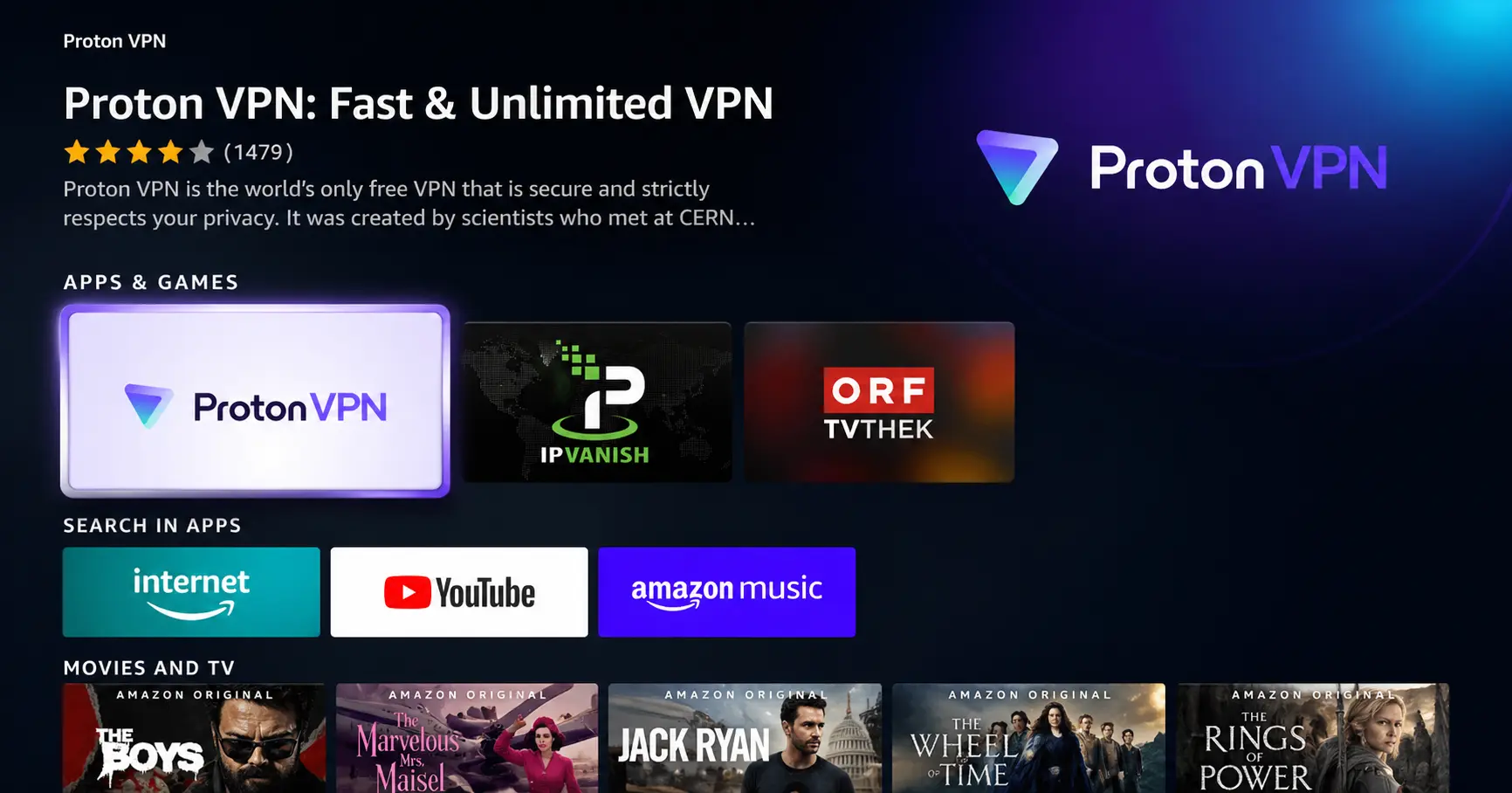
Search for ProtonVPN
Type ProtonVPN using your remote and select the app from the results.
Step 03
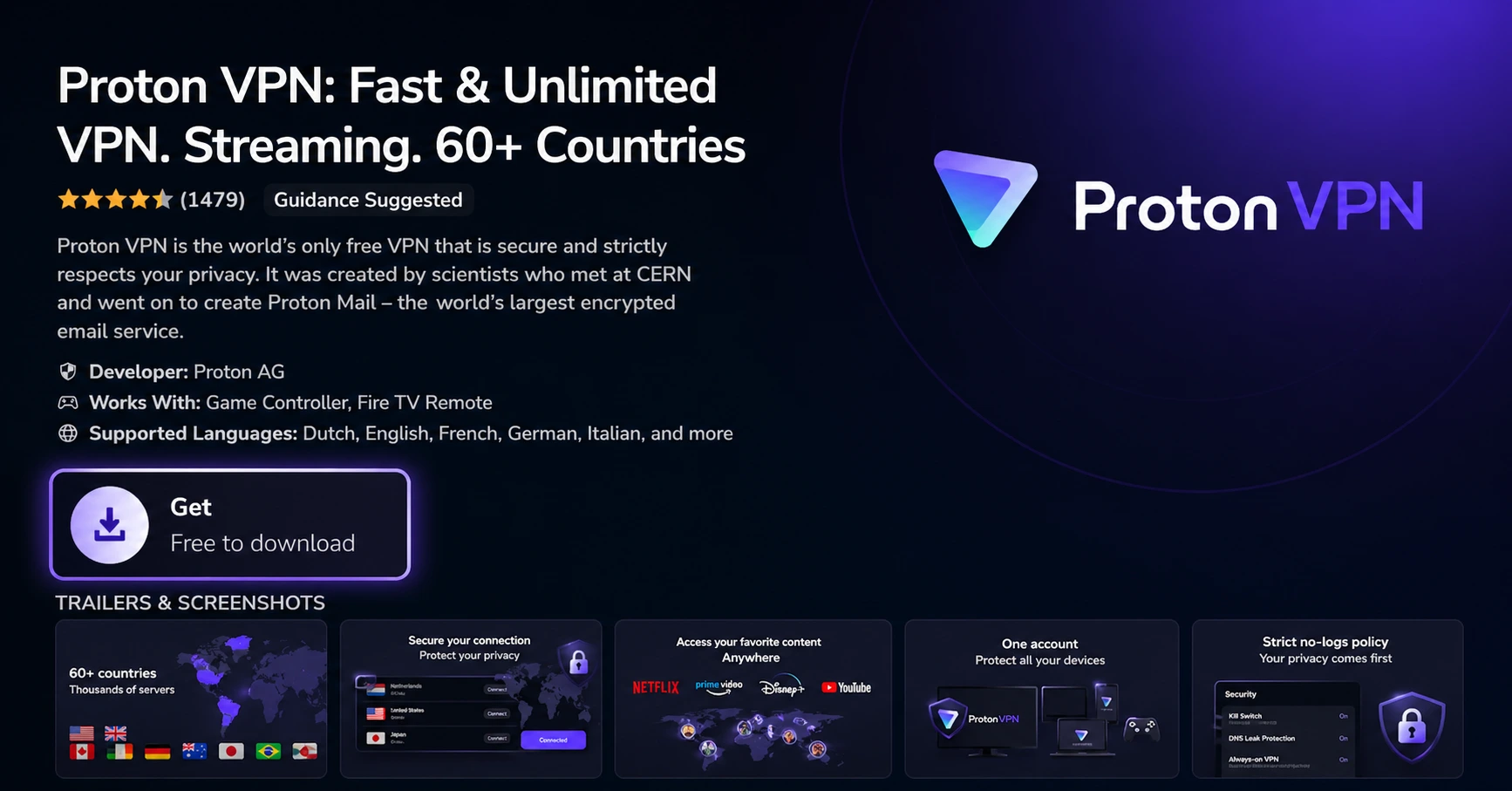
Install the App
Click on Get or Download to install ProtonVPN on your Fire TV.
Step 04
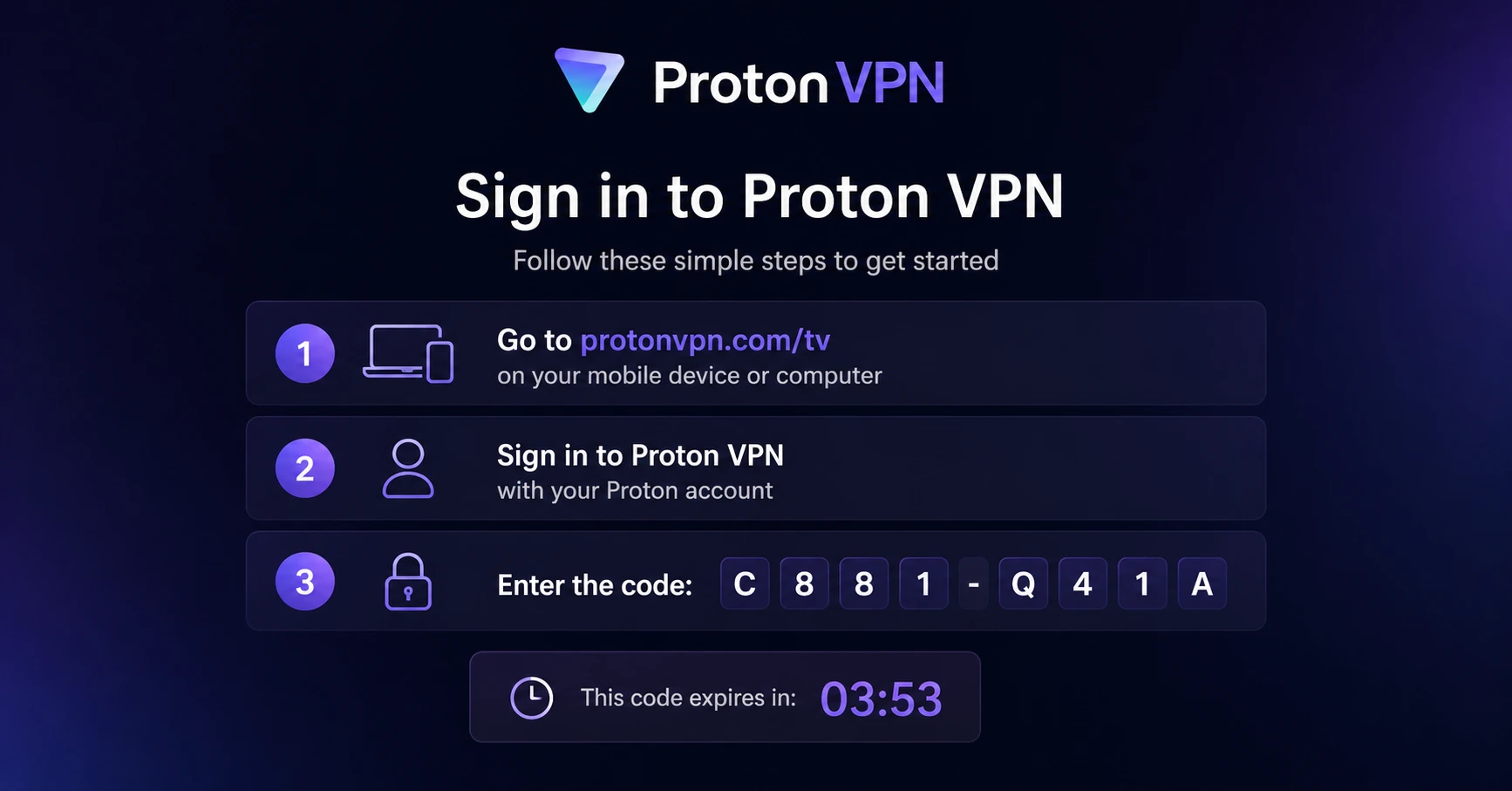
Sign In & Connect
Open the app, sign in using your Proton account (QR or code method), and connect to a server.
How to Install Kodi on Firestick ?
A simple guide to sideloading Kodi on your Firestick using the Downloader app
Step 01
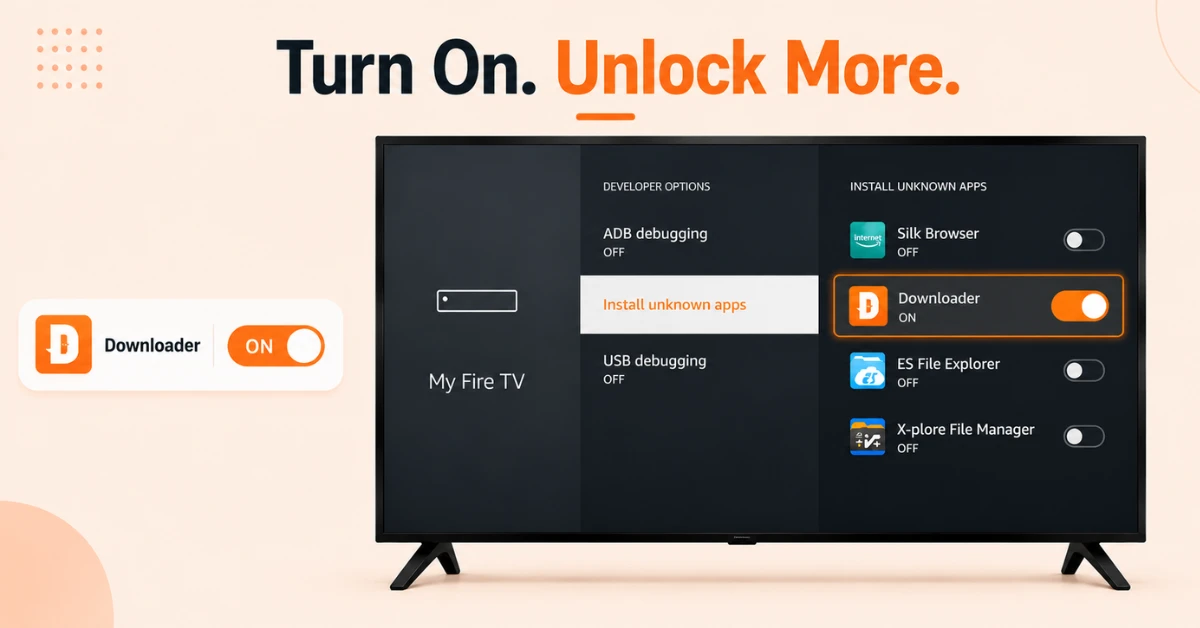
Enable Apps from Unknown Sources
-
From the Firestick home screen, go to Settings and select My Fire TV
-
Select Developer Options and click on Install Unknown Apps
-
Find Downloader from the list and switch it to ON
Step 02
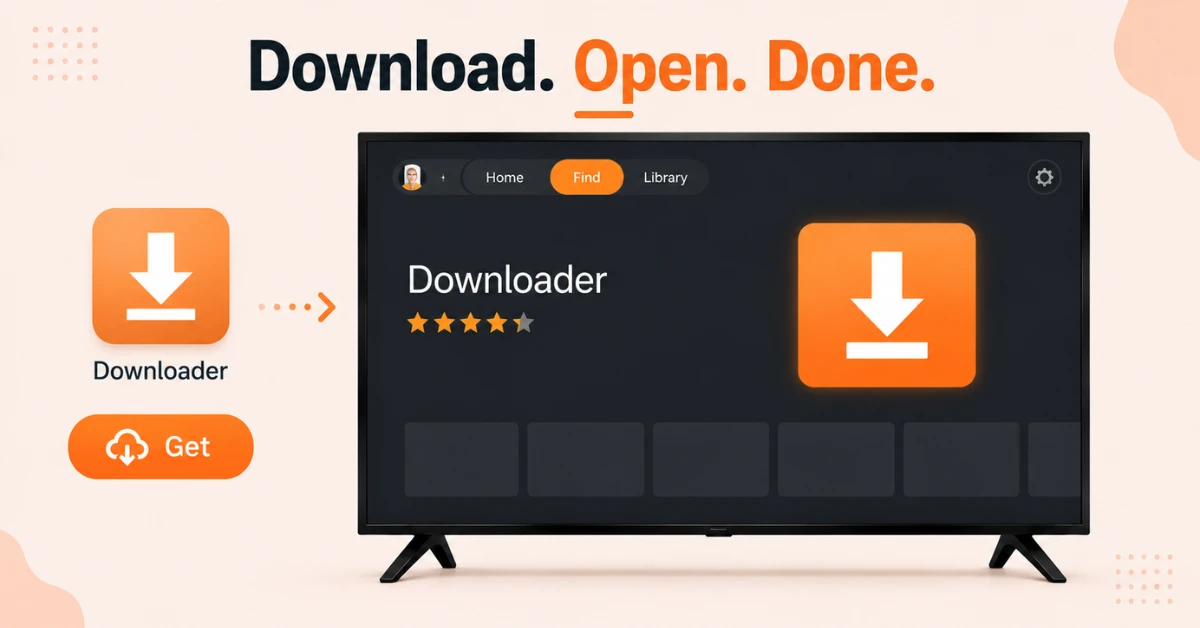
Download and Open the Downloader App
-
From the Firestick home screen, go to Find and select Search
-
Type Downloader and select the official app from the results
-
Click Get to install it and then open it from your apps list
Get Proton VPN — 20% Off
Step 03
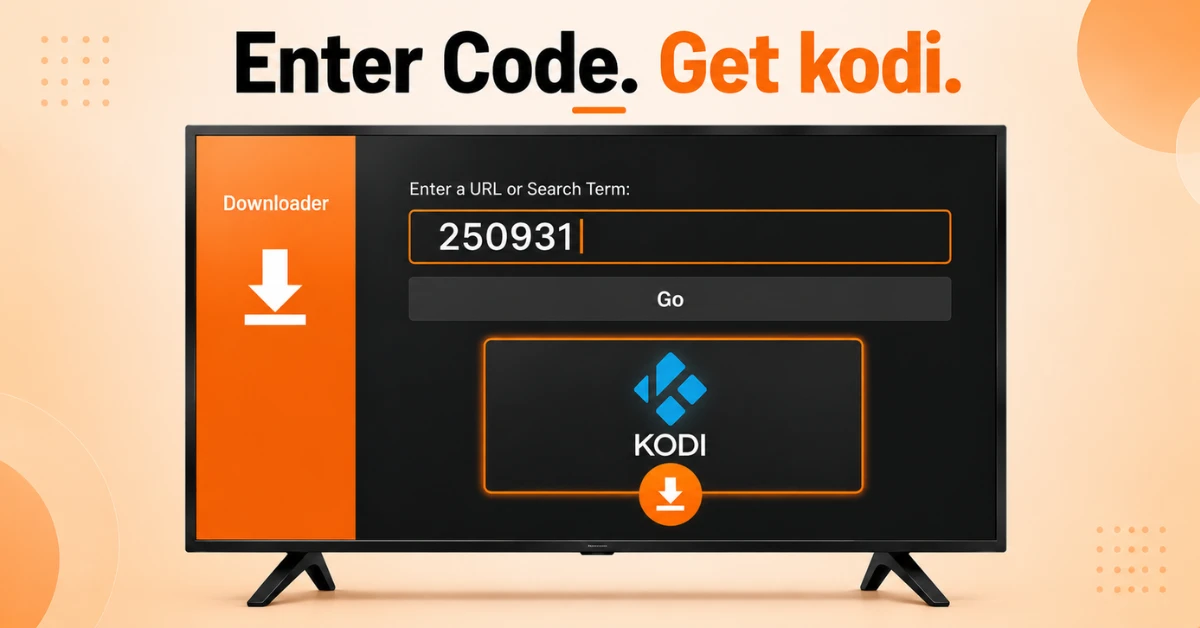
Download Kodi Using the Toolbox Code
-
Inside the Downloader app, click the URL bar to open the keyboard
-
Type the code 250931 and click Go
-
Wait for the page to load and you will be taken to the TROYPOINT Toolbox screen
-
Scroll down to find Kodi, select your preferred version, and click Download
Step 04

Install and Launch Kodi
-
Once the download is complete, click Install and wait for the installation to finish
-
When you see the Kodi Ready to Launch message, click Done
-
Click Delete twice to remove the installation file and free up storage
-
Launch Kodi from your apps list, click Continue and allow the permissions it requests
Quick Comparison
Side-by-side comparison of top Fire Stick VPNs
| VPN | Price | Servers | Speed | Devices | Rating | Actions |
|---|---|---|---|---|---|---|
|
Proton VPN
|
$3.99/mo | 14,999+ | Blazing Fast | 7 | 4.8 | Get Deal |
 EXPRESS VPN
|
$2.79/mo | 3,000+ | Blazing Fast | 8 | 5 | Get Deal |
 NordVPN
|
$4.39/mo | 6,998+ | Blazing Fast | 8 | 4.8 | Get Deal |
|
|
$1.88/mo | 3,200+ | Blazing Fast | 8 | 4.7 | Get Deal |
 IPVanish
|
$2.49/mo | 3,100+ | Blazing Fast | 6 | 4 | Get Deal |
 Pure VPN
|
$3.55/mo | — | Blazing Fast | 6 | 4 | Get Deal |
Frequently Asked Questions
Is it difficult to install Kodi on Firestick?
No, installing Kodi on Firestick is straightforward even for beginners. The process uses the free Downloader app and takes around five minutes from start to finish.
Is Kodi available on Firestick?
Kodi is not available on the Amazon App Store so it cannot be downloaded directly. It needs to be sideloaded onto your Firestick using the Downloader app which is available for free on the Amazon App Store.
Is Kodi safe to use on Firestick?
Kodi itself is a legal and safe open source media player. However the safety of content depends on the addons you install. Always download Kodi from the official Kodi website or trusted sources like the TROYPOINT Toolbox to avoid modified versions.
How much storage does Kodi use on Firestick?
Kodi itself takes up relatively little storage on Firestick. However addons and builds can increase storage usage over time so it is a good idea to periodically clear the Kodi cache to keep your Firestick running smoothly.
What do I need before I install Kodi on Fire TV Stick?
Before you install Kodi on Fire TV Stick you need to install the Downloader app and enable Install Unknown Apps for Downloader under Settings, then My Fire TV, then Developer Options. Both steps are required before the installation can begin.
Can I use Kodi on Firestick without a VPN?
You can use Kodi on Firestick without a VPN but it is not recommended. A VPN protects your privacy, prevents your ISP from monitoring your streaming activity, and can improve speeds by reducing throttling while using Kodi.
Will installing Kodi on Fire TV Stick affect other apps?