How to Install MHz Choice on Firestick ? Installation Guide
Editor's Choice
#1 Pick
Editor's Choice
 NordVPN
$4.39/month
Save 20%
Blazing Fast
6,998+
214
8
Step by Step Instructions
Step 01

Go to Search on Fire TV
On your Fire TV home screen, select the Search (Find) option at the top.
Step 02

Type “NordVPN”
Use your remote to type NordVPN and choose the app when it appears in the results.
Step 03

Install the App
Click on Get or Download to install NordVPN on your Fire TV.
Step 04

Log In & Connect
Open the app, sign in to your account, and press the connect button to start using the VPN.
How to Install MHz Choice on Firestick ?
Follow the easy installation guide to get MHz Choice on Firestick
Step 01
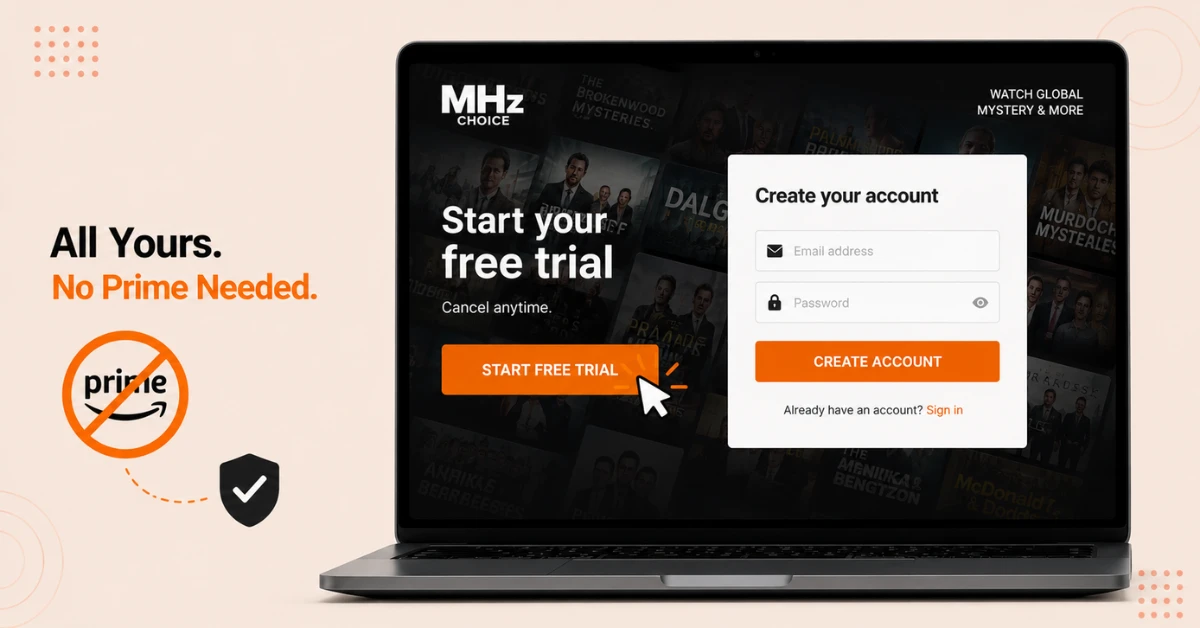
Start Your MHz Choice Subscription
-
Visit mhzchoice.com on a browser before touching your Firestick
-
Select Start Free Trial and create your account with an email and password
-
Note that an Amazon Prime membership isn't required, since this is a separate standalone subscription
Step 02
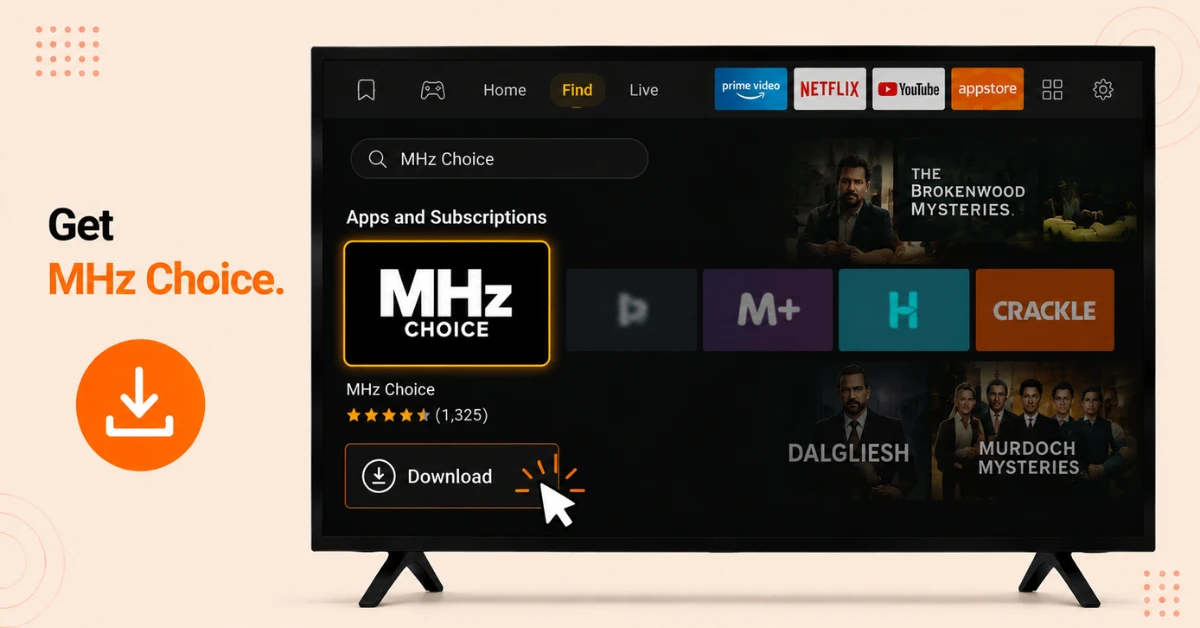
Locate and Install the App
-
Press the Home button on your Firestick remote, then select Find
-
Search for MHz Choice and select it from the results
-
Choose the MHz Choice icon under Apps and Subscriptions, then select Download
Get NordVPN — 20% Off
Step 03
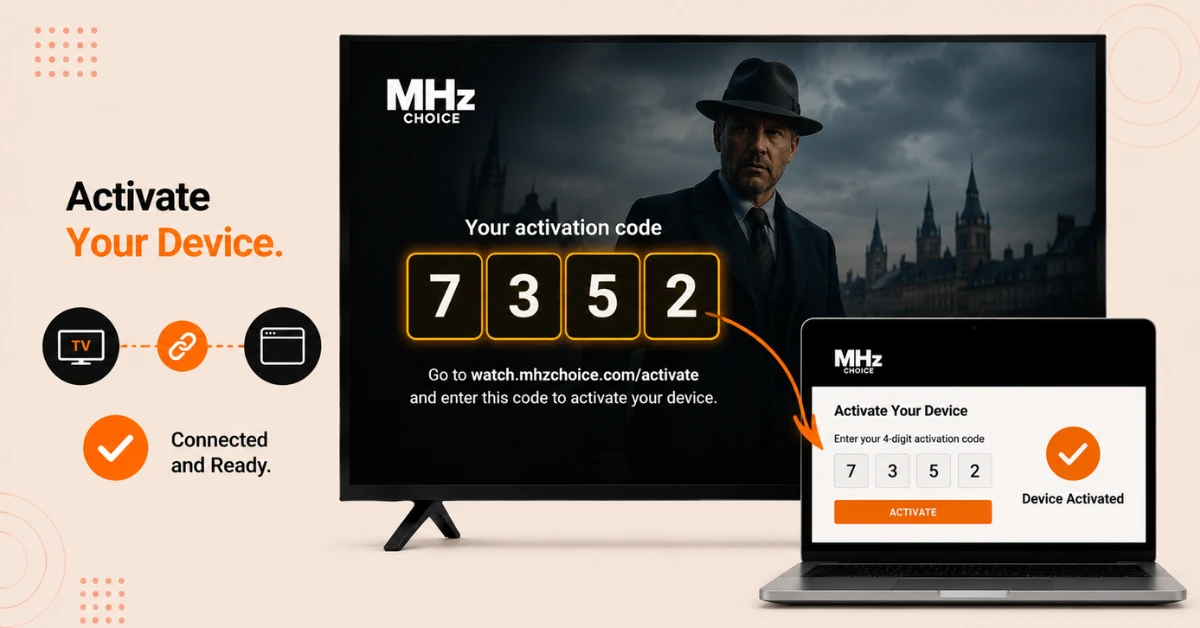
Trigger and Enter Your Activation Code
-
Open the app and select any series to begin playing an episode
-
A 4-digit activation code will appear automatically on your screen
-
On a browser, go to watch.mhzchoice.com/activate, log in, and enter that code to connect your device
Step 04
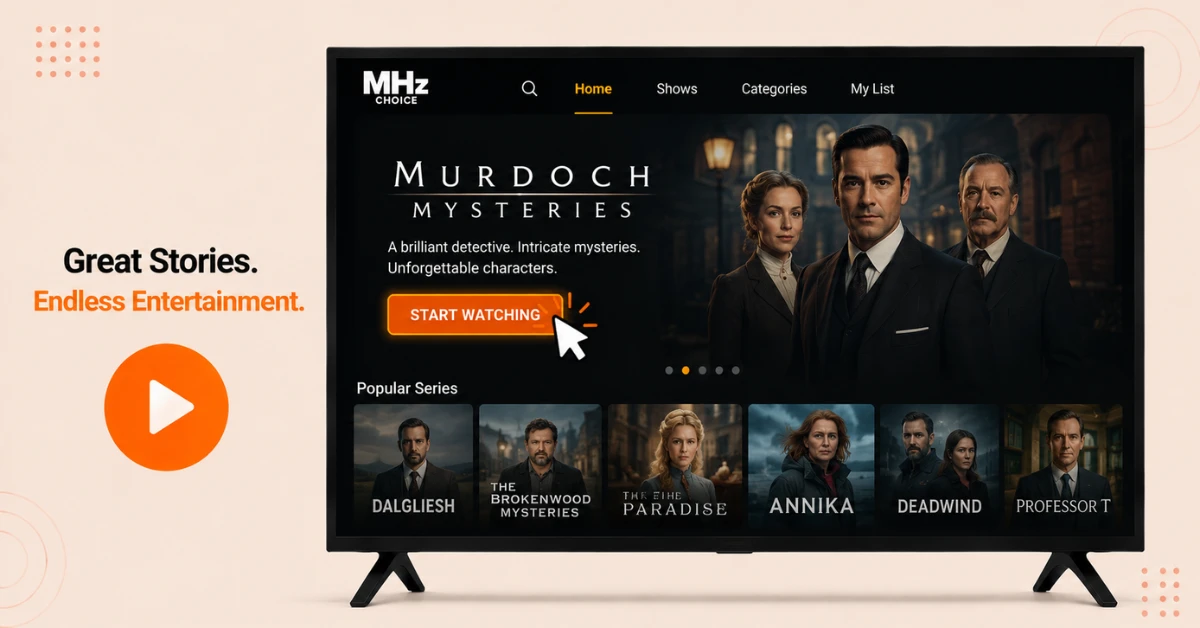
Browse the Catalogue and Start Watching
-
Once activated, return to your Firestick and select Start Watching
-
Explore the library of subtitled international mysteries, dramas, and comedies
-
Pick any series and press play to begin streaming right away
Quick Comparison
Side-by-side comparison of top Fire Stick VPNs
| VPN | Price | Servers | Speed | Devices | Rating | Actions |
|---|---|---|---|---|---|---|
|
NordVPN
|
$4.39/mo | 6,998+ | Blazing Fast | 8 | 4.8 | Get Deal |
 EXPRESS VPN
|
$2.79/mo | 3,000+ | Blazing Fast | 8 | 5 | Get Deal |
|
|
$1.88/mo | 3,200+ | Blazing Fast | 8 | 4.7 | Get Deal |
 Proton VPN
|
$3.99/mo | 14,999+ | Blazing Fast | 7 | 4.8 | Get Deal |
 IPVanish
|
$2.49/mo | 3,100+ | Blazing Fast | 6 | 4 | Get Deal |
 Pure VPN
|
$3.55/mo | — | Blazing Fast | 6 | 4 | Get Deal |
Frequently Asked Questions
Do I need an Amazon Prime membership for MHz Choice on Firestick?
No, MHz Choice runs as its own separate subscription through mhzchoice.com, so a Prime membership isn't required at all. You can sign up directly and install the Fire TV app independently of any Amazon channel subscriptions.
Can I install MHz Choice on more than one Firestick with the same subscription?
Yes, there's no restriction on how many devices you activate, as long as you're logging in with the same MHz Choice account each time.
How does activation work in the MHz Choice Fire TV app?
Selecting any series and attempting to play it triggers a unique 4-digit code to appear on screen. You then enter that exact code at watch.mhzchoice.com/activate on a separate browser to link your Fire TV to your account.
Is there a free trial for MHz Choice on Firestick?
Yes, new subscribers can try the service free for a limited period before any charges apply. You'll need to provide payment details upfront, so it's worth noting your trial end date if you decide not to continue.
Why is my activation code not working in the MHz Choice Fire TV app?
Double check that you've entered all four digits correctly, since a simple typo is the most common cause of activation failing. If it still doesn't work, returning to the app to generate a fresh code usually solves it.
Can I watch MHz Choice on Firestick outside the US?
The service is officially available in the US and Canada, so access elsewhere may be limited depending on regional licensing. Purchase a VPN and select an US server to watch it abroad.
Is the MHz app on Firestick safe to install?
Yes, it's available directly through the official Amazon Appstore listing, so there's no need to sideload it from any third party source.