How to Install OWN TV on Firestick ? Step by Step Guide
Editor's Choice
#1 Pick
Editor's Choice
 EXPRESS VPN
$2.79/month
Save 20%
Blazing Fast
3,000+
214
8
Step by Step Instructions
Step 01

Open the Amazon App Store
From your Firestick home screen, navigate to the “Find” or search icon and open the Amazon App Store.
Step 02

Search for ExpressVPN
Type “ExpressVPN” in the search bar using your remote. Select the official ExpressVPN app from the results.
Step 03

Download & Install the App
Click on the “Download” or “Get” button to install the app on your Firestick. Wait for the installation to complete.
Step 04

Sign In & Connect
Open the app, sign in with your ExpressVPN account, and tap the power button to connect to a server.
How to Install OWN TV on Firestick?
A simple guide to installing and watching OWN TV on your Firestick
Step 01
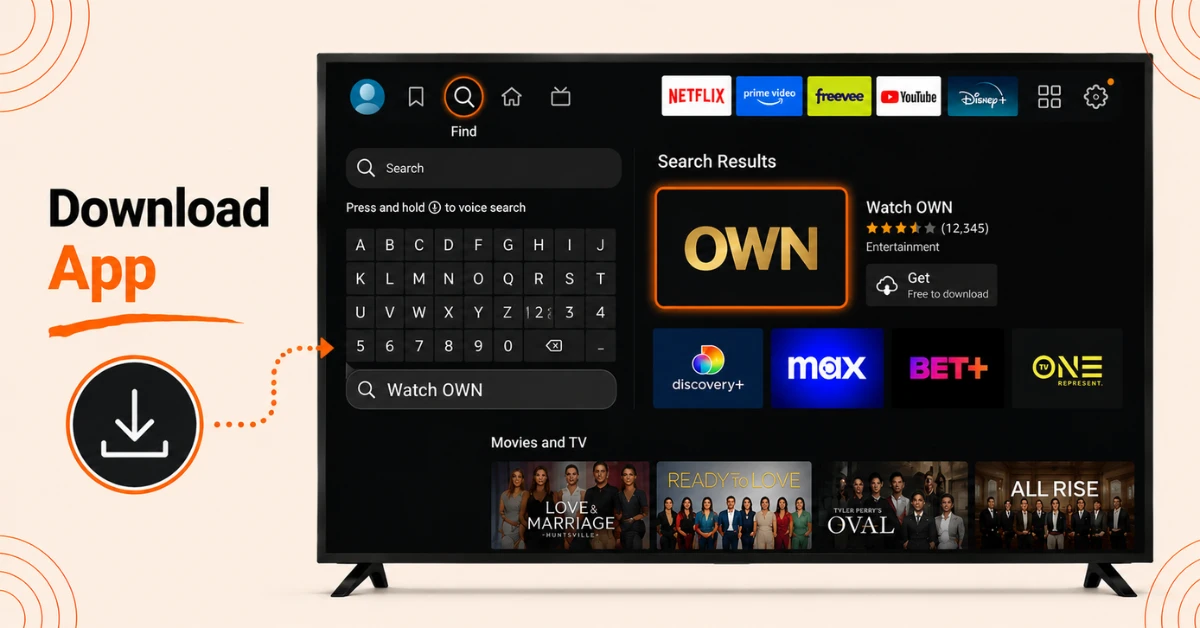
Search and Download OWN App
-
From the Firestick home screen, select Find, then Search
-
Use the on screen keyboard to type Watch OWN
-
Select the Watch OWN app tile from the results and click Get to download it
Step 02
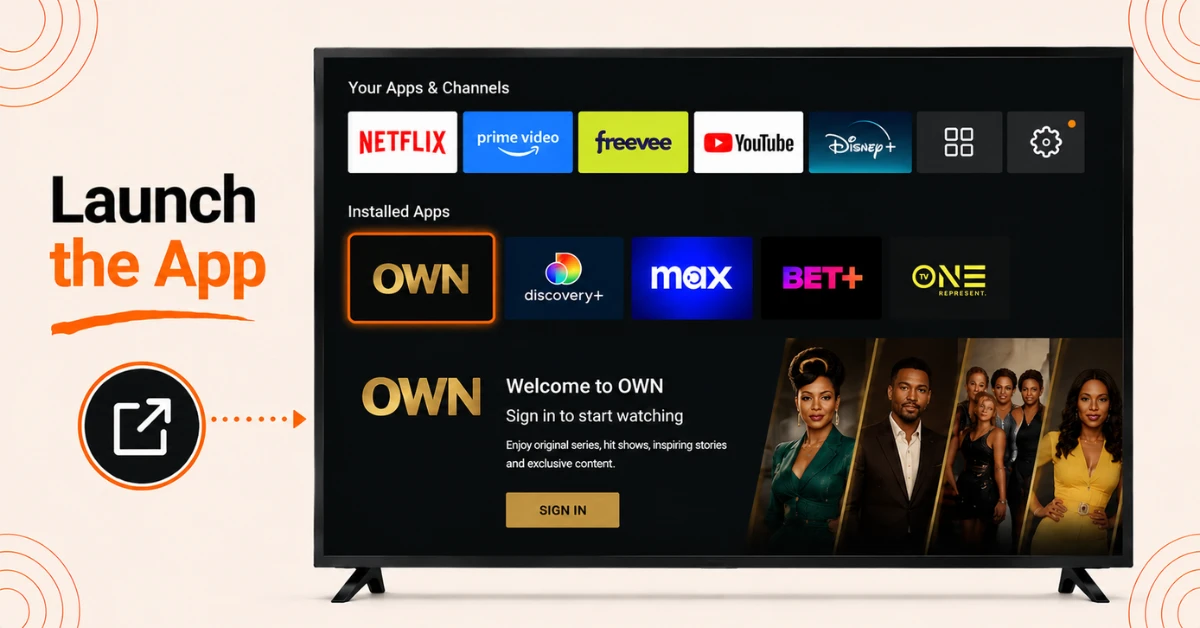
Launch the App
-
Wait for the app to finish downloading and installing
-
Click Open once it is ready to launch
-
The app will display a screen prompting you to sign in
Get EXPRESS VPN — 20% Off
Step 03
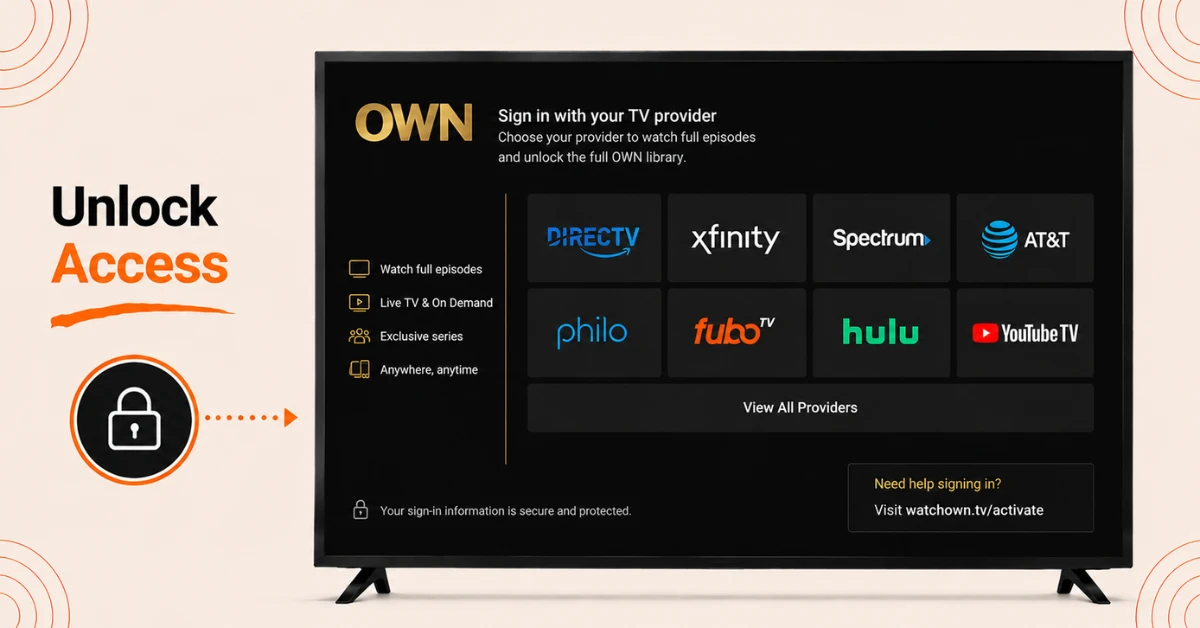
Sign In To Access
-
Select Sign In and choose your TV provider from the supported list
-
Providers include DirecTV, Xfinity, Spectrum, FuboTV, Hulu, and YouTube TV among others
-
Enter your TV provider login credentials to unlock the full OWN library
Step 04
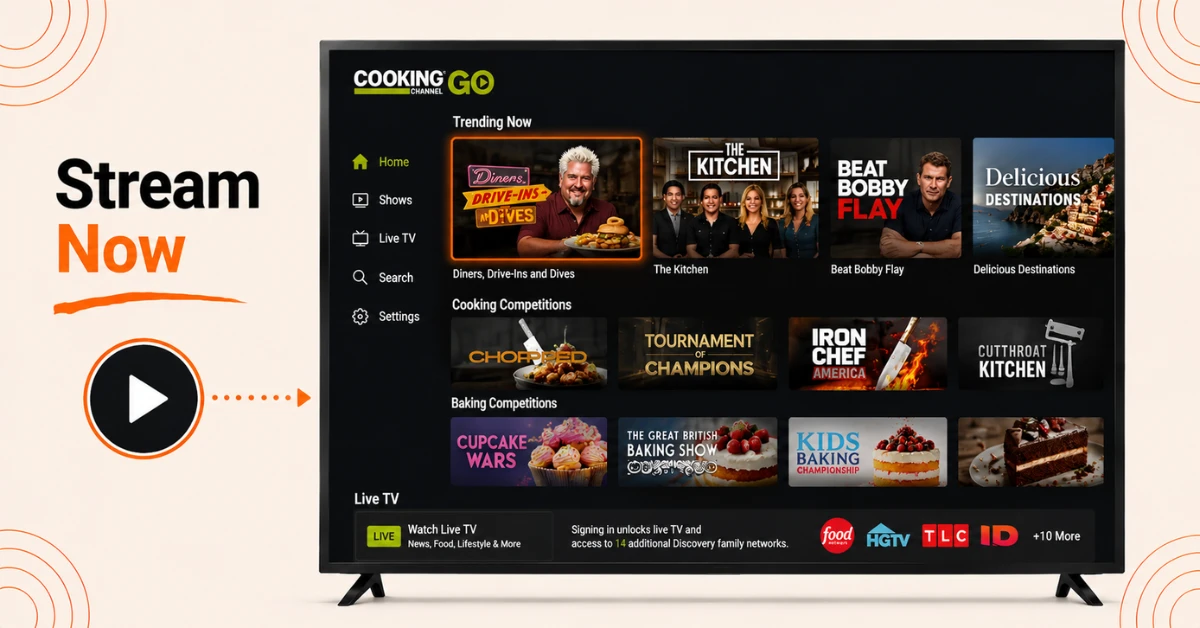
Start Streaming Now
-
Browse live TV, the latest season of your favourite shows, or binge the OWN vintage collection
-
New episodes are available the same day they air on TV
-
Use the app's live stream option to watch OWN 24 hours a day, 7 days a week
Quick Comparison
Side-by-side comparison of top Fire Stick VPNs
| VPN | Price | Servers | Speed | Devices | Rating | Actions |
|---|---|---|---|---|---|---|
|
EXPRESS VPN
|
$2.79/mo | 3,000+ | Blazing Fast | 8 | 5 | Get Deal |
 Proton VPN
|
$3.99/mo | 14,999+ | Blazing Fast | 7 | 4.8 | Get Deal |
 NordVPN
|
$4.39/mo | 6,998+ | Blazing Fast | 8 | 4.8 | Get Deal |
|
|
$1.88/mo | 3,200+ | Blazing Fast | 8 | 4.7 | Get Deal |
 IPVanish
|
$2.49/mo | 3,100+ | Blazing Fast | 6 | 4 | Get Deal |
 PrivadoVPN
|
$1.99/mo | — | Blazing Fast | 5 | 4 | Get Deal |
Frequently Asked Questions
Is OWN TV available on Firestick?
Yes, OWN TV is available on Firestick through the Watch OWN app, which can be downloaded directly from the Amazon Appstore.
How do I install OWN TV on Firestick?
Go to Find, then Search on your Firestick home screen, type Watch OWN, select the app from the results, and click Get to download and install it.
Do I need a TV provider to use OWN TV on Firestick?
Yes, a participating TV provider subscription is required to sign in and unlock the full OWN library on Firestick.
What shows can I watch on OWN TV on Firestick?
You can watch original series from Oprah Winfrey, Tyler Perry, and Ava DuVernay, along with shows like Love and Marriage: Huntsville, and Home Made Simple.
Can I watch OWN on Firestick without cable or satellite?
Yes, you can watch OWN without a cable or satellite subscription by signing in through a streaming service like Philo, FuboTV, Hulu, or YouTube TV instead.
Why is my activation code not working on the OWN Fire TV app?
Double check that you entered the correct code combination. If it still fails, uninstall and reinstall the app and look for a fresh activation code.
Is the OWN Network app on Firestick available in Canada?
OWN shut down in Canada as of September 2024, and its programming is now primarily distributed through Citytv+ rather than a standalone OWN app.