How to Install Sun NXT on Firestick ? Simple Guide
Editor's Choice
#1 Pick
Editor's Choice
 NordVPN
$4.39/month
Save 20%
Blazing Fast
6,998+
214
8
Step by Step Instructions
Step 01

Go to Search on Fire TV
On your Fire TV home screen, select the Search (Find) option at the top.
Step 02

Type “NordVPN”
Use your remote to type NordVPN and choose the app when it appears in the results.
Step 03

Install the App
Click on Get or Download to install NordVPN on your Fire TV.
Step 04

Log In & Connect
Open the app, sign in to your account, and press the connect button to start using the VPN.
How to Install Sun NXT on Firestick ?
Install Sun NXT and bring Tamil, Telugu, Malayalam, and Kannada entertainment to your Firestick
Step 01
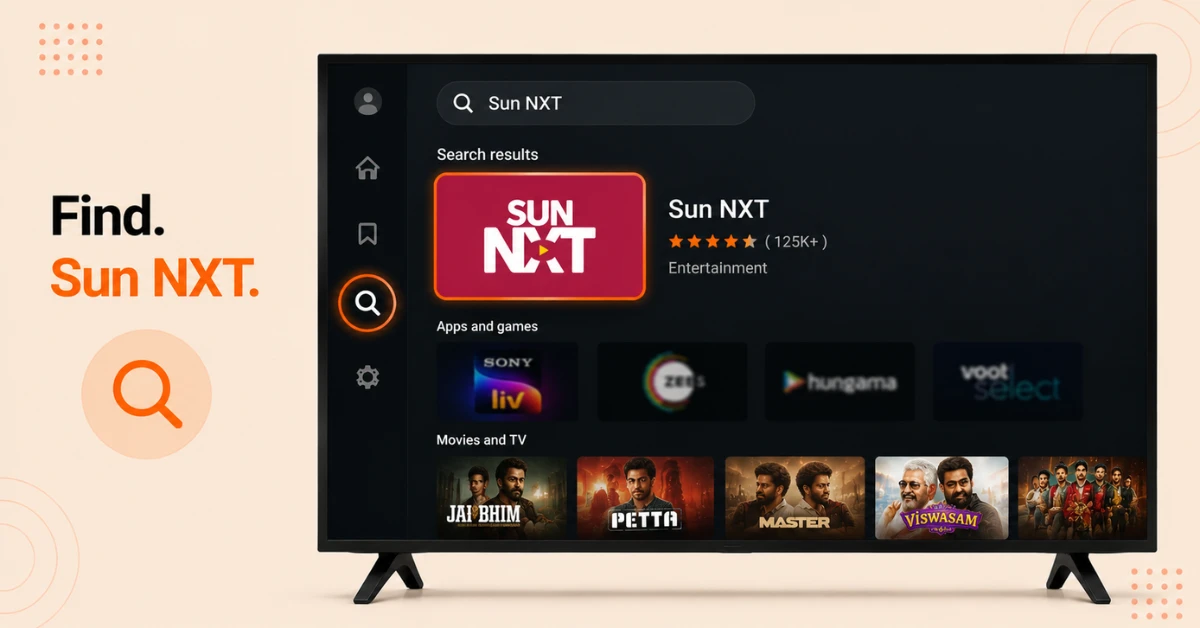
Search for the App
-
From your Firestick home screen, go to Find, then Search
-
Type Sun NXT and select the official app from the results
-
Confirm it's the official app before continuing
Step 02
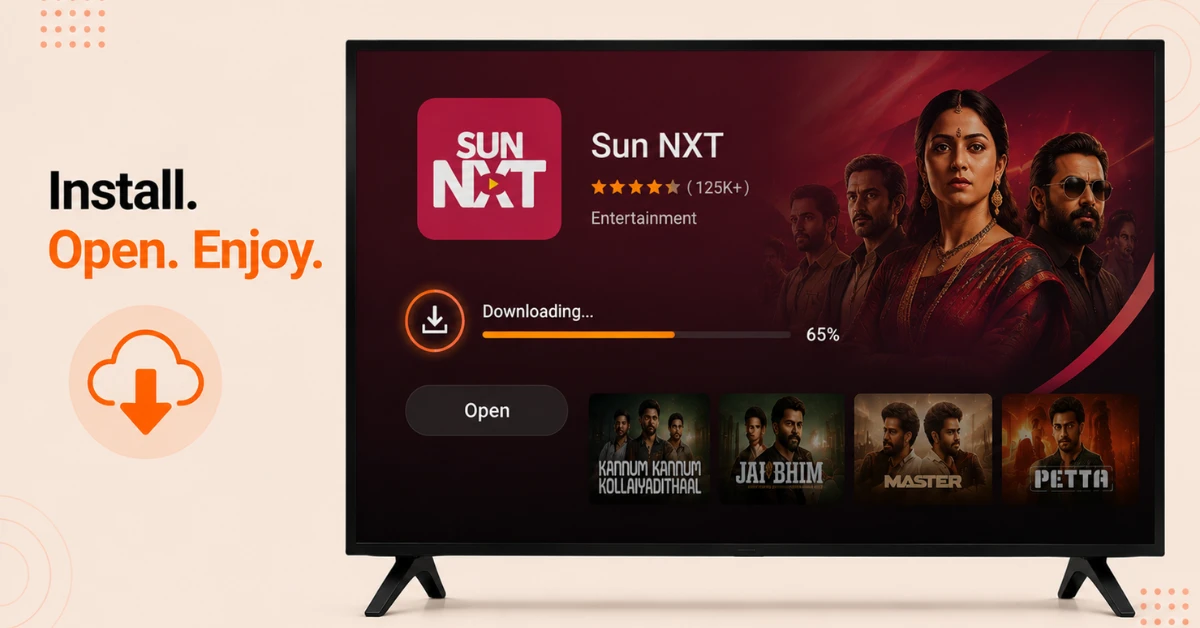
Install The App
-
Select Get or Download to begin the installation
-
Make sure you have a stable internet connection during the download
-
Once finished, select Open to launch the app
Get NordVPN — 20% Off
Step 03
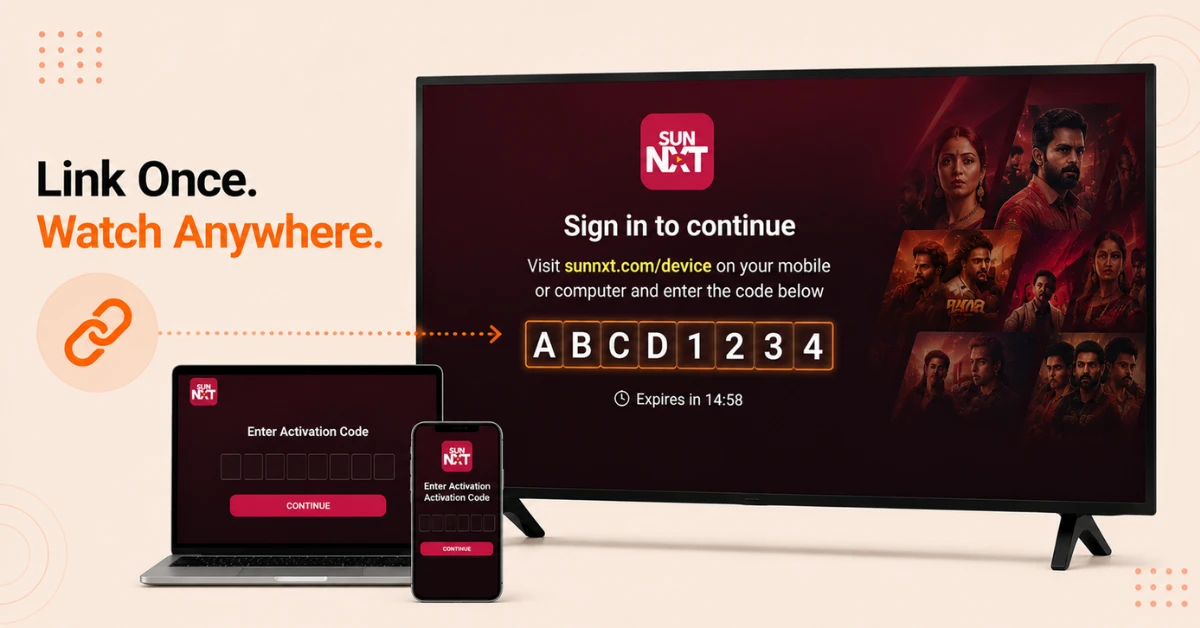
Activate Your Account
-
On the app's sign in screen, note the activation code shown
-
On a phone or computer, go to sunnxt.com/device
-
Enter the code displayed on your Firestick to link your account
Step 04
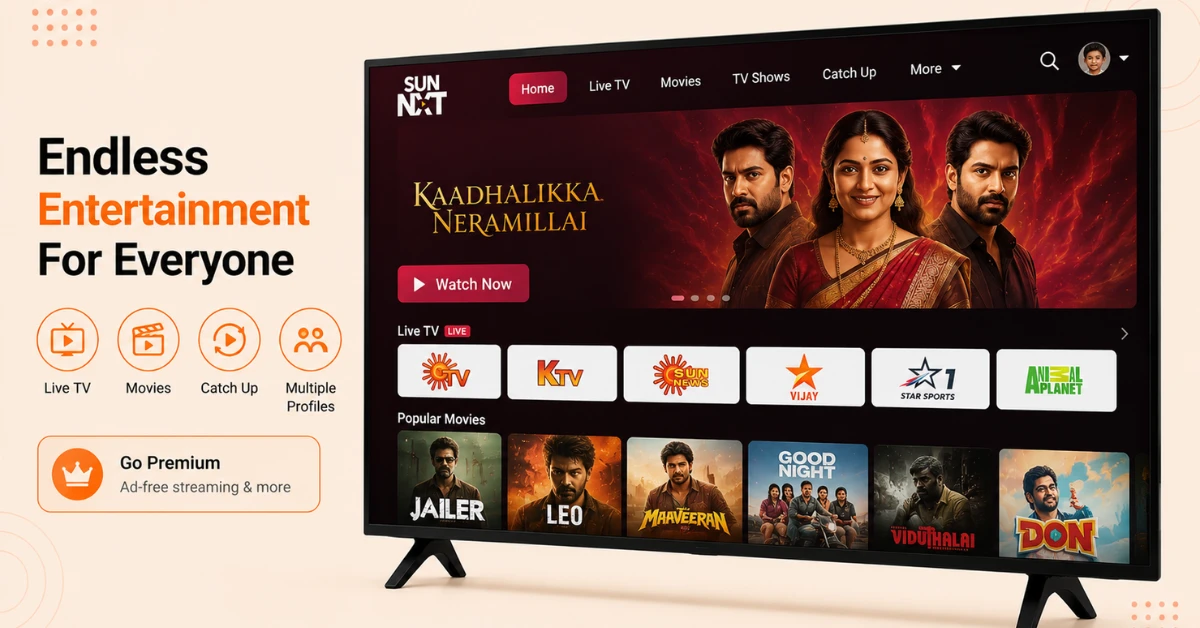
Stream Your Channels
-
Browse Live TV, Movies, and Catch Up content directly from the home screen
-
Use Multiple Profile creation if more than one person in your home uses the app
-
Select a paid plan if you want ad free viewing, or continue with the free ad supported version
Quick Comparison
Side-by-side comparison of top Fire Stick VPNs
| VPN | Price | Servers | Speed | Devices | Rating | Actions |
|---|---|---|---|---|---|---|
|
NordVPN
|
$4.39/mo | 6,998+ | Blazing Fast | 8 | 4.8 | Get Deal |
 Proton VPN
|
$3.99/mo | 14,999+ | Blazing Fast | 7 | 4.8 | Get Deal |
 EXPRESS VPN
|
$2.79/mo | 3,000+ | Blazing Fast | 8 | 5 | Get Deal |
|
|
$1.88/mo | 3,200+ | Blazing Fast | 8 | 4.7 | Get Deal |
 IPVanish
|
$2.49/mo | 3,100+ | Blazing Fast | 6 | 4 | Get Deal |
 Pure VPN
|
$3.55/mo | — | Blazing Fast | 6 | 4 | Get Deal |
Frequently Asked Questions
What languages does Sun NXT support on Firestick?
The app covers four South Indian languages, including Tamil, Telugu, Malayalam, and Kannada. You can browse live TV, movies, news, and originals in whichever language you prefer.
Is Sun NXT free on Firestick?
Sun NXT offers a mix of free, ad supported content alongside a premium subscription for ad free viewing. You can start using the app without paying anything, though some shows and movies may be limited to subscribers.
Why is Sun NXT showing limited content outside India on Firestick?
Some content on Sun NXT is subject to international licensing restrictions, meaning certain shows and movies are only fully available with an Indian IP address. If you're outside India and purchase a VPN to watch all content from anywhere.
Can I install Sun NXT on Firestick if I'm outside India?
Yes, the app itself installs the same way worldwide, but you may get the most complete content experience using a VPN connected to an Indian server due to regional licensing.
Does the SunNXT Fire TV app support offline viewing?
Yes, the app includes an offline download feature, though this is typically more relevant on mobile devices than on a Firestick itself, since downloads are usually meant for on the go viewing.
Can I watch Sun NXT on Firestick without creating an account?
No, you'll need to either sign up or log in using the activation code method before you can start streaming anything, even the free ad supported content.
Why won't the Sun NXT app open after installing it on Firestick?
Try restarting your Firestick and reopening the app, since a fresh restart often clears up minor glitches after installation. If the issue persists, uninstalling and reinstalling usually helps.