How to Speed Up a Slow Firestick? (Step-by-Step)
Editor's Choice
#1 Pick
Editor's Choice
 Surfshark
$1.88/month
Save 20%
Blazing Fast
3,200+
214
8
Step by Step Instructions
Step 01

Open Search on Fire TV
From your Fire TV home screen, go to the Find (Search) option.
Step 02

Search for Surfshark
Type Surfshark using your remote and select the app from the results.
Step 03

Install the App
Click on Download or Get to install Surfshark on your device.
Step 04

Sign In & Start VPN
Open the app, log in to your account, and connect to a server to start using the VPN.
How to Speed Up a Slow Firestick? (Step-by-Step)
Step by step guide to fix firestick running slow fast. Takes about 10 minutes.
Step 01
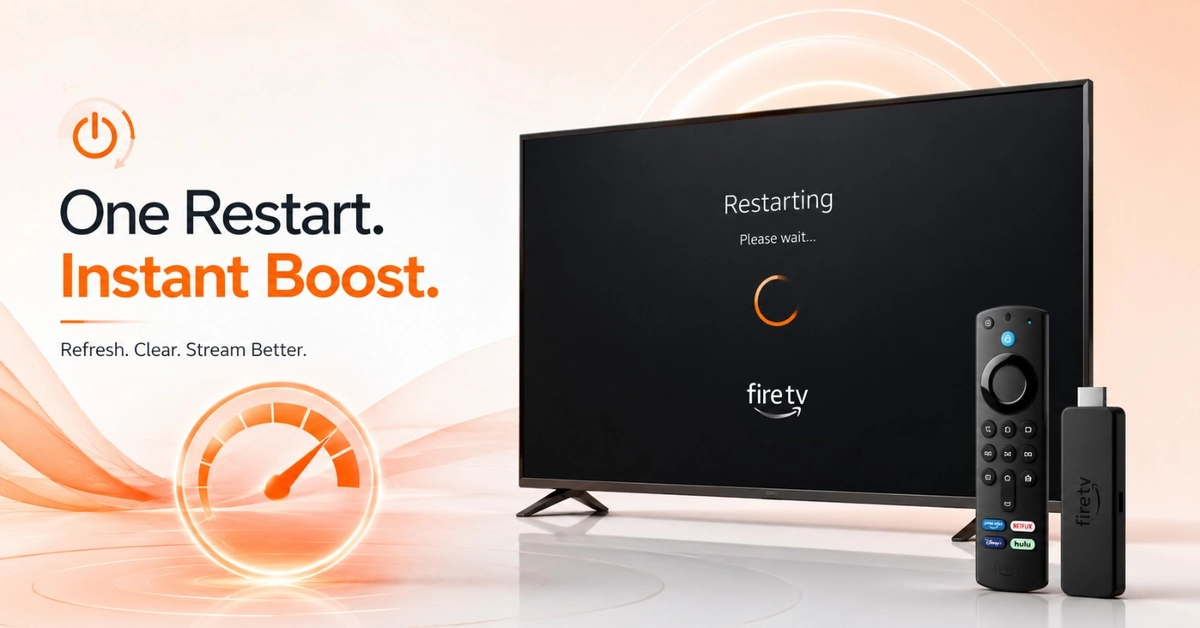
Restart Your Firestick to Clear Memory
-
The Fastest Slow Fire TV Stick Fix You Can Do
-
Hold the Home button and navigate to Settings > Restart.
-
Restarting flushes RAM and resolves most firestick running slow issues instantly.
-
Always do this first before trying any other speed fix.
Step 02
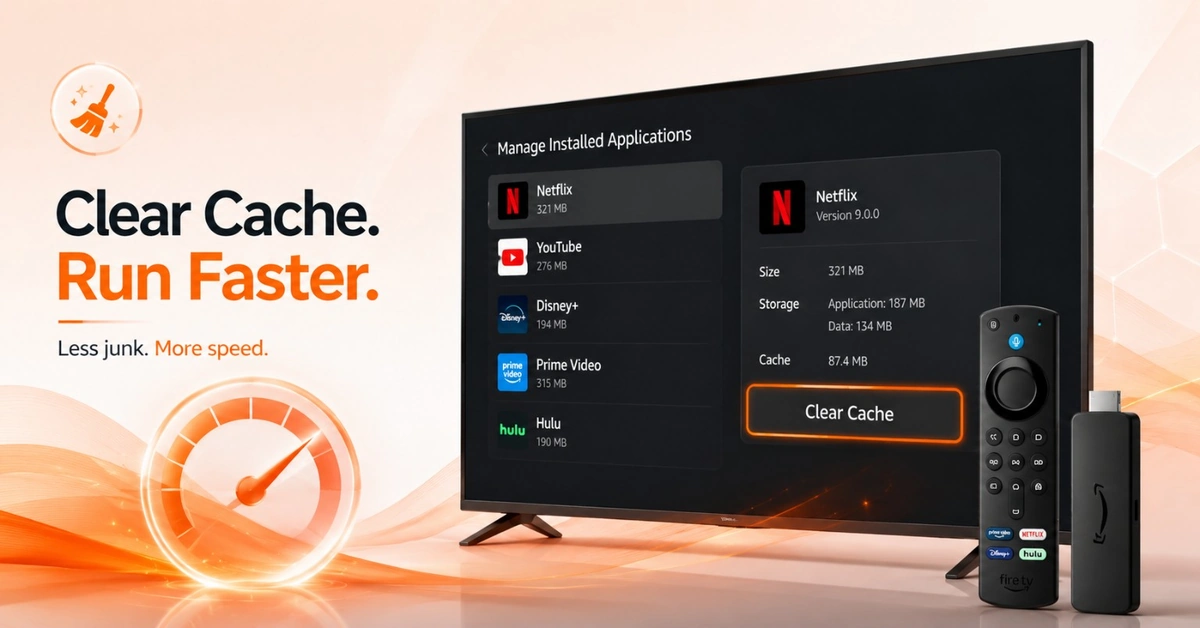
Clear Cache on Your Heaviest Apps
-
Free Up Memory to Make Firestick Faster
-
Navigate to Settings > Applications > Manage Installed Applications now.
-
Select each heavy app and tap the Clear Cache button.
-
Clearing cache regularly is the easiest way to speed up slow firestick.
Get Surfshark — 20% Off
Step 03
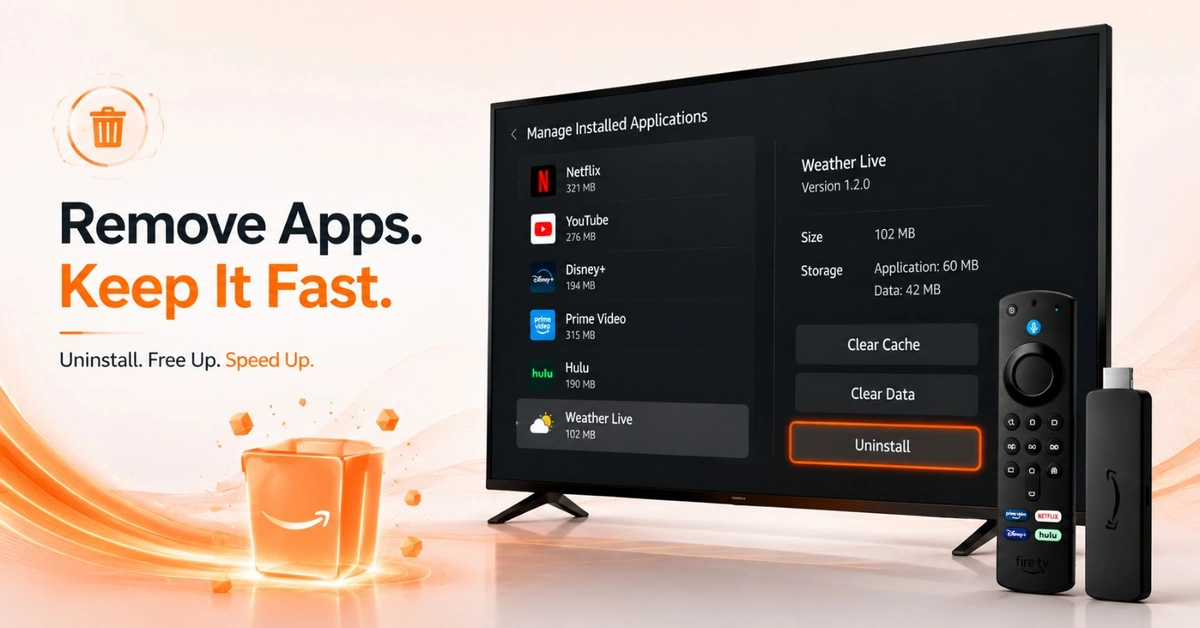
Uninstall Apps You No Longer Use
-
Open Manage Installed Applications and spot apps you never open.
-
Select each unused app and choose Uninstall to remove it.
-
Fewer installed apps means more storage and a faster device.
Step 04
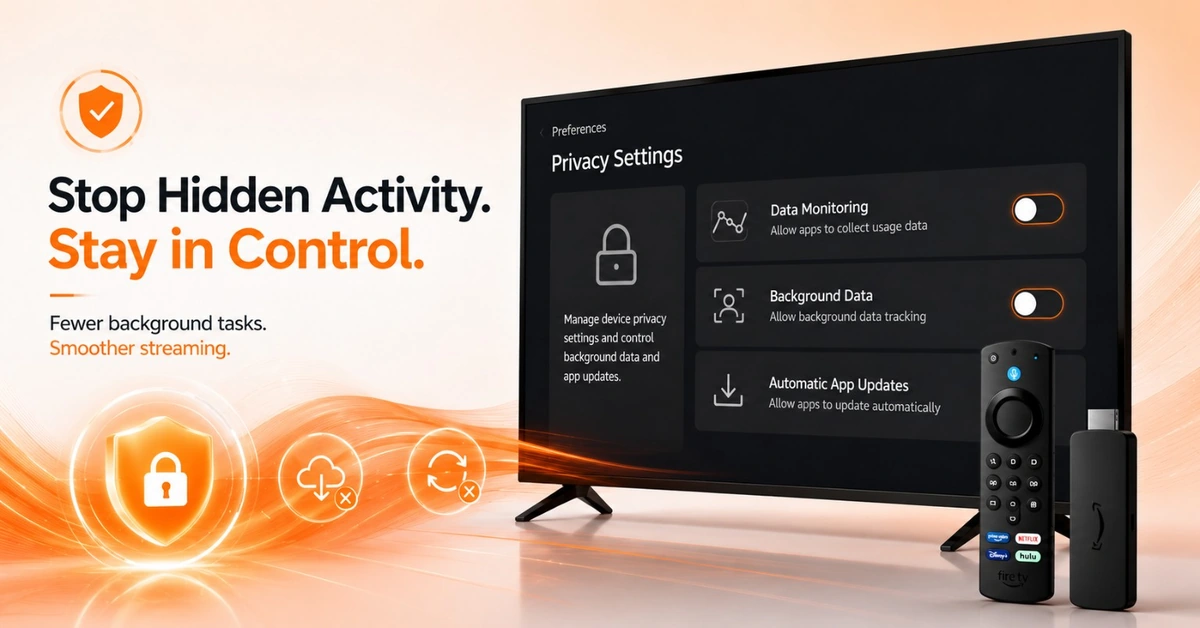
Disable Background Data and Automatic App Updates
-
Stop Hidden Activity That Keeps Your Firestick Running Slow
-
Go to Settings > Preferences > Privacy Settings on Firestick.
-
Toggle off data monitoring and background activity tracking options.
-
Disable automatic app updates to stop background downloading during use.
Quick Comparison
Side-by-side comparison of top Fire Stick VPNs
| VPN | Price | Servers | Speed | Devices | Rating | Actions |
|---|---|---|---|---|---|---|
|
|
$1.88/mo | 3,200+ | Blazing Fast | 8 | 4.7 | Get Deal |
 NordVPN
|
$4.39/mo | 6,998+ | Blazing Fast | 8 | 4.8 | Get Deal |
 EXPRESS VPN
|
$2.79/mo | 3,000+ | Blazing Fast | 8 | 5 | Get Deal |
 Proton VPN
|
$3.99/mo | 14,999+ | Blazing Fast | 7 | 4.8 | Get Deal |
 PrivadoVPN
|
$1.99/mo | — | Blazing Fast | 5 | 4 | Get Deal |
 Private Internet Access
|
$11.95/mo | 35,000+ | Blazing Fast | 8 | 4 | Get Deal |
 Cyberghost vpn
|
$12.99/mo | 9,700+ | Fast | 6 | 4.2 | Get Deal |
 IPVanish
|
$2.49/mo | 3,100+ | Blazing Fast | 6 | 4 | Get Deal |
Frequently Asked Questions
Why is my Firestick running slow?
Your firestick running slow is usually caused by full storage, too many background apps, or heavy cached data. Outdated software and automatic background updates also drag down performance over time. A restart and cache clear resolves most slowdowns without a factory reset.
How do I speed up a slow Firestick?
Restart your device first, then clear cache on your heaviest apps under Settings > Applications. Uninstall apps you no longer use to recover storage space quickly. Disabling background data and auto-updates keeps things running lean after that.
What is the fastest slow fire TV stick fix?
The fastest slow fire tv stick fix is a quick restart from the Settings menu or by holding the Home button. It clears active memory and often restores normal speed in under a minute. Follow it up with a cache clear for lasting results.
Does clearing cache speed up a slow Firestick?
Yes, clearing cache is one of the most effective steps to speed up slow firestick performance. Cached data builds up silently and slows app loading times considerably over weeks. Clearing it monthly keeps your device running cleanly without needing a full reset.
How do I make firestick faster without resetting it?
To make firestick faster without resetting, clear cache on your heaviest apps and uninstall anything you rarely open. Turning off background data and automatic updates also reduces constant system load. These steps recover significant speed on older and newer Firestick models alike.
How much free storage does Firestick need to run well?
Your Firestick needs at least 500MB to 1GB of free storage to avoid slowdowns and errors. When storage gets critically low, firestick running slow symptoms worsen including app crashes and lag. Keep at least 1GB free at all times through regular cache clearing and app removal.
Should I factory reset to make Firestick faster?
A factory reset should be your absolute last resort to make firestick faster, not your first step. Try restarting, clearing cache, and uninstalling unused apps first in that order. Only factory reset if all other fixes have failed repeatedly.
Can I schedule automatic cache clearing on Firestick?
Firestick does not have a native scheduled cache clearing feature built into the system. You need to manually clear cache under Manage Installed Applications each time. Making it a monthly habit is the most effective way to prevent firestick running slow over time.
Do background apps slow down Firestick?
Yes, every background app consumes RAM and processor resources your active apps need. This is one of the most common causes of firestick running slow during streaming or navigation. Closing background apps before using your main app always improves responsiveness.
Does clearing cache speed up a slow Firestick?
Yes, clearing cache is one of the most effective steps to speed up slow firestick performance. Cached data builds up silently and slows app loading times considerably over weeks. Clearing it monthly keeps your device running cleanly without needing a full reset.