How to Turn On Developer Options on Firestick (Step-by-Step)
Editor's Choice
#1 Pick
Editor's Choice
 Surfshark
$1.88/month
Save 20%
Blazing Fast
3,200+
214
8
Step by Step Instructions
Step 01

Open Search on Fire TV
From your Fire TV home screen, go to the Find (Search) option.
Step 02

Search for Surfshark
Type Surfshark using your remote and select the app from the results.
Step 03

Install the App
Click on Download or Get to install Surfshark on your device.
Step 04

Sign In & Start VPN
Open the app, log in to your account, and connect to a server to start using the VPN.
How to Turn On Developer Options on Firestick
Step-by-Step instructions to enable developer options on Firestick. Takes about 5 minutes.
Step 01
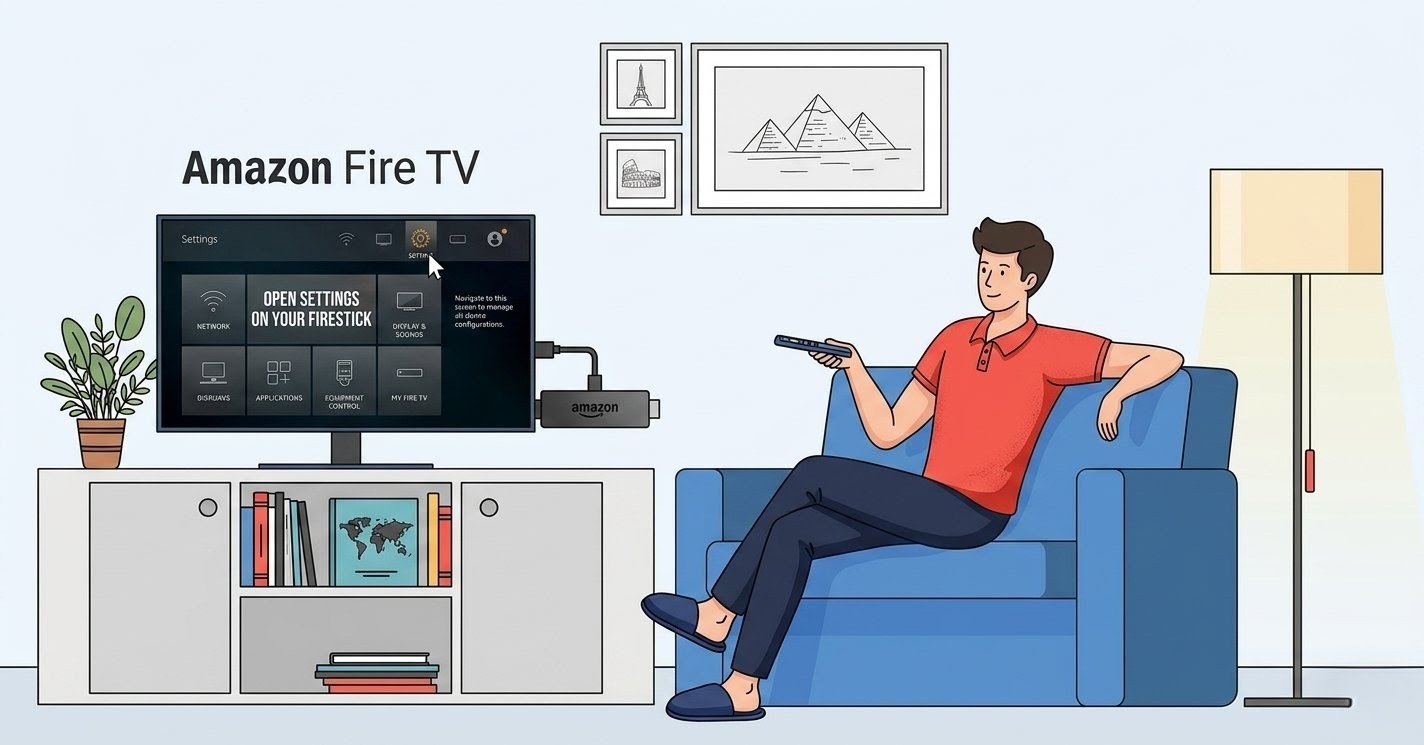
Open Settings on Your Firestick
-
Navigate to Your Firestick Settings
-
Go to the Fire TV home screen
-
Then, select the Settings gear icon from the top menu.
Step 02
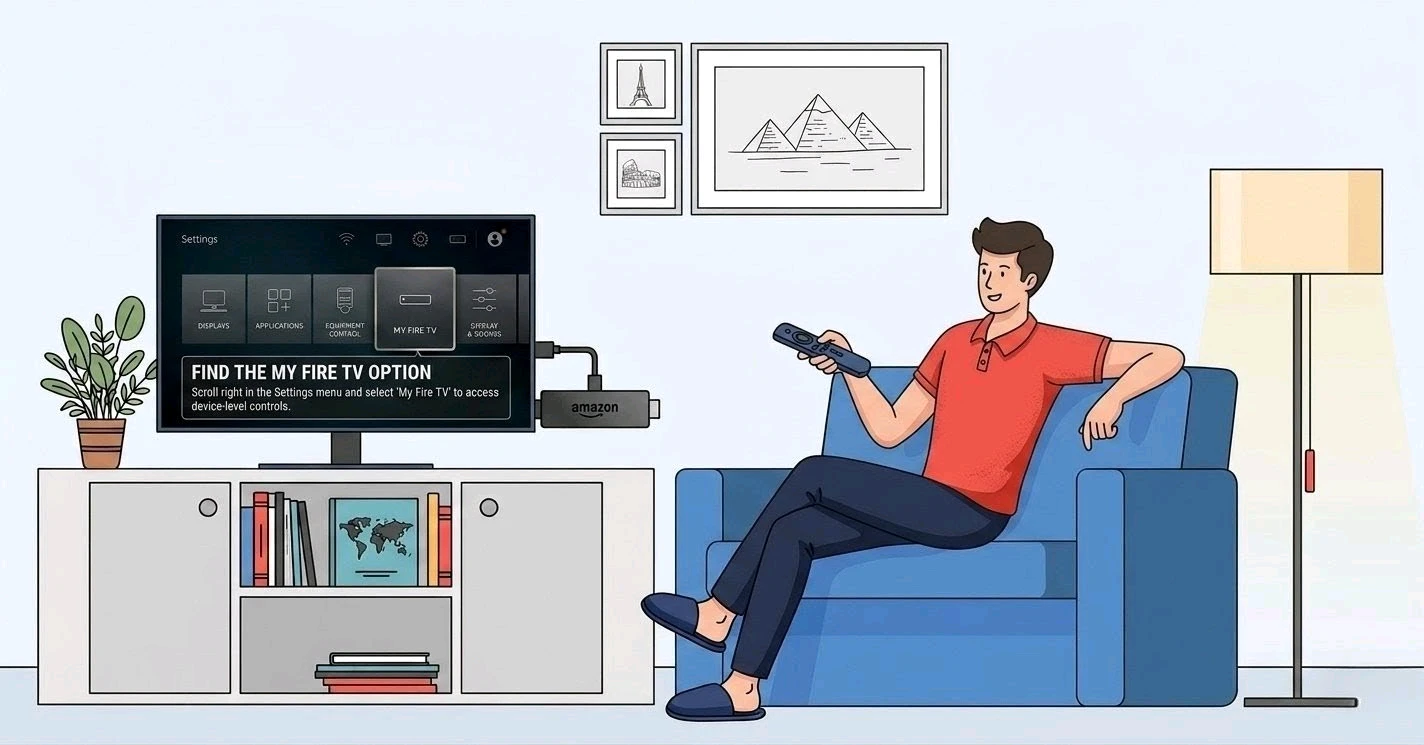
Select My Fire TV
-
Find the My Fire TV Option
-
Scroll right in the Settings menu and select "My Fire TV" to access device-level controls.
Get Surfshark — 20% Off
Step 03
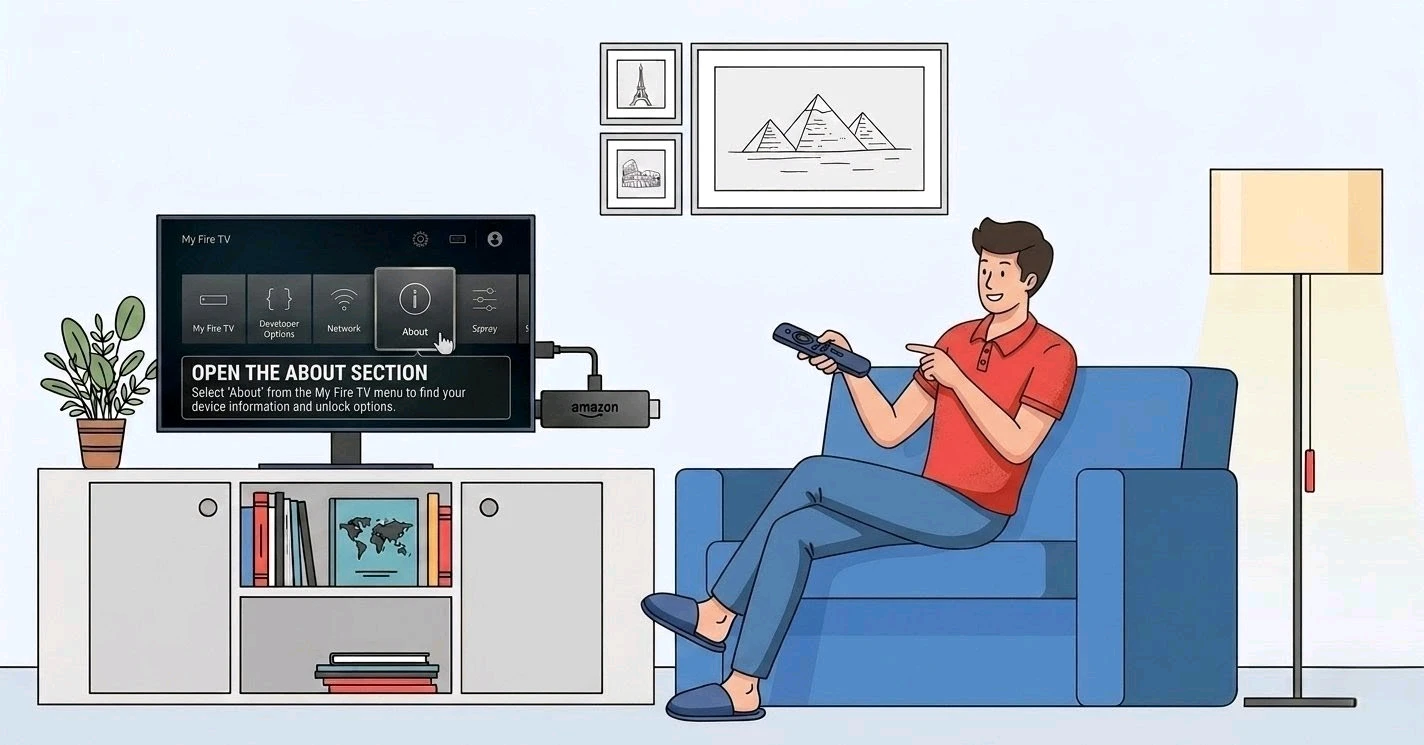
Go to About
-
Open the About Section
-
Select "About" from the My Fire TV menu to find your device information and unlock options.
Step 04
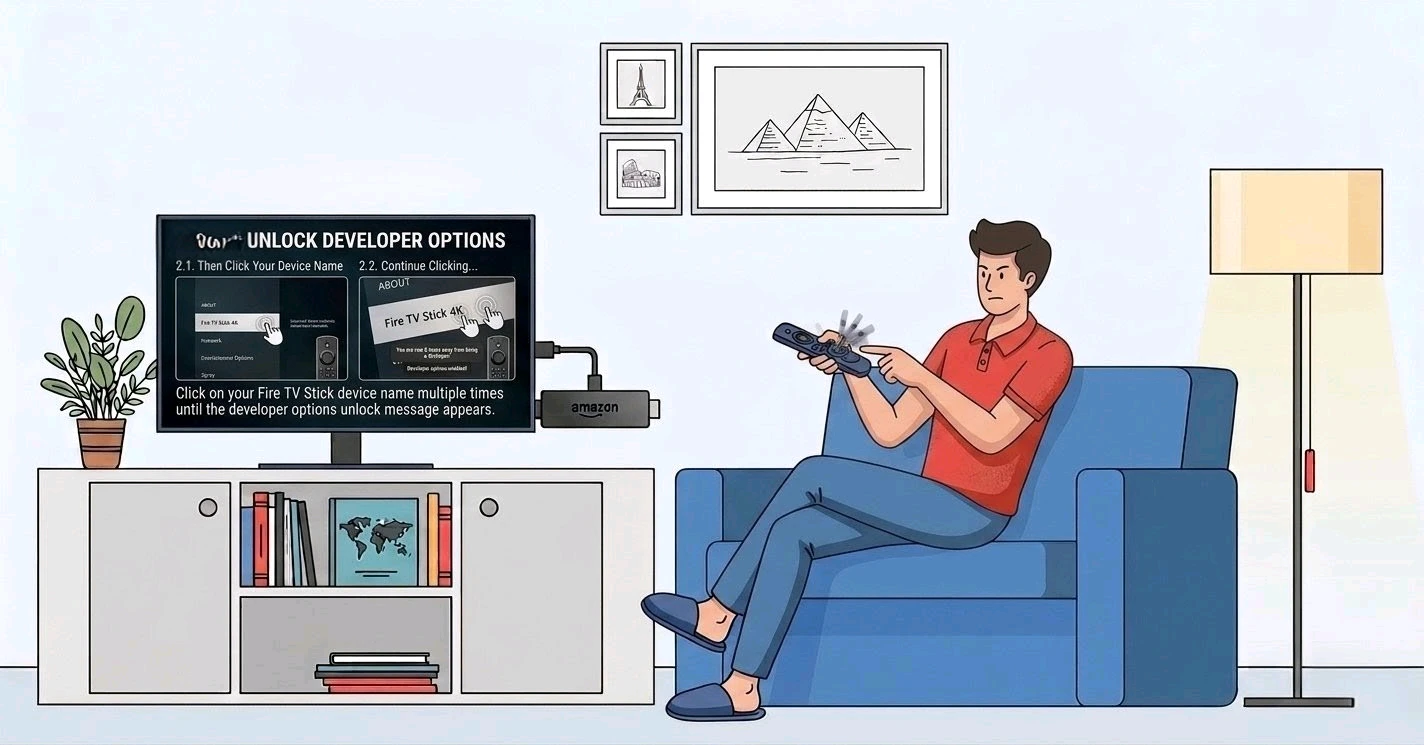
Unlock Developer Options on Firestick
-
Click Your Device Name 7 Times
-
Click on your Fire TV Stick device name repeatedly until you see the developer options unlock message.
Get Surfshark — 20% Off
Step 05
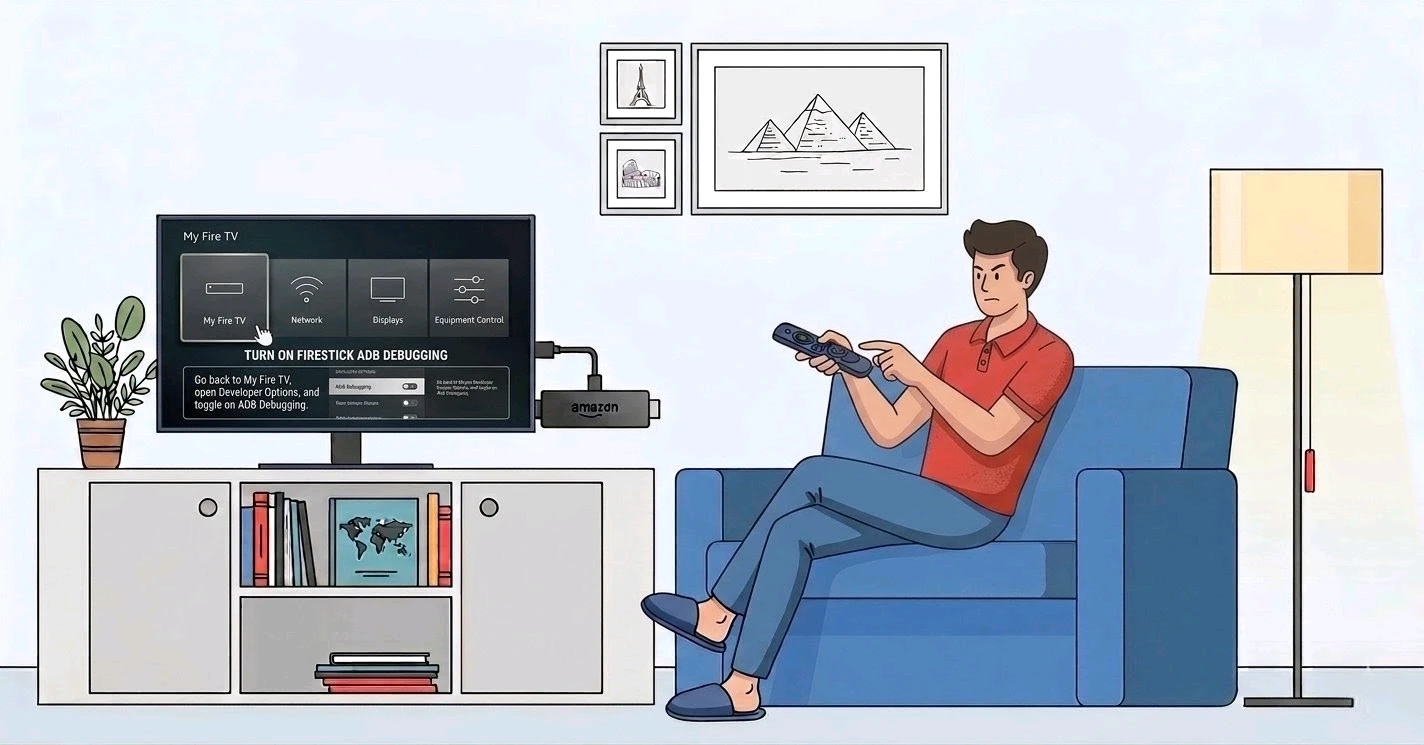
Enable ADB Debugging
-
Turn On Firestick ADB Debugging
-
Go back to My Fire TV, open Developer Options, and toggle on ADB Debugging.
Step 06
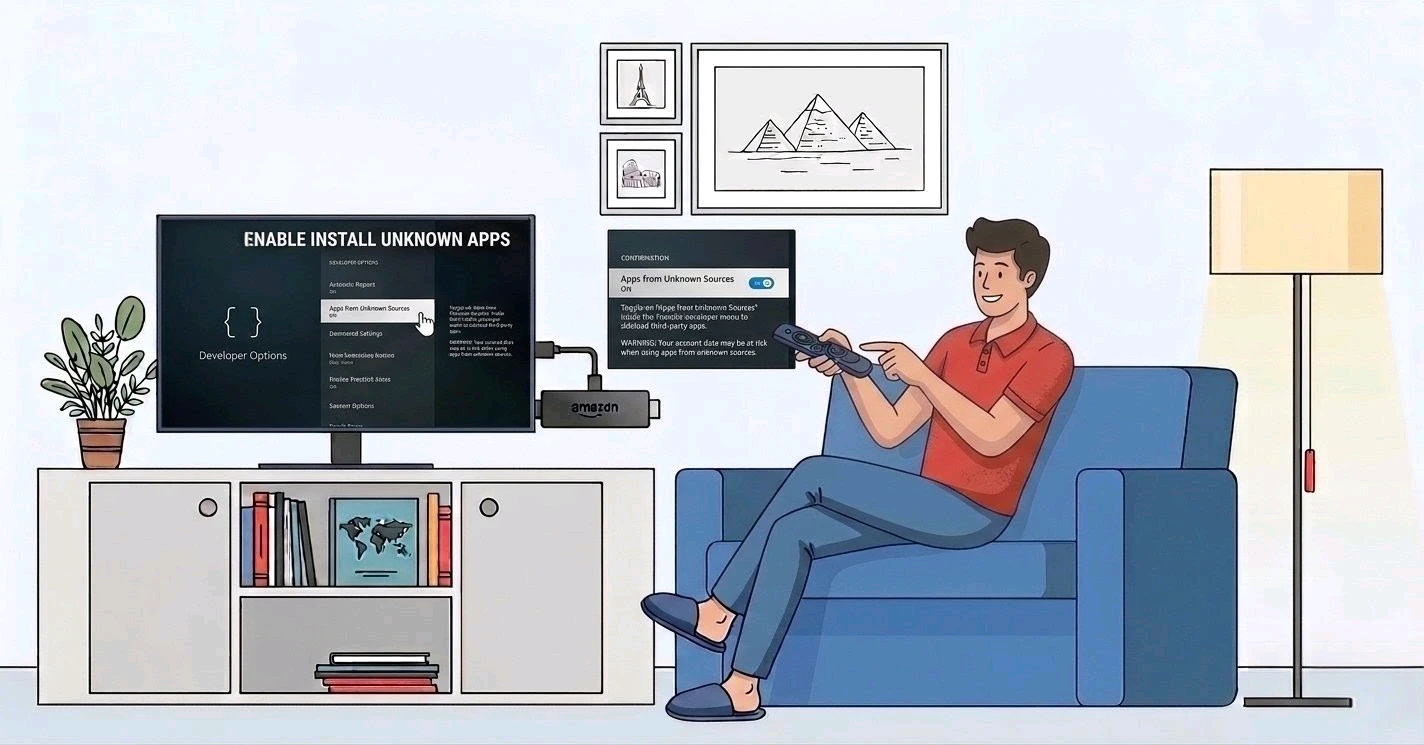
Enable Install Unknown Apps
-
Allow Firestick Install Unknown Apps
-
Toggle on "Apps from Unknown Sources" inside the Firestick developer menu to sideload third-party apps.
Quick Comparison
Side-by-side comparison of top Fire Stick VPNs
| VPN | Price | Servers | Speed | Devices | Rating | Actions |
|---|---|---|---|---|---|---|
|
|
$1.88/mo | 3,200+ | Blazing Fast | 8 | 4.7 | Get Deal |
 NordVPN
|
$4.39/mo | 6,998+ | Blazing Fast | 8 | 4.8 | Get Deal |
 EXPRESS VPN
|
$2.79/mo | 3,000+ | Blazing Fast | 8 | 5 | Get Deal |
 Proton VPN
|
$3.99/mo | 14,999+ | Blazing Fast | 7 | 4.8 | Get Deal |
 Pure VPN
|
$3.55/mo | — | Blazing Fast | 6 | 4 | Get Deal |
 IPVanish
|
$2.49/mo | 3,100+ | Blazing Fast | 6 | 4 | Get Deal |
Frequently Asked Questions
How do I turn on developer options on Firestick?
To turn on developer options on Firestick, go to Settings > My Fire TV > About, then click your device name 7 times quickly. You will see a confirmation message saying developer options are unlocked. After that, go back to My Fire TV and you will find the Firestick developer menu listed as a new option. From there you can toggle on ADB Debugging and install unknown apps.
What are developer options on Firestick used for?
Developer options on Firestick are primarily used to sideload apps that are not available in the Amazon App Store, enable Firestick ADB debugging for external device communication, and allow installation from third-party sources. They are also used by developers to test apps on Fire TV hardware. Most users enable them specifically to expand their streaming options beyond what Amazon officially offers.
Where is the developer menu on Firestick?
To enable Firestick ADB debugging, first complete the developer options unlock process by navigating to Settings > My Fire TV > About and clicking your device name 7 times. Then go back to My Fire TV > Developer Options and toggle ADB Debugging to the ON position. ADB (Android Debug Bridge) allows your Firestick to pair with computers and third-party tools for app sideloading and debugging purposes.
How do I install unknown apps on Firestick after enabling developer options?
Once you enable developer options Firestick and turn on the Firestick install unknown apps toggle, you can sideload apps using tools like Downloader or ES File Explorer. Open the app, enter the APK download link, and install the file directly. The install unknown apps setting must remain ON for this to work. Always use a VPN like Surfshark before sideloading to protect your traffic and privacy.
Can I show developer options on Firestick without a remote?
Yes, you can show developer options Firestick without a physical remote by using the Amazon Fire TV app on your smartphone as a virtual remote. Once connected to the same Wi-Fi network as your Firestick, the app replicates all remote functions including navigation, the select button, and back button. This means you can complete the full fire tv developer options unlock process from your phone.
How do I install unknown apps on Firestick after enabling developer options?
Once you enable developer options Firestick and turn on the Firestick install unknown apps toggle, you can sideload apps using tools like Downloader or ES File Explorer. Open the app, enter the APK download link, and install the file directly. The install unknown apps setting must remain ON for this to work. Always use a VPN like Surfshark before sideloading to protect your traffic and privacy.
Can I show developer options on Firestick without a remote?
Yes, you can show developer options Firestick without a physical remote by using the Amazon Fire TV app on your smartphone as a virtual remote. Once connected to the same Wi-Fi network as your Firestick, the app replicates all remote functions including navigation, the select button, and back button. This means you can complete the full fire tv developer options unlock process from your phone.