How to Use the Downloader App on Firestick: Step by Step Guide
Editor's Choice
#1 Pick
Editor's Choice
 NordVPN
$4.39/month
Save 20%
Blazing Fast
6,998+
214
8
Step by Step Instructions
Step 01

Go to Search on Fire TV
On your Fire TV home screen, select the Search (Find) option at the top.
Step 02

Type “NordVPN”
Use your remote to type NordVPN and choose the app when it appears in the results.
Step 03

Install the App
Click on Get or Download to install NordVPN on your Fire TV.
Step 04

Log In & Connect
Open the app, sign in to your account, and press the connect button to start using the VPN.
How to Use the Downloader App on Firestick
Step by step instructions to use the Downloader App on Firestick
Step 01
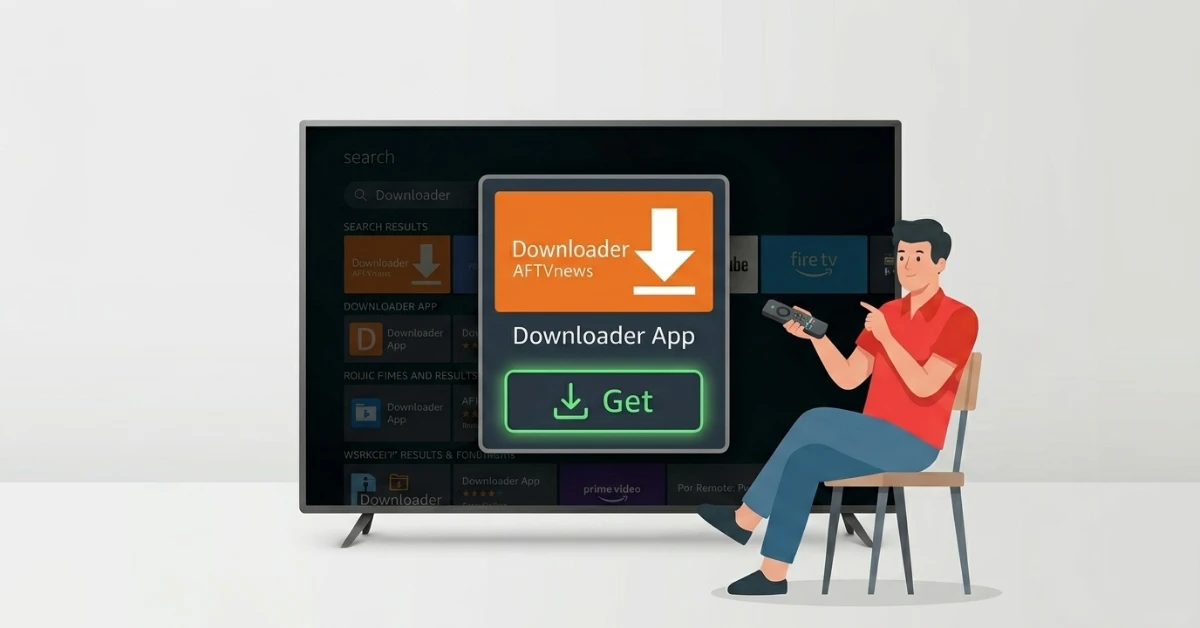
Search & Install the Downloader App
-
From your Fire TV home screen, go to the Find tab and select Search.
-
Type "Downloader" and select it from the results.
-
Click on the orange Downloader app icon by AFTVNews, then hit Get to install it.
Step 02
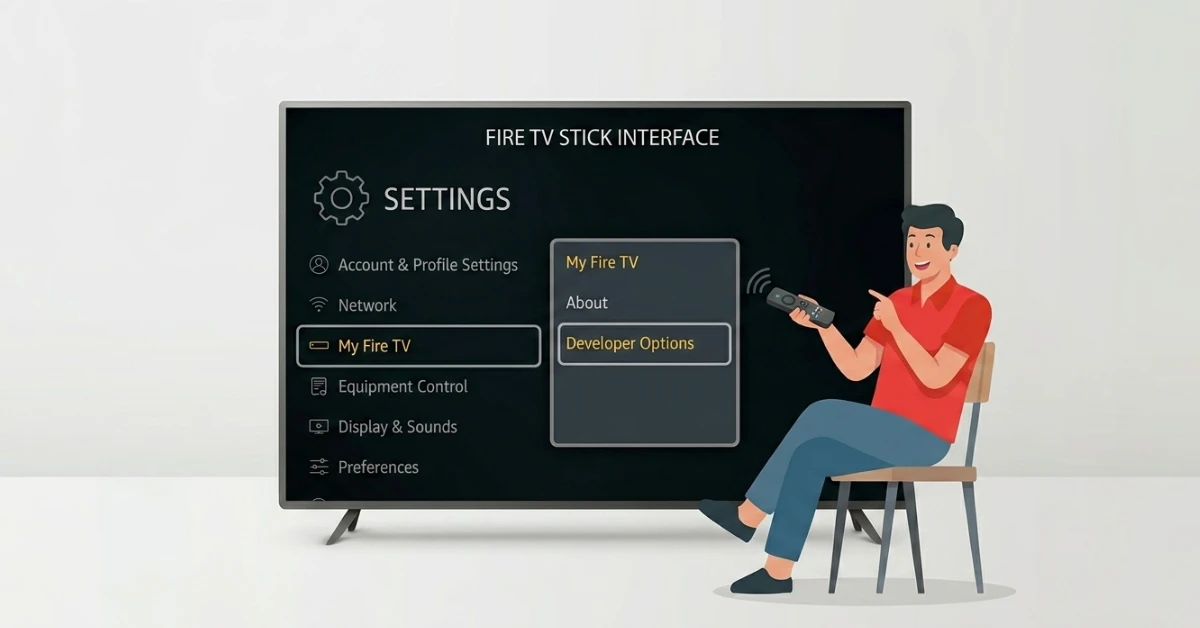
Go to Settings & Open Developer Options
-
From the Fire TV home screen, click the Settings gear icon at the top.
-
Select My Fire TV, then click on Developer Options.
-
Click on Install Unknown Apps from the list of options.
-
Find Downloader in the list and switch it from OFF to ON.
Get NordVPN — 20% Off
Step 03
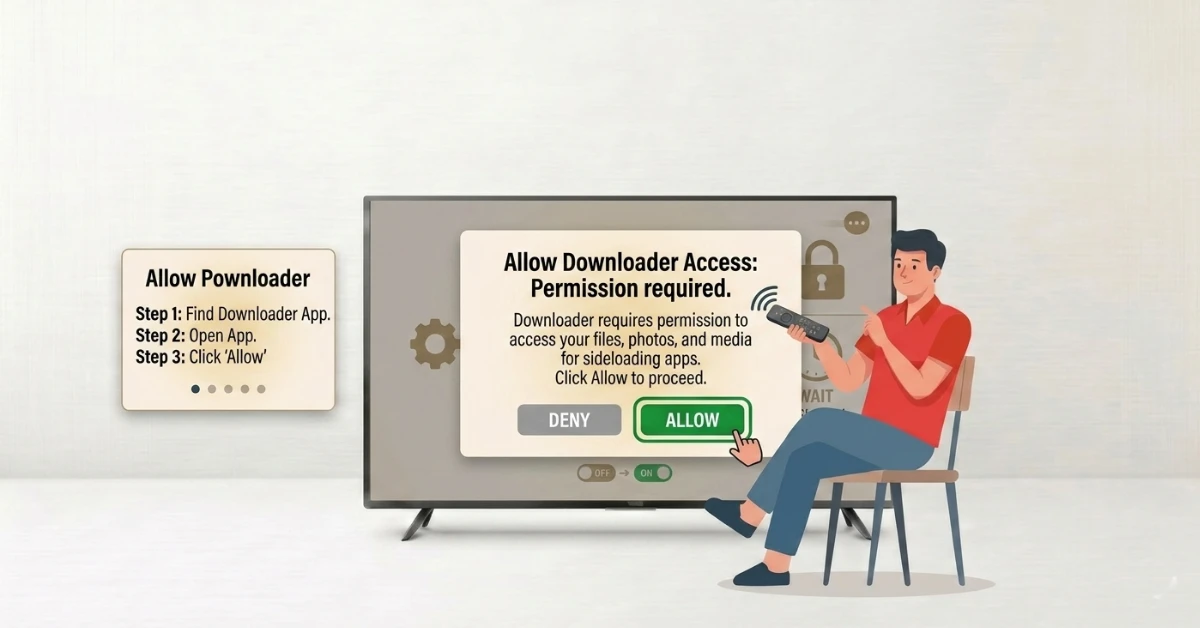
Open Downloader & Grant Permission
-
Open the Downloader app from your apps list.
-
Click Allow when it asks for permission to access files.
-
Your Firestick is now ready to sideload apps using Downloader.
Step 04
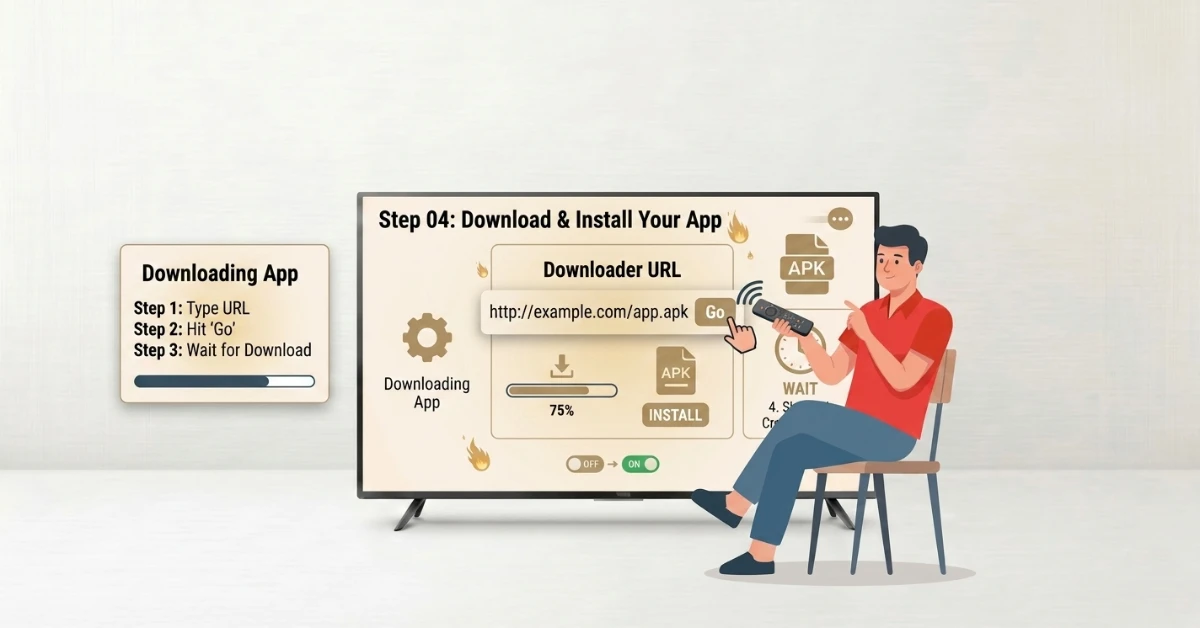
Download & Install Your App
-
In the URL field on the Downloader home screen, type the direct link for the app you want.
-
Hit Go and wait for the file to download.
-
Once done, click Install and wait a few seconds for it to finish.
-
Hit Open to launch your new app
Quick Comparison
Side-by-side comparison of top Fire Stick VPNs
| VPN | Price | Servers | Speed | Devices | Rating | Actions |
|---|---|---|---|---|---|---|
|
NordVPN
|
$4.39/mo | 6,998+ | Blazing Fast | 8 | 4.8 | Get Deal |
 EXPRESS VPN
|
$2.79/mo | 3,000+ | Blazing Fast | 8 | 5 | Get Deal |
|
|
$1.88/mo | 3,200+ | Blazing Fast | 8 | 4.7 | Get Deal |
 Proton VPN
|
$3.99/mo | 14,999+ | Blazing Fast | 7 | 4.8 | Get Deal |
 IPVanish
|
$2.49/mo | 3,100+ | Blazing Fast | 6 | 4 | Get Deal |
Frequently Asked Questions
How to use Downloader app on Firestick?
To use the Downloader app on Firestick, open the app, enter a URL or downloader code, and click Go to download and install apps directly onto your device.
What is the Downloader app Firestick used for?
The Downloader app Firestick is used to download files from the internet and sideload apps that are not available in the Amazon App Store.
Is the Downloader app on Amazon Fire Stick free?
Yes, the Downloader app Amazon Fire Stick version is completely free to download and use.
Why is Downloader app Firestick not downloading files?
If the downloader app Firestick fails, check your internet, verify the downloader code Firestick, or enable permissions.
How to delete files after using Downloader app Firestick?
After installing, the downloader app Firestick will prompt you to delete the APK file to free up storage.
What should I do if Downloader app Firestick shows a blank screen?
If the downloader app Firestick shows a blank screen, enable JavaScript or restart the app.
Is Downloader app Firestick legal?
The Downloader app Firestick is legal; however, the legality depends on the content you download and install.